

TL;DR
1
Access Agency Configuration
Agency Configuration > Edit Agency, scroll down to inspection settings.
2
Set Inspection Defaults
Configure start/end times and billing preferences.
3
Save Changes
Click Save to apply your updated inspection settings.
Let's Do It Together!
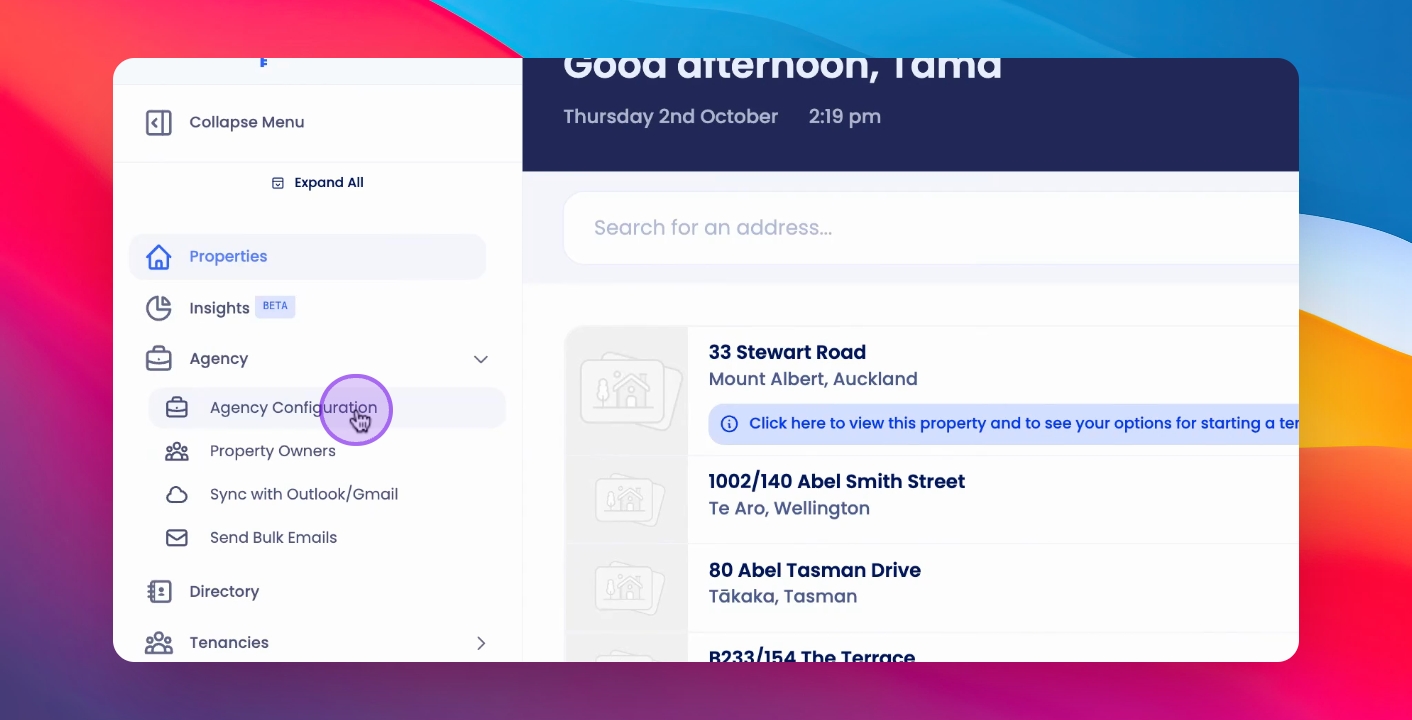
Step 1: Access Agency Configuration
Click on Agency Configuration.
Select Edit Agency.
Step 2: Update Inspection Settings
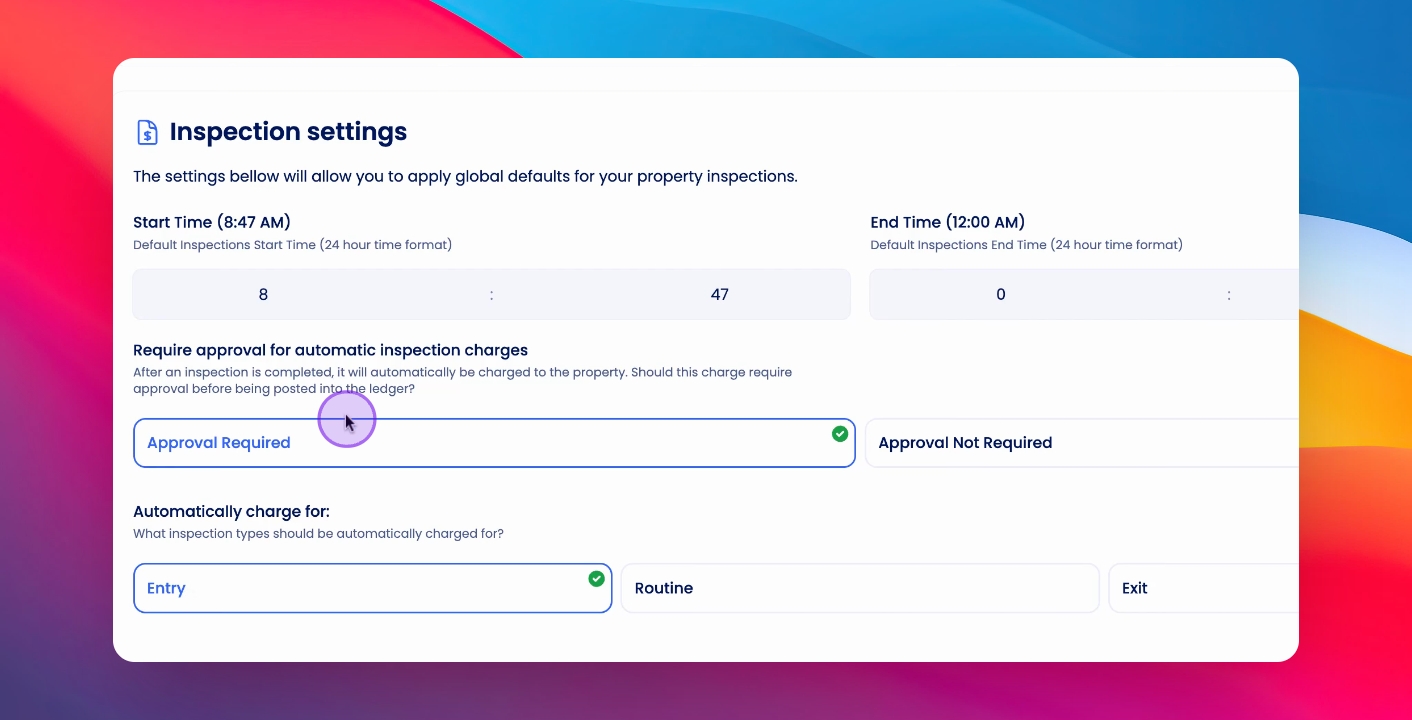
Scroll down to Inspection Settings.
Set a default start and end time for your inspections. Select whether inspections are charged automatically or require approval.
Choose the type of inspection: entry, routine or exit, that is automatically charged.
Step 3: Save Your Changes
Click Save to update your inspection settings.
Your inspection settings will now be updated with the new defaults.
If you need more help or have any questions, just reach out to us at support@keyhook.com — we're always here to help!