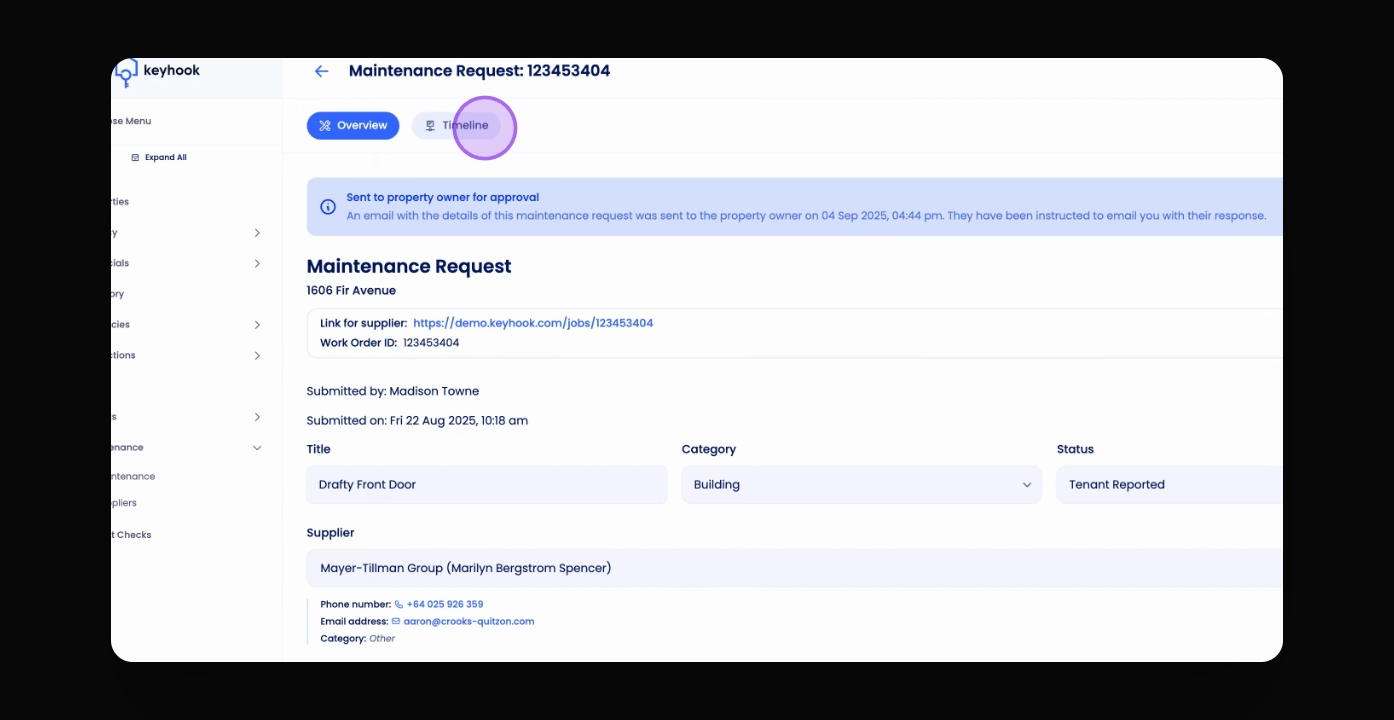
TL;DR
1
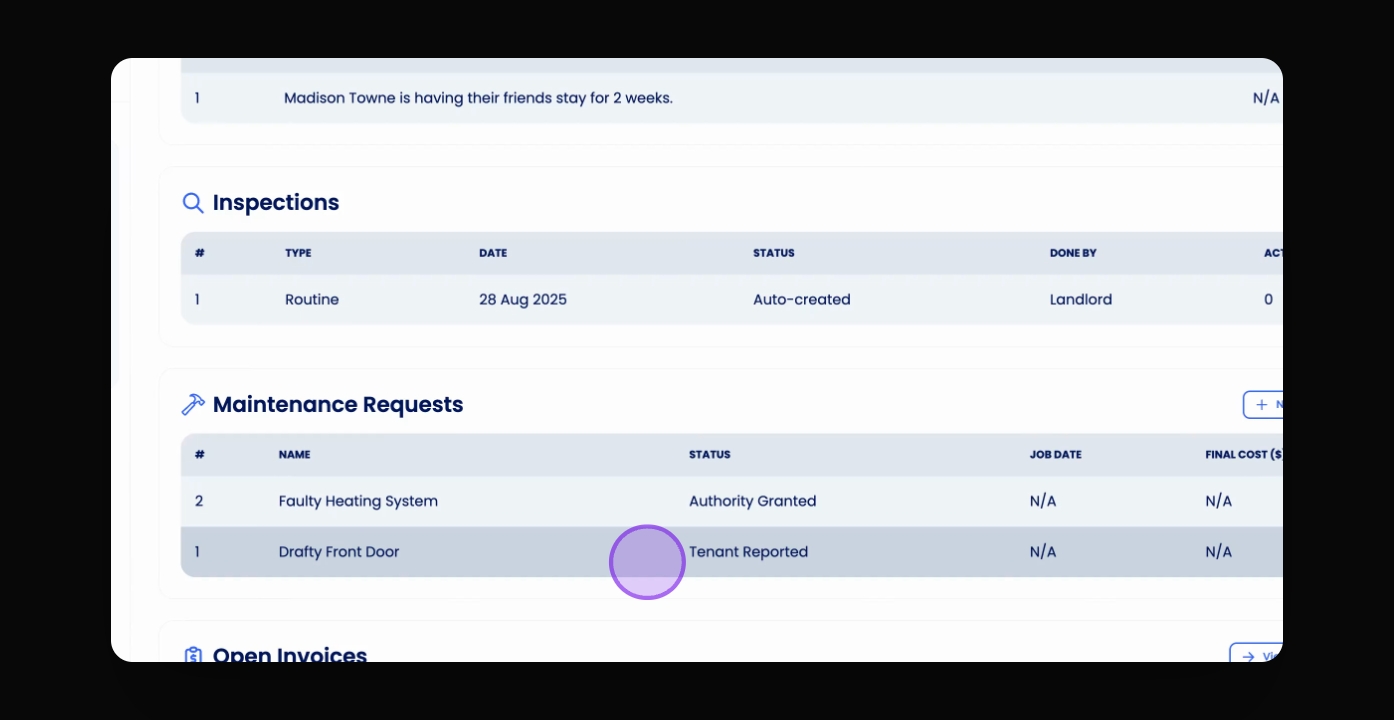
Visit the property
Property Overview > Select and review the maintenance request.
(Note you can also access maintenance requests from the left-hand menu)
2
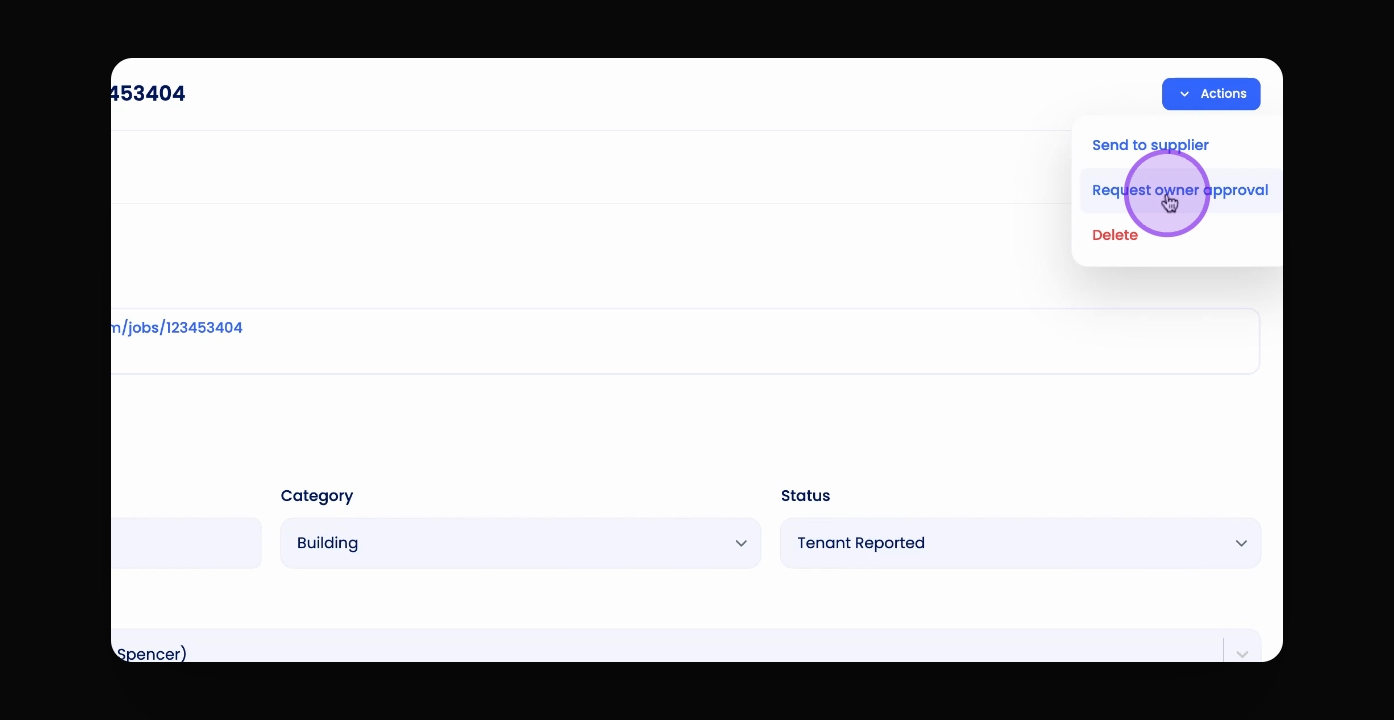
Request owner approval
Click Actions, then Request Owner Approval.
3
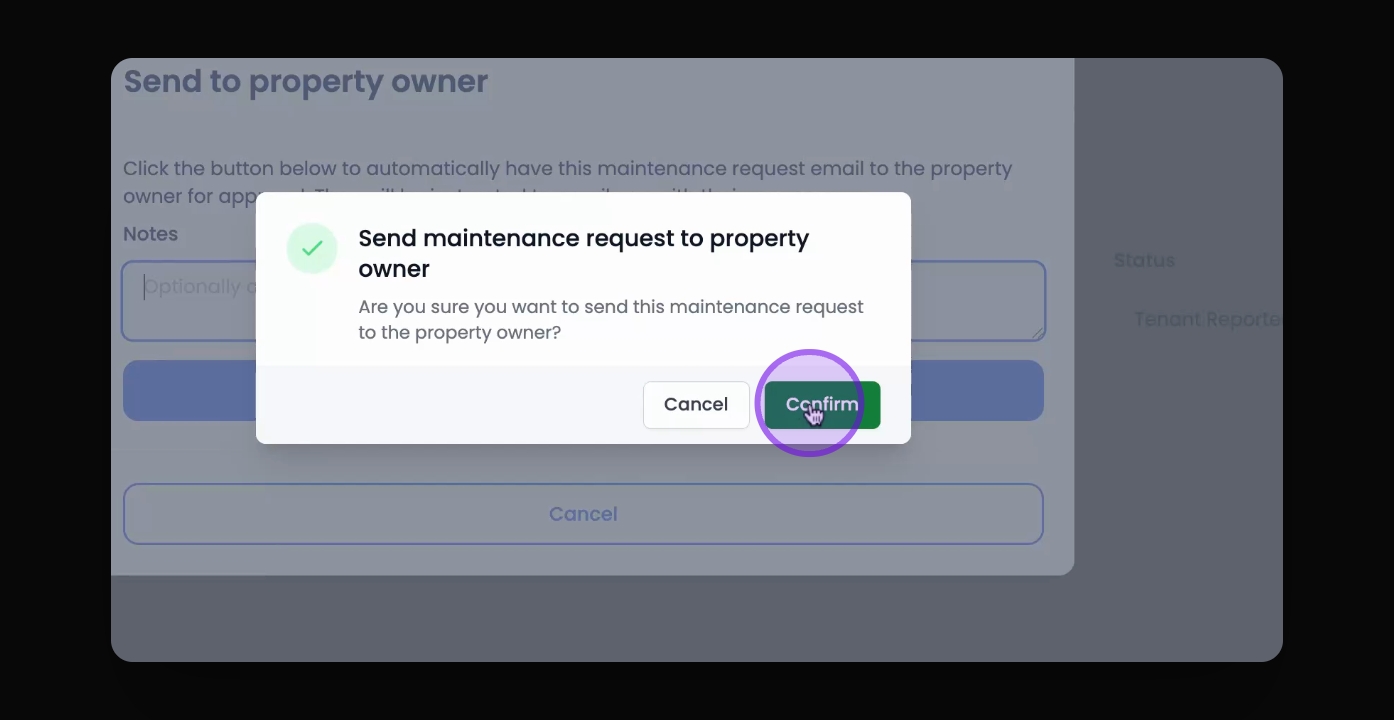
Send the request
Click Send to Owner and confirm.
4
View email details
Check the timeline for email details.
Let's Do It Together!
Step 1: Select a Request To Send
Select the relevant maintenance request from the maintenance table or directly from a property overview.
Review the details of the maintenance request.
Step 2: Request Owner Approval
Click Actions at the top right corner.
Click Request Owner Approval.
Add any additional notes you would like to send to the owner.
Step 3: Send the Request
Click Send to Owner.
Click Confirm.
You can see this has been sent to the owner.
Step 4: View Email Details
You can see the day and the time this has been sent.
To view the email itself, click Timeline and view the details.