TL;DR
1
Access Maintenance Table
Go to the Maintenance table and search for the property address.
2
Select Requests
Choose the maintenance requests you wish to merge.
3
Merge and Confirm
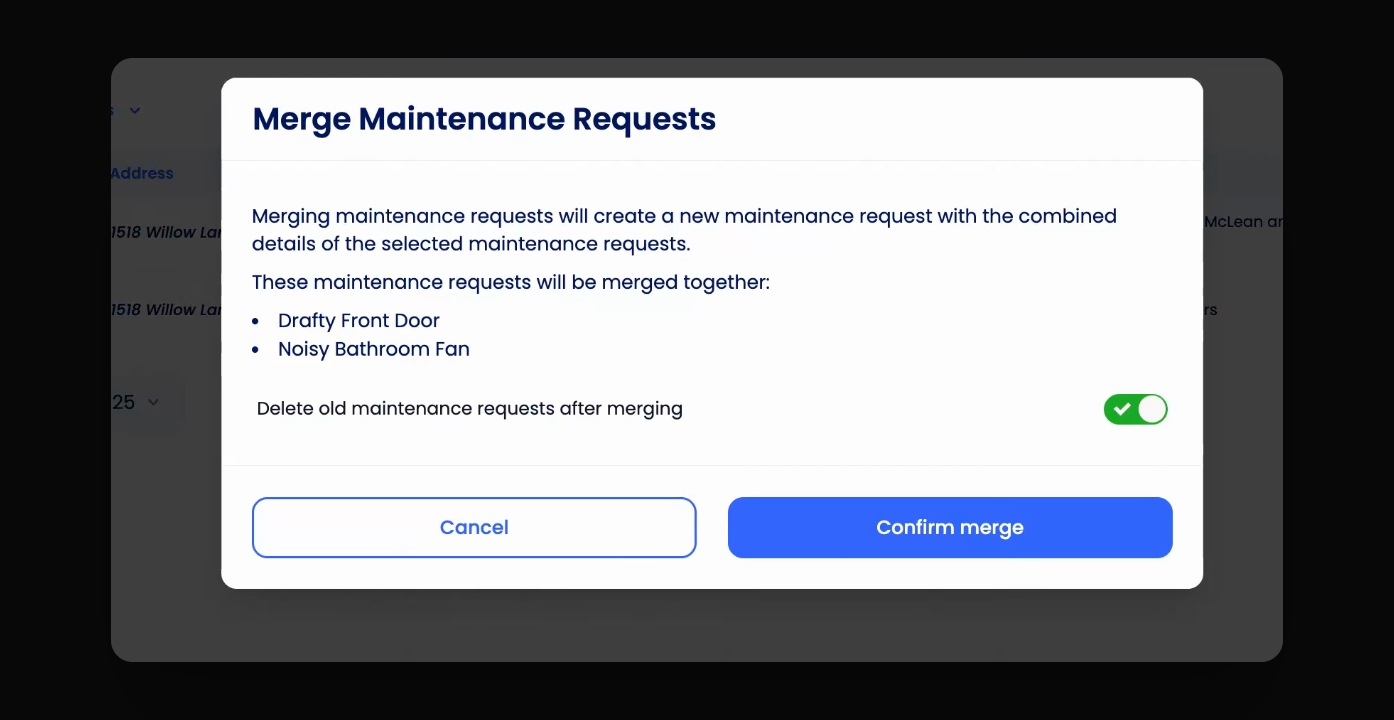
Click Merge, choose to delete old requests, then confirm.
Let's Do It Together!
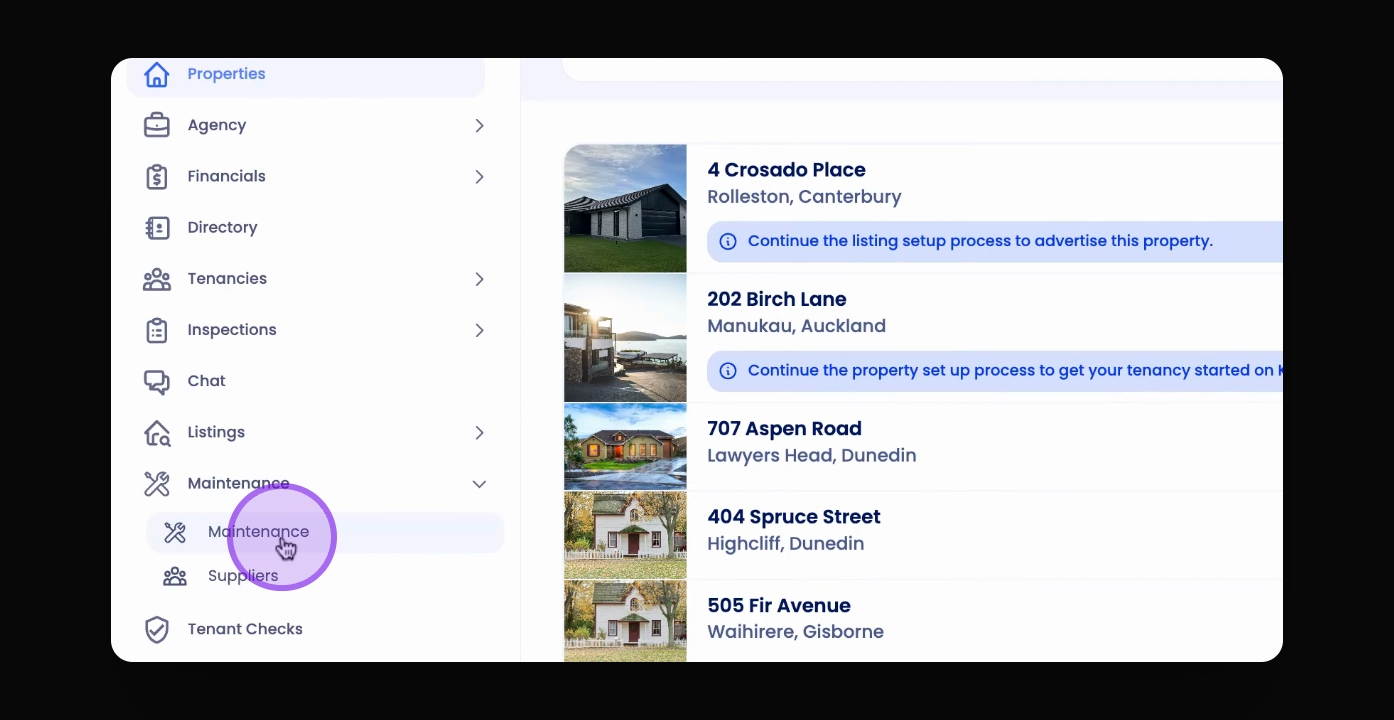
Step 1: Access the Maintenance Table
Go to the Maintenance table through the Left-hand menu.
Search for the property address.
Step 2: Select Maintenance Requests
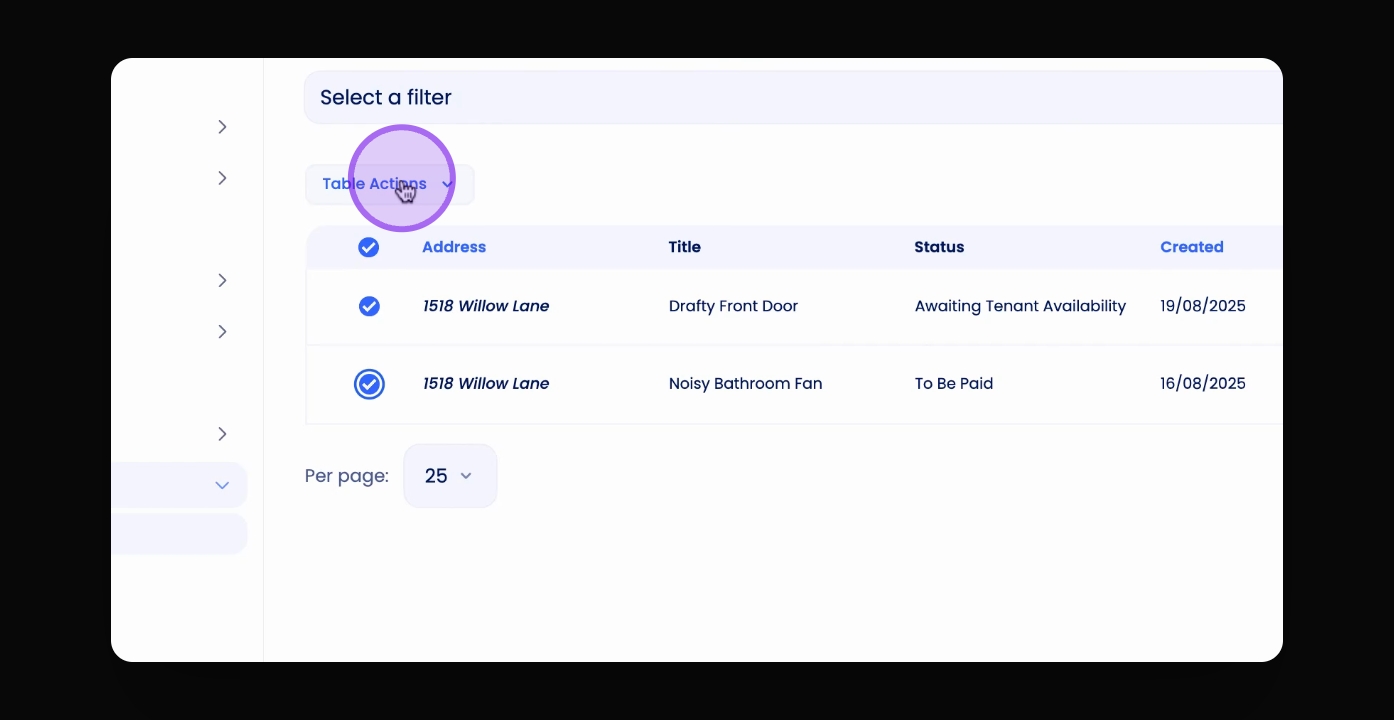
Select the maintenance requests you want to merge.
Step 3: Merge Requests
Click Table Actions and then Merge.
Select whether to delete the old maintenance requests.
Click Confirm Merge.
This will merge all details and photos or videos for the maintenance requests into one.