

Let's do it together!
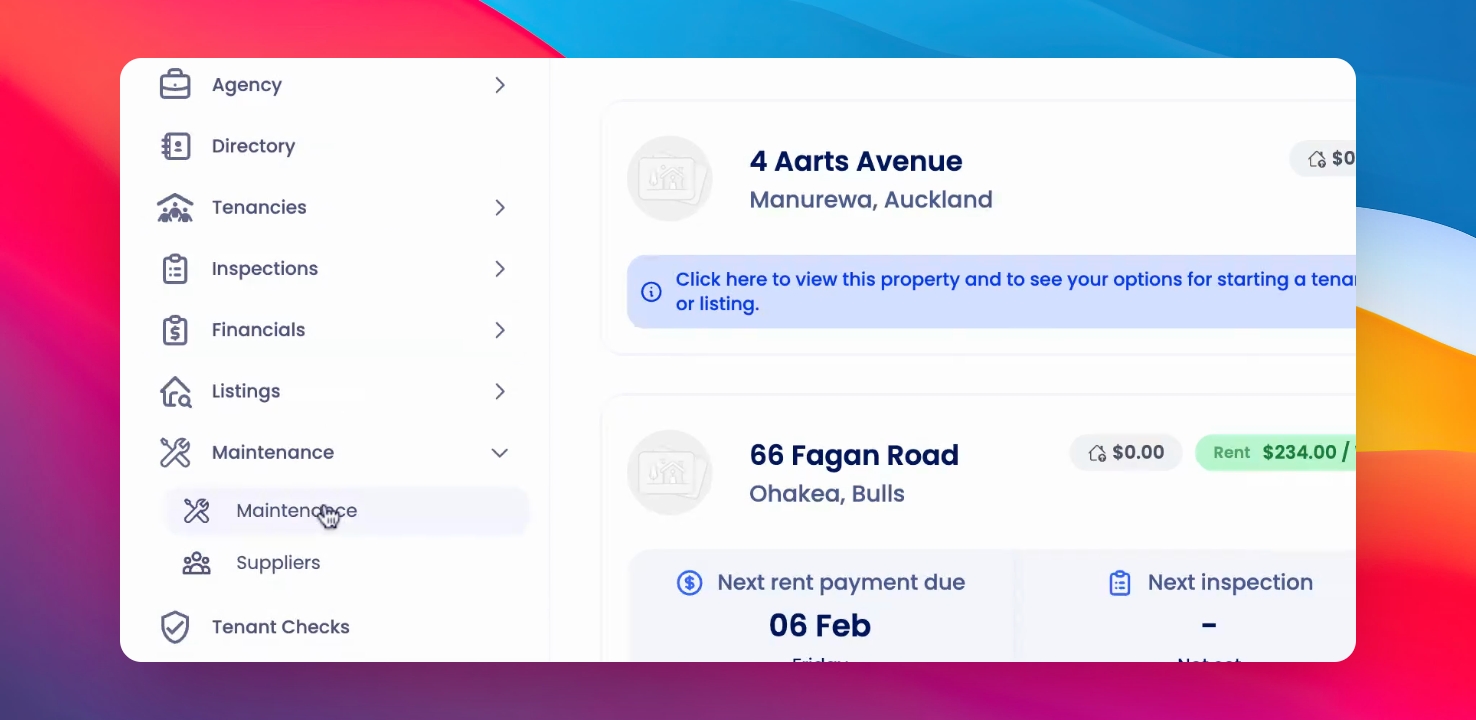
Step 1: Access Maintenance
Click on Maintenance from the left-hand side menu to view maintenance orders.
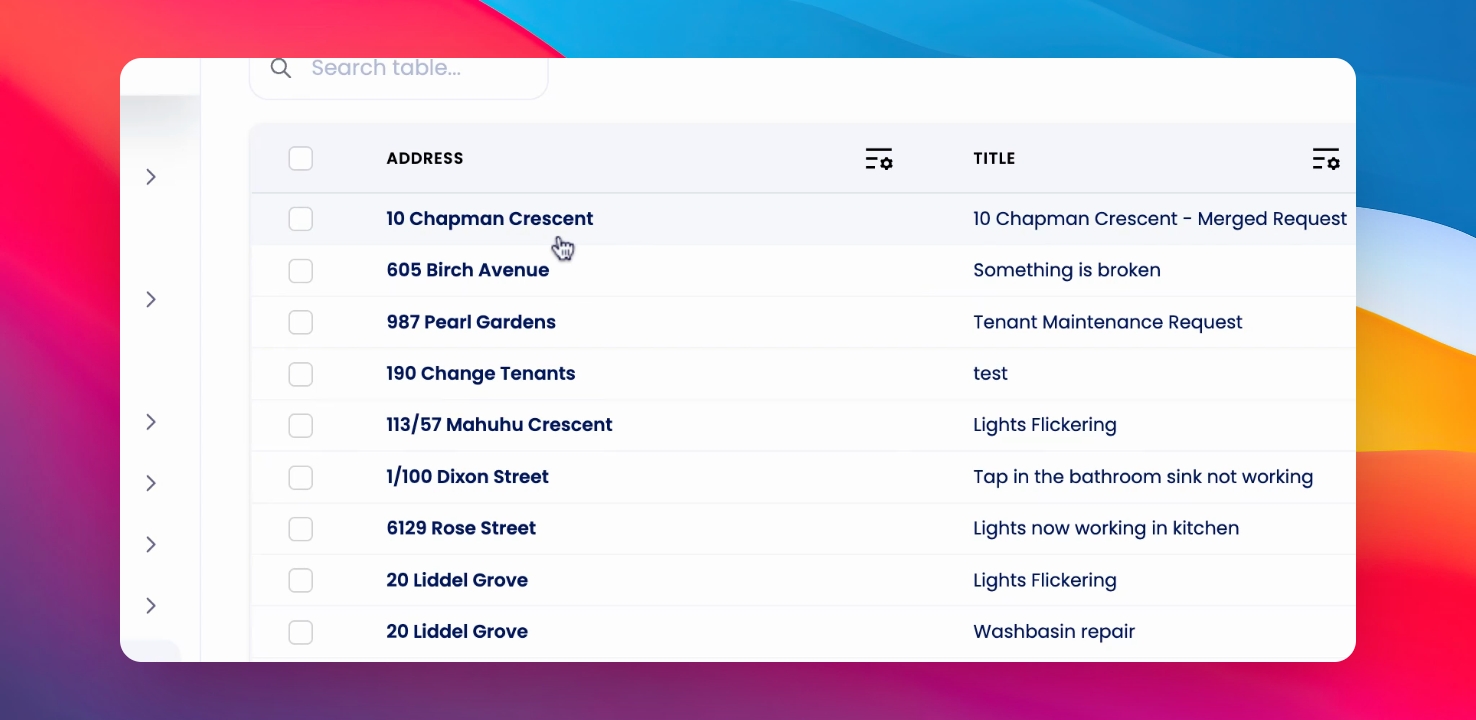
Step 2: Select Order
Select the maintenance order you would like to preview.
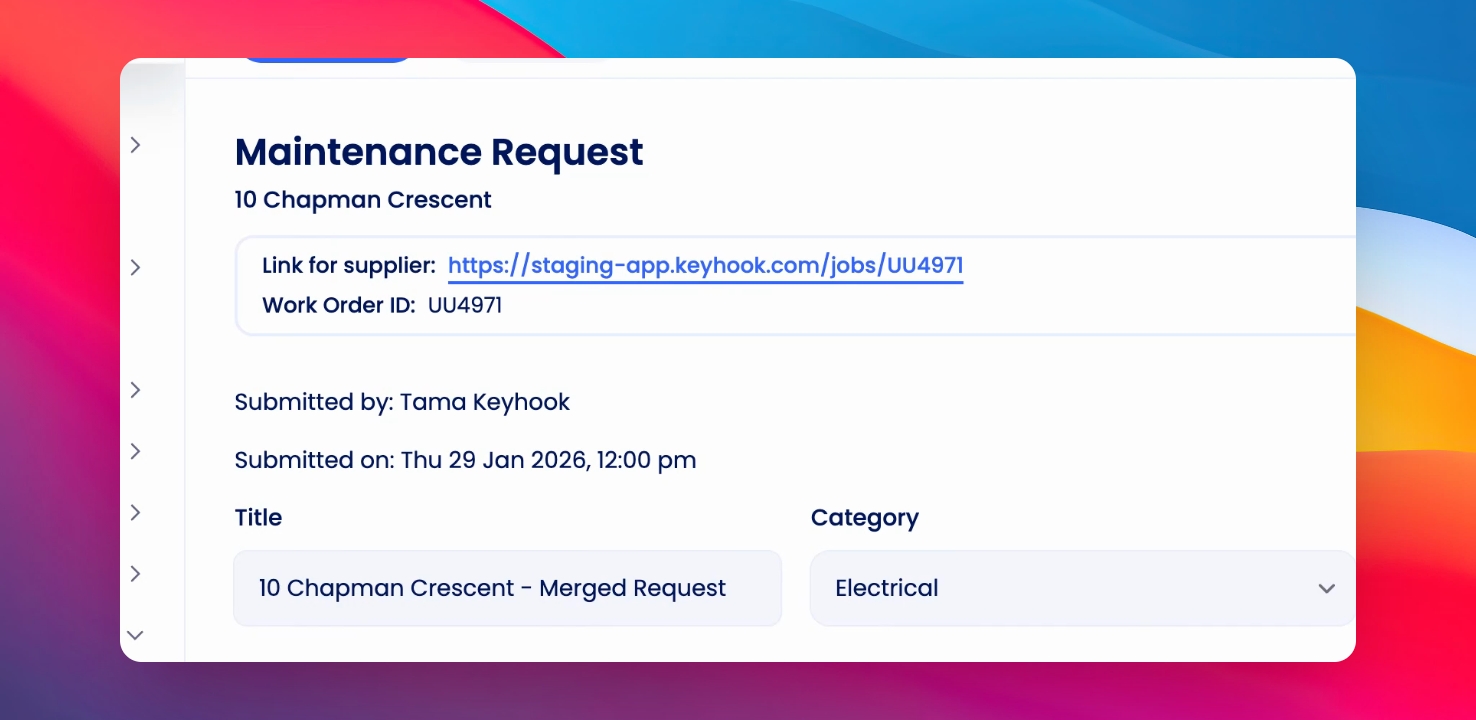
Step 3: Open Request Page
You will be taken to the maintenance request page for the selected order.
Step 4: Link for Suppliers
Click on the link that says Link for Suppliers above the work order ID.
Step 5: View Preview
This will take you to the preview of the work order as seen by suppliers.
Step 6: Review Details
At the top, you will see the address, followed by the work order ID, category, access details, and description.
Step 7: Check Images
Below the description, suppliers can view images related to the work order.
Step 8: Contact Information
Finally, the preview will display the contact information of the property manager or landlord who requested the job.