TL;DR
1
Visit your listing
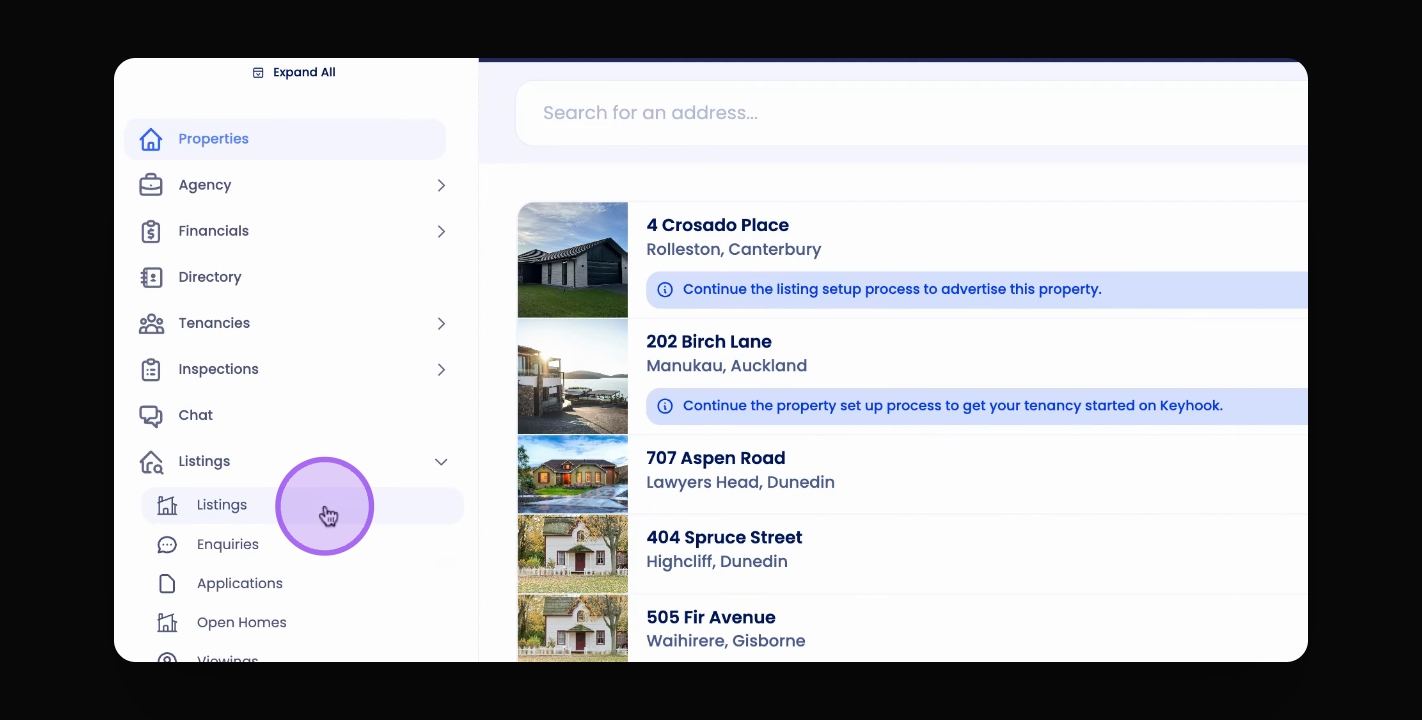
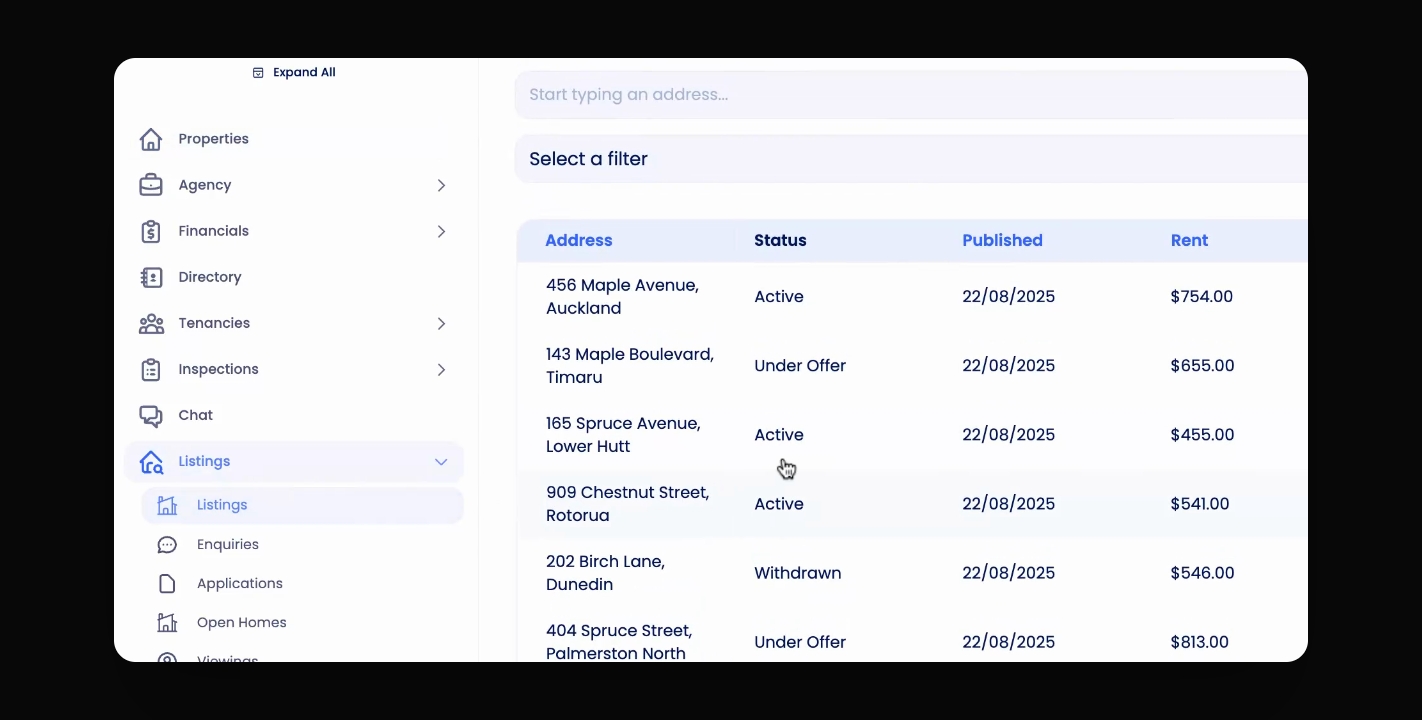
Go to the listing you want to withdraw.
2
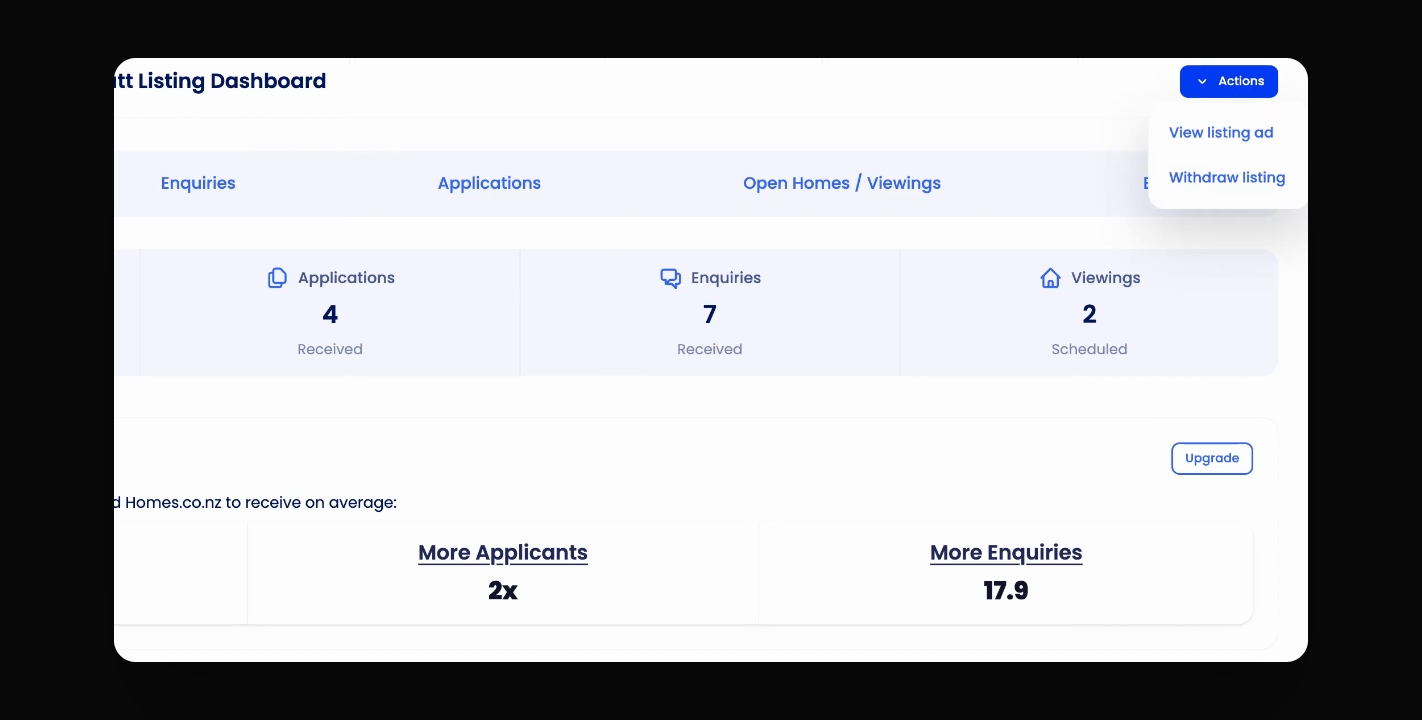
Click Actions
Click Actions on the top right of the page and choose Withdraw Listing.
3
Confirm withdrawal
Confirm to withdraw the listing from all platforms.
Let's Do It Together!
Step 1: Access the Listing
Visit the listing you wish to withdraw.
Step 2: Withdraw the Listing
Click the Actions button at the top right corner.
Select Withdraw Listing from the dropdown menu.
Confirm the withdrawal when prompted.
Your listing will be successfully withdrawn from all platforms.