

TL;DR
1
Sign up to Keyhook
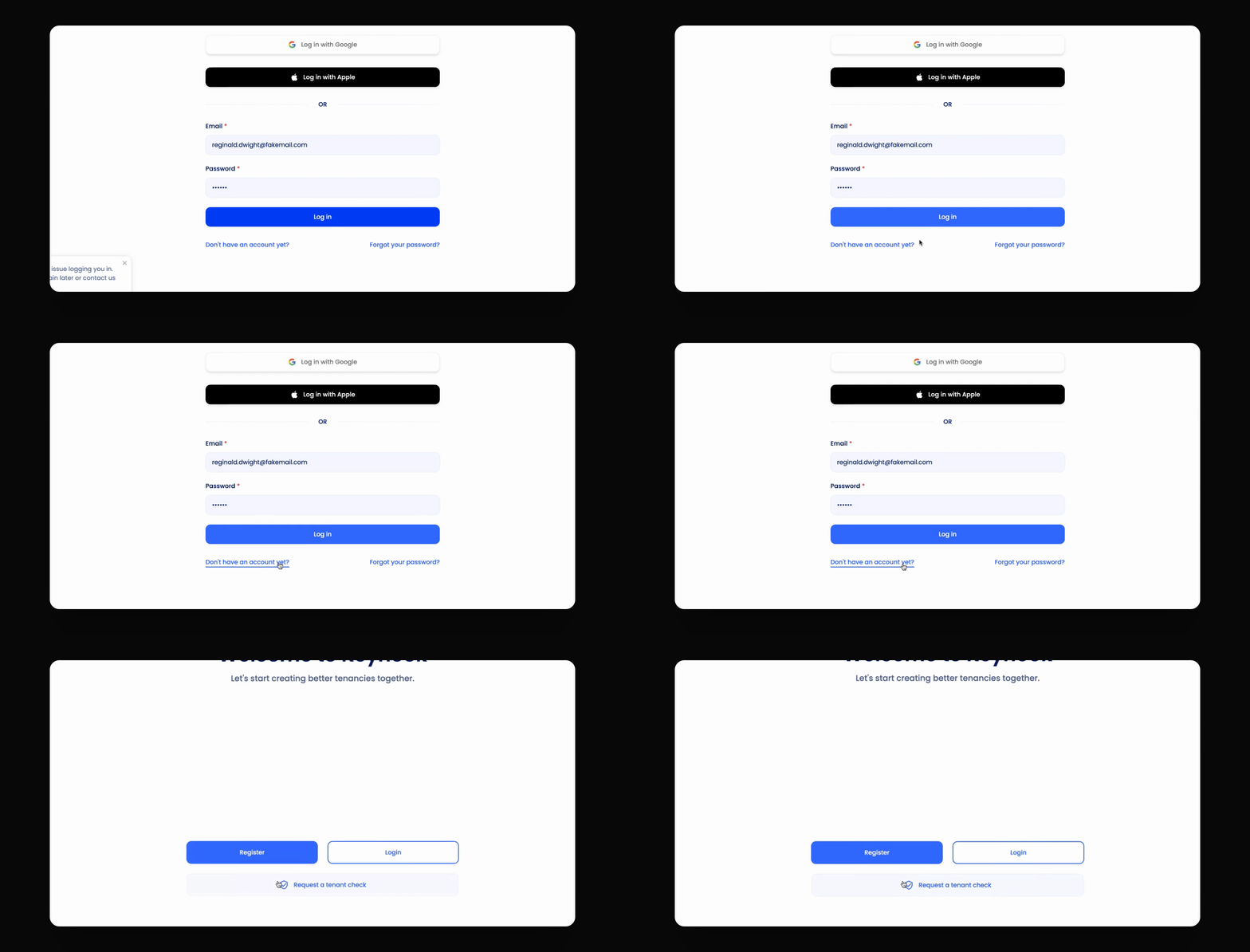
Select 'Don't have an account yet?' click Register and select Tenant.
2
Fill in details
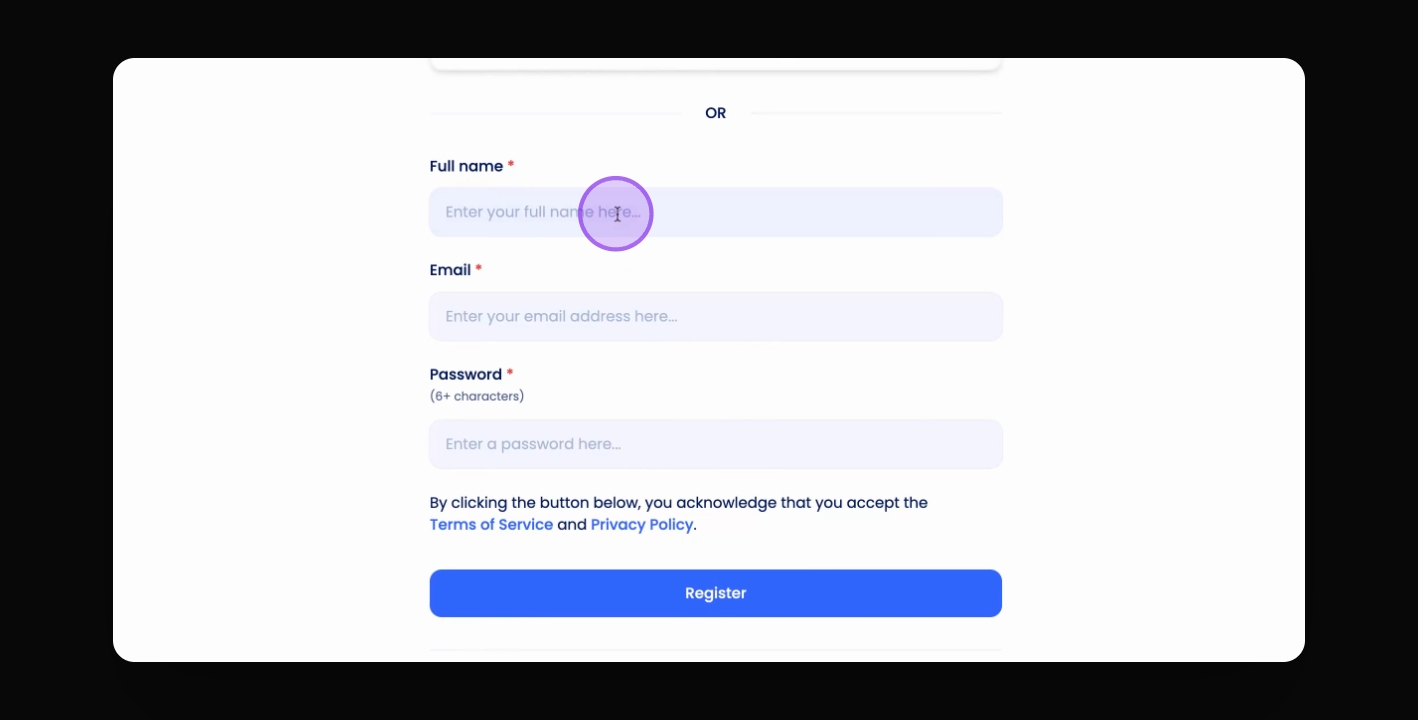
Enter your info, set a password, and click Register.
Remember to sign up with the same email address the Keyhook invitation was sent to!
Let's Do It Together!
Step 1: Register for an Account
Click on Don't have an account yet?.
Click Register to start the account creation process.
Step 2: Enter Your Information
Select Tenant.
Enter your information and choose a password.
Click Register to complete the setup.
Troubleshooting
Unable to login
Ensure you have an account set up.