

To set up automatic invoice ingestion and AI reading to Keyhook, you should set up a dedicated invoice email account that your suppliers send all their invoices to, including Water Care or Water suppliers if you're in a region that deals with water. Let's look at the steps:
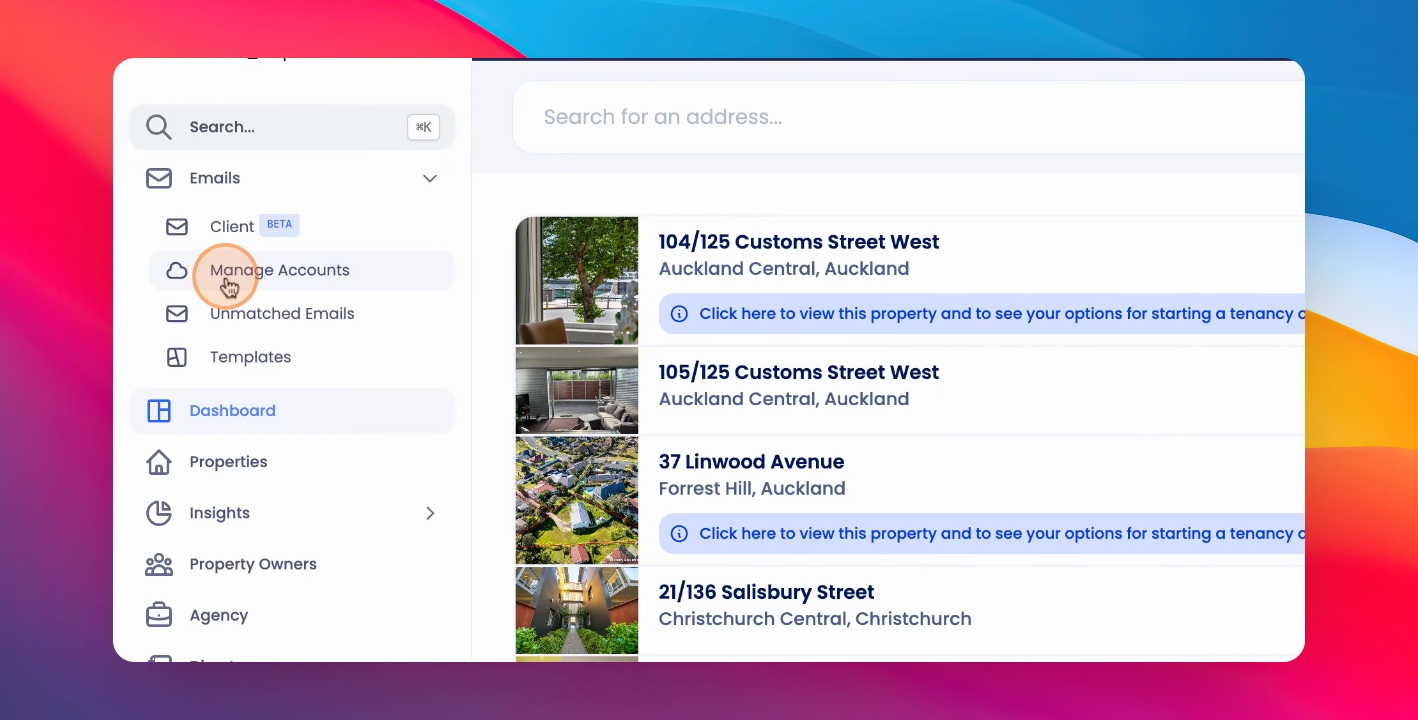
Step 1: Manage Accounts
Click on Manage Accounts under Emails and add the relevant account.
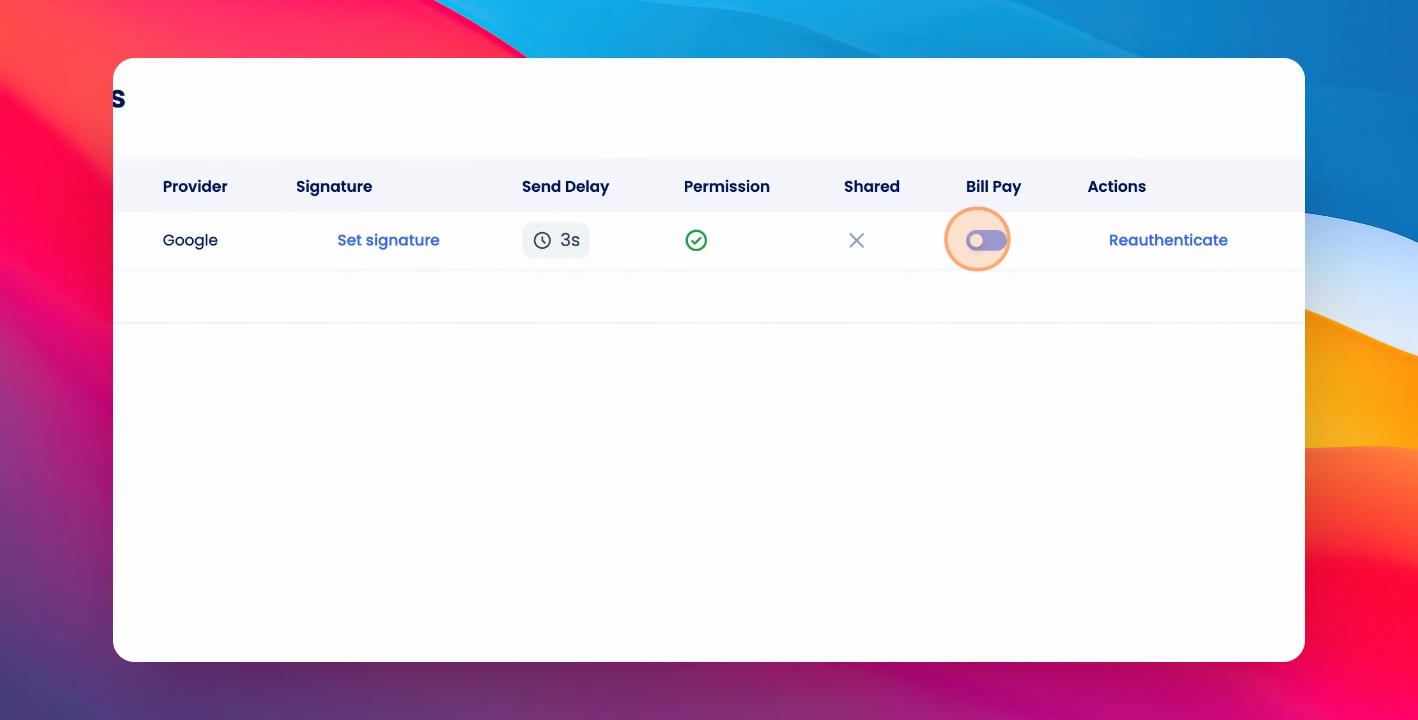
Step 2: Toggle Bill Pay
You can then select the Bill Pay toggle for this account.
Step 3: Set Import Date
Choose the date from which you'd like to import the emails, and have them read by the system's AI.
Step 4: Enable Feature
Click Enable.
Step 5: View Invoices
After a few minutes, you'll see invoices beginning to import under Financials and Bill Pay and Water and Invoices.
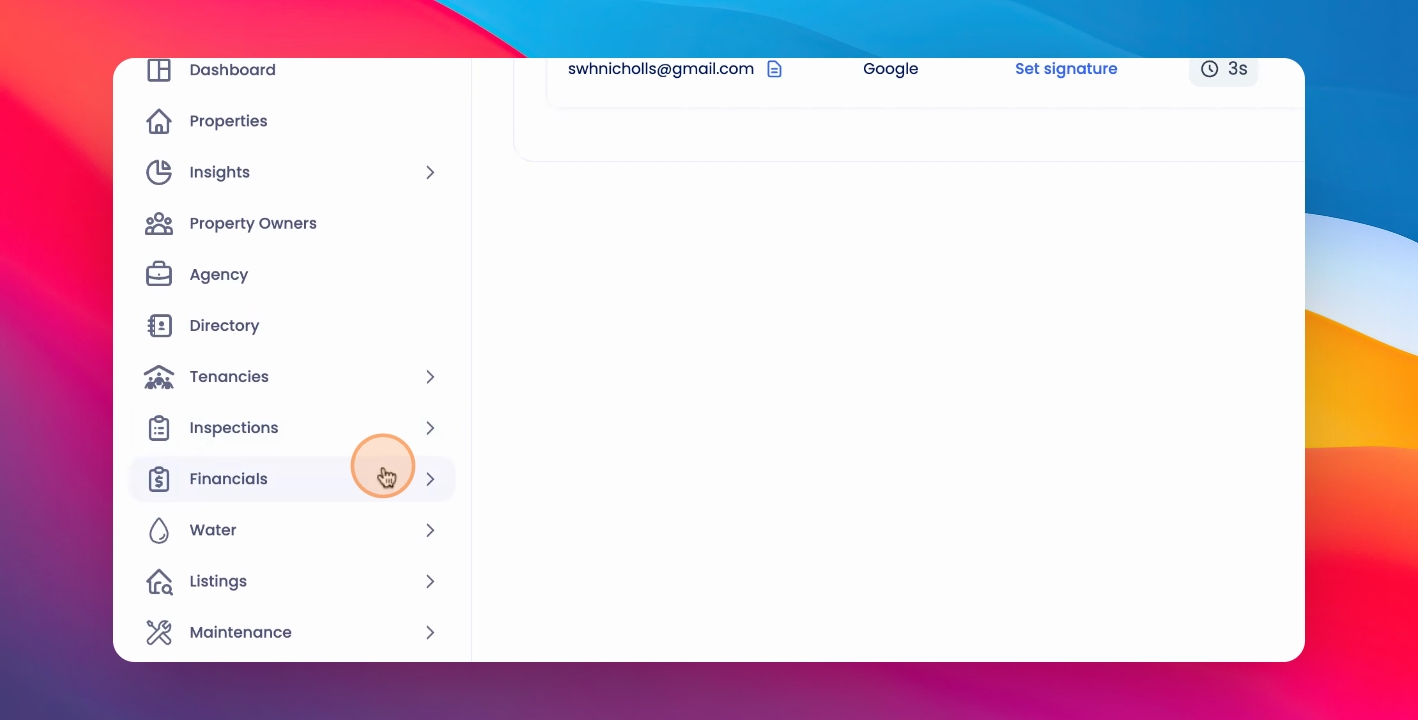
The invoices ingested will automatically land in the relevant inbox.