TL;DR
1
Visit the application
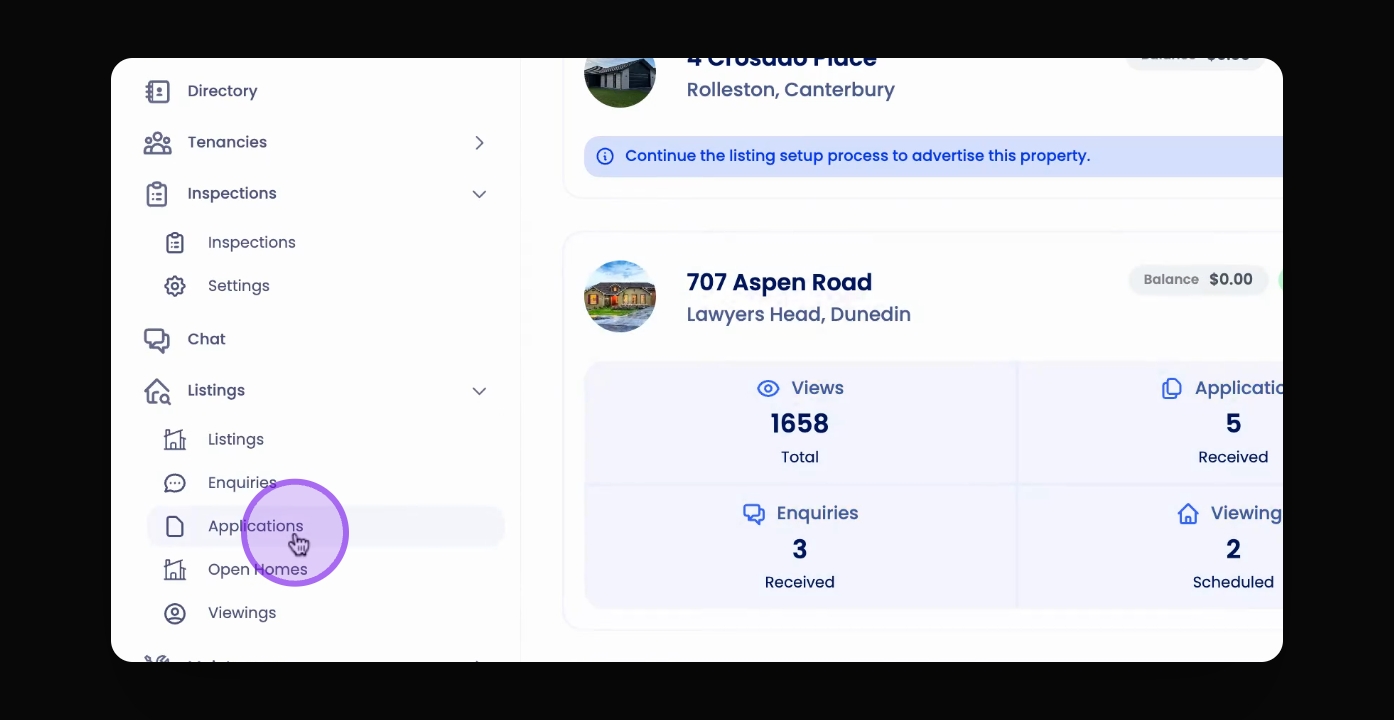
Navigate to the application you wish to shortlist.
2
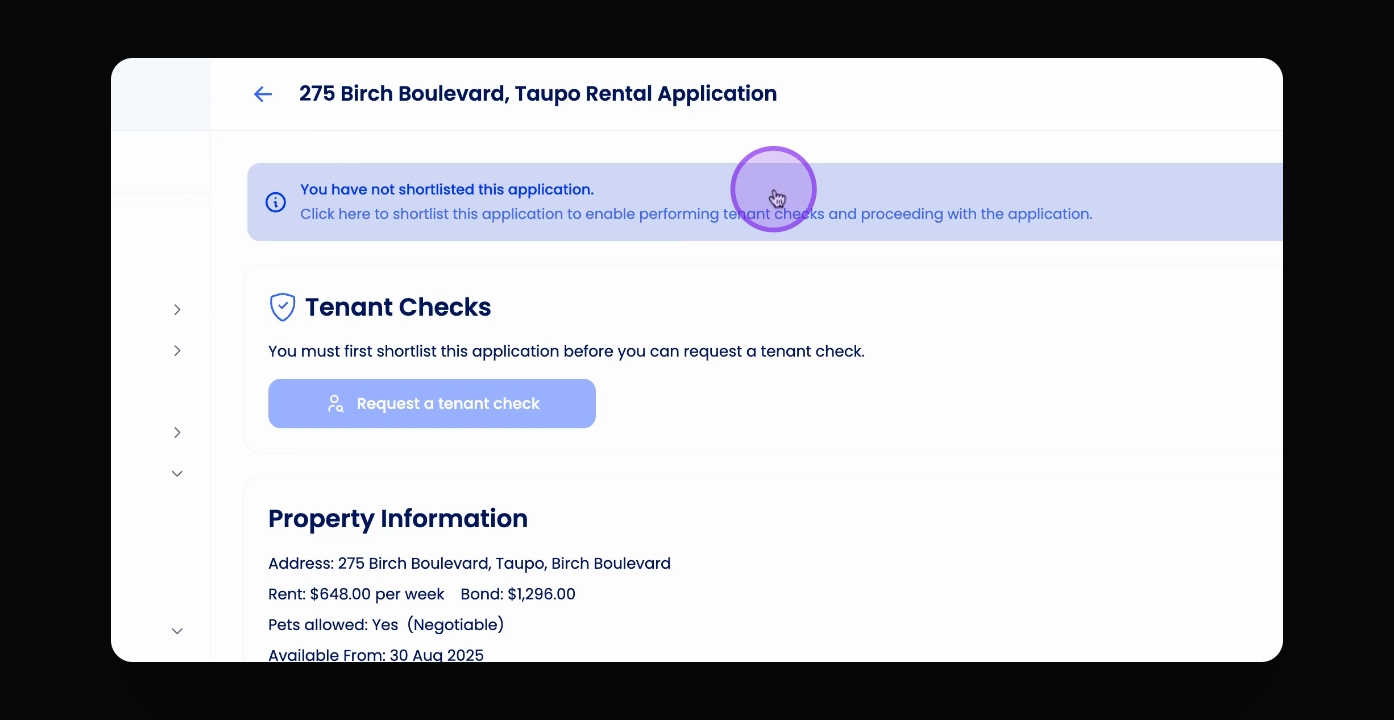
Click the blue banner
Click the blue banner at the top of the page to shortlist the applicant.
Let's Do It Together!
Step 1: Visit the Application
Go to the application you want to shortlist. Access applications from the left-hand menu, or from a listing.
Step 2: Shortlist the Applicant
Select the application you want to shortlist, then click on the blue banner at the top of the application.