

To set up a new tenancy, go to the Property Overview and click Set Up Tenancy on the left hand side. Let's look at the steps:
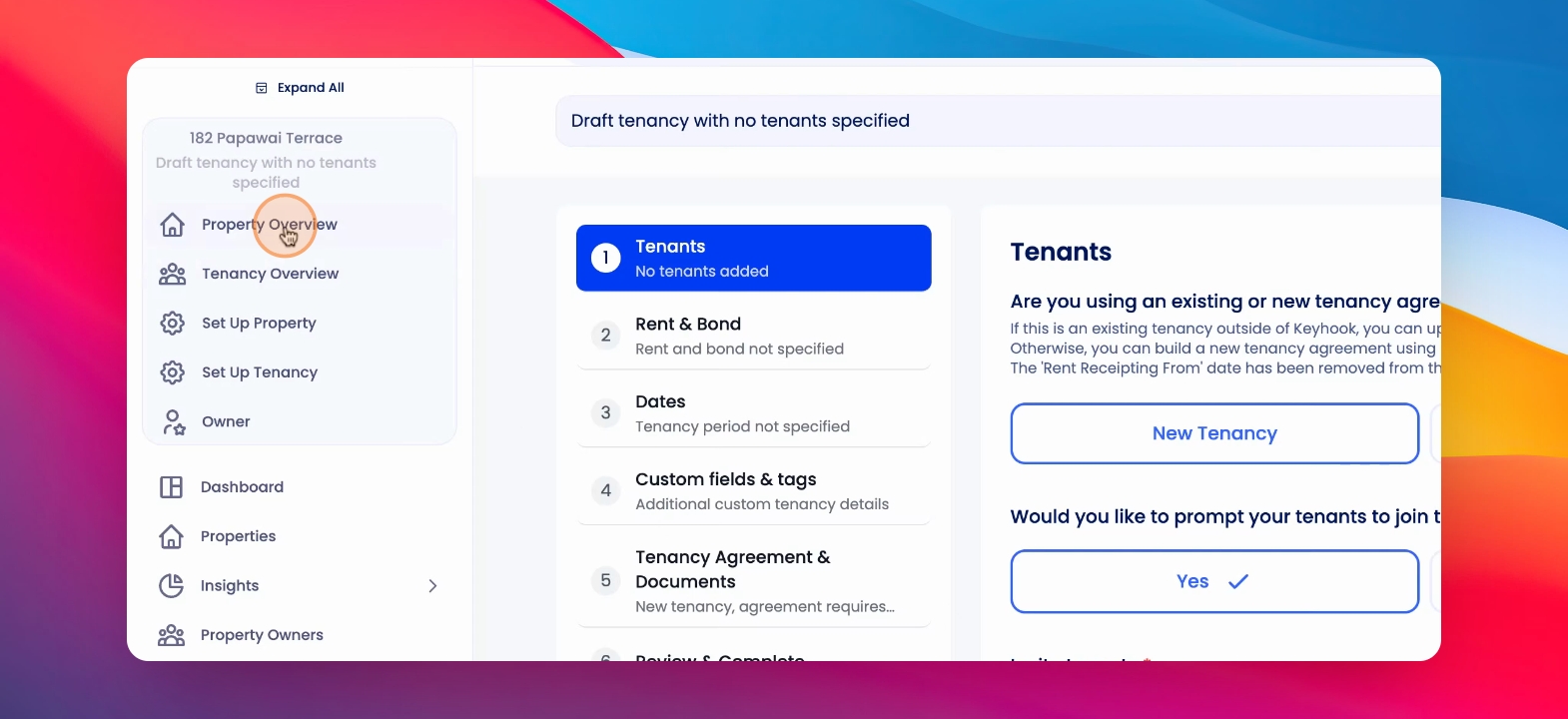
Step 1: Select Tenancy Type
At the top, you'll see a drop down with the different tenancies for that property. Click the drop down and select either a Draft Tenancy or Prepare New Tenancy.
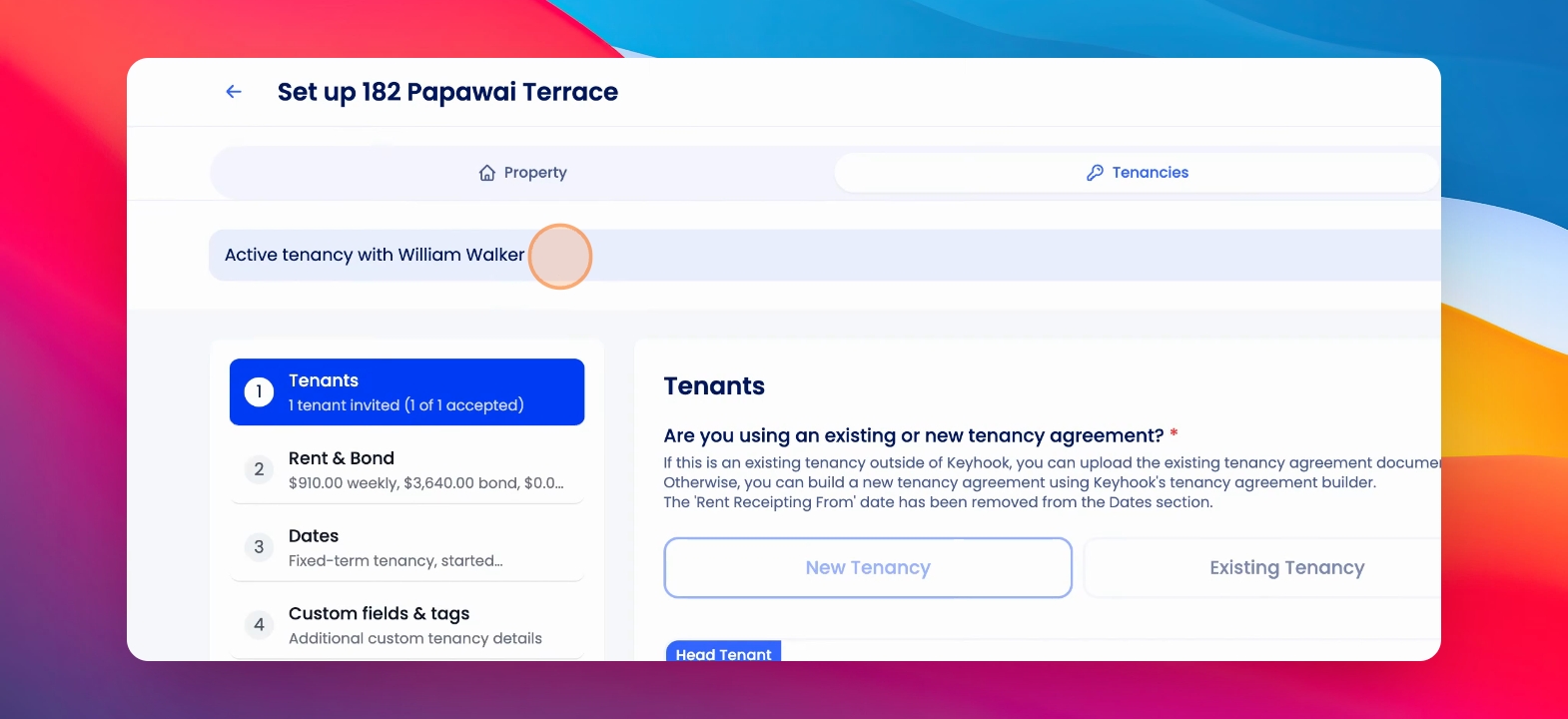
Step 2: Enter Tenant Details
Decide whether this is a new tenancy or existing tenancy and if you would like to prompt your tenants to join Key. Enter the tenants details.
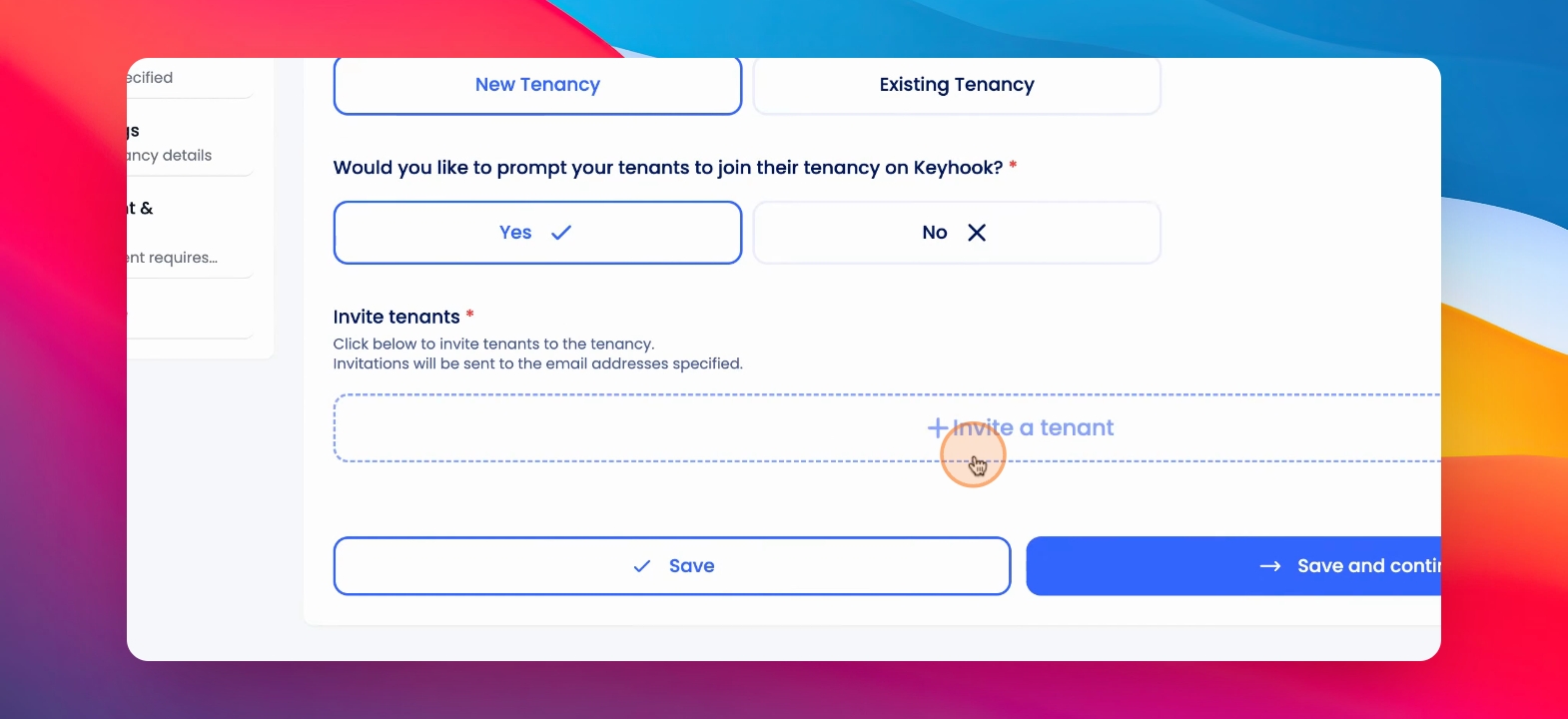
Step 3: Add Invitation Message
You can add an invitation message. Optionally click Save and continue.
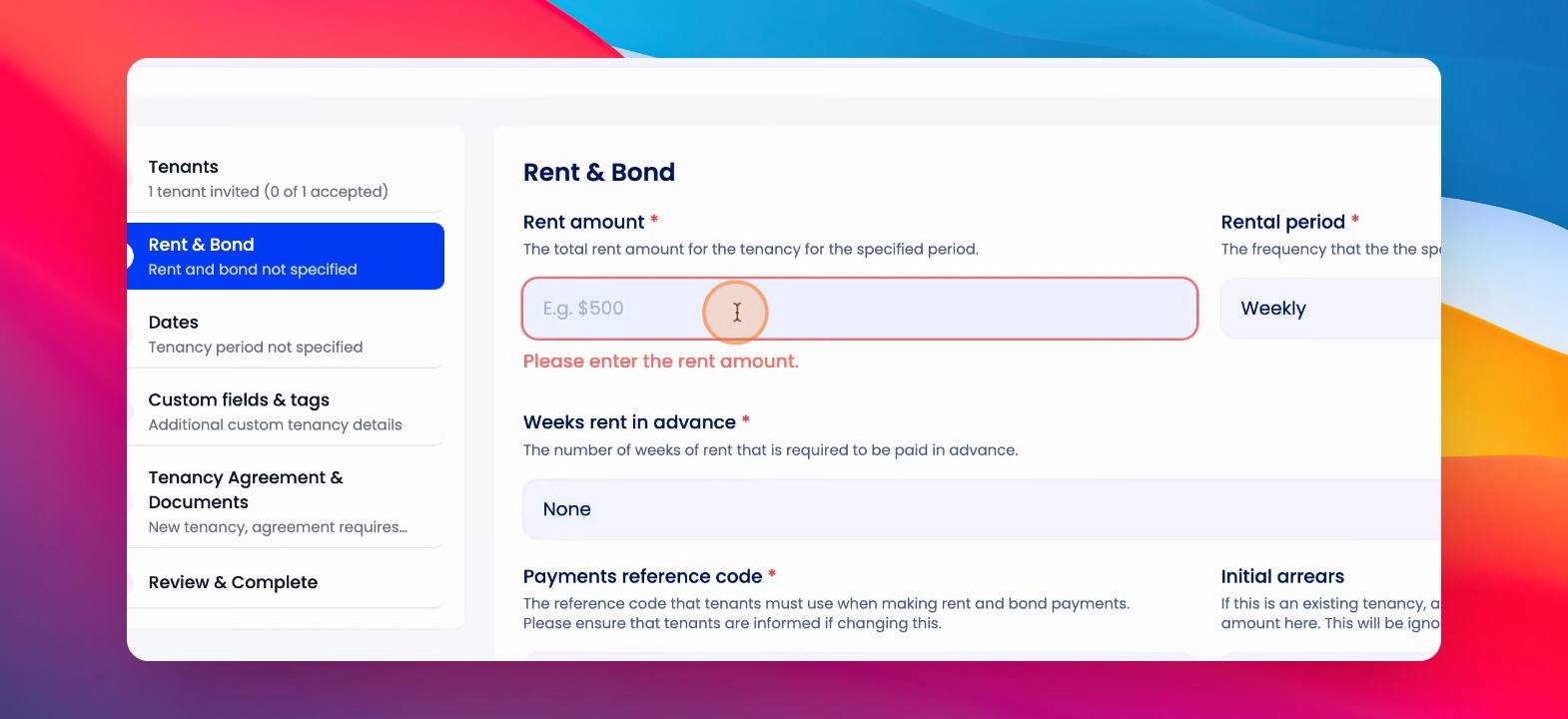
Step 4: Enter Rent and Bond
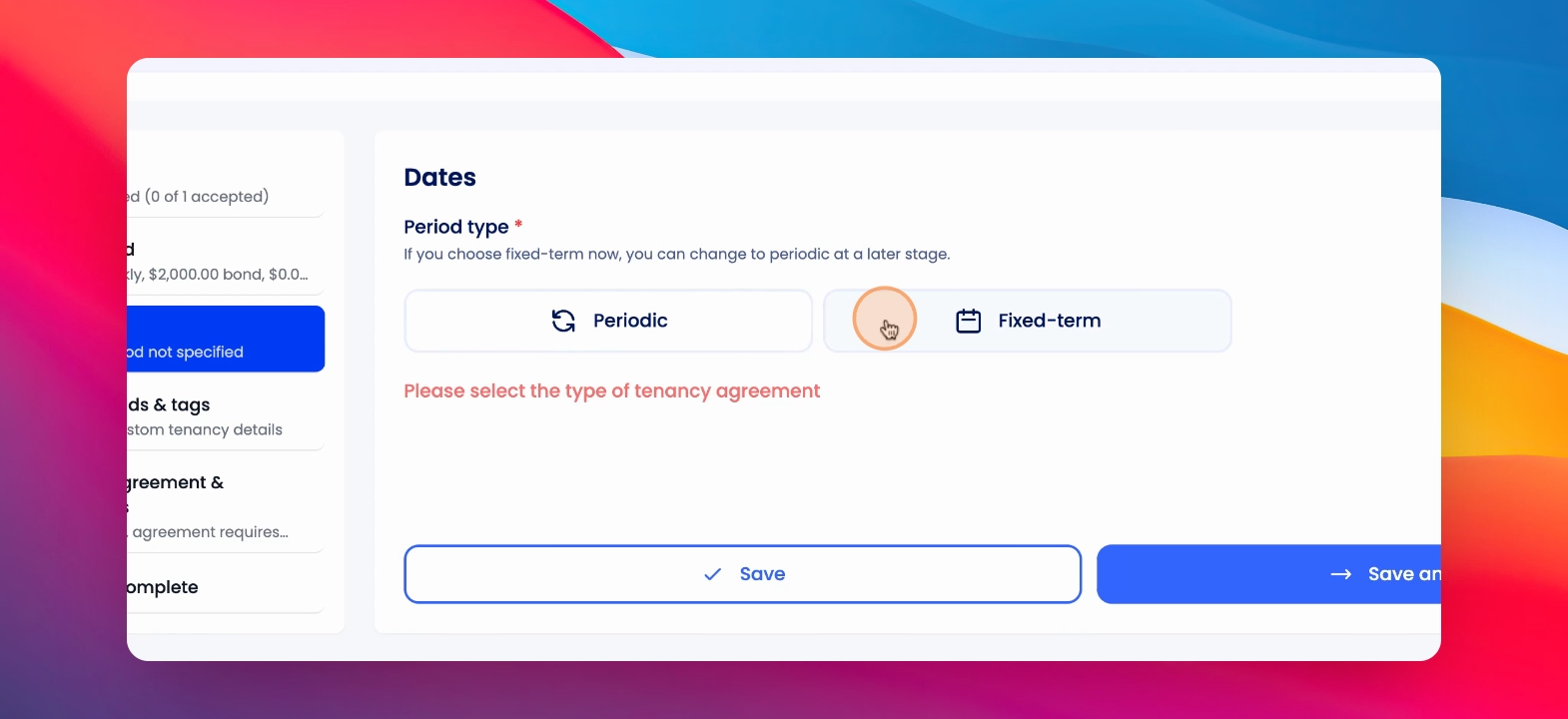
Enter the rent and bond amounts. Select the dates for the tenancy.
Step 5: Build Agreement
Enter any custom fields to build your tenancy agreement. Sign your tenancy agreement.
Step 6: Review and Complete
Next, you will review and complete your tenancy. Send out the tenancy agreement to your tenant.