

Introduction
In this tutorial, we will guide you through the process of adding a bank account to a tenant's profile. This is particularly important when you need to issue refunds or update contact information. Follow the steps below to ensure that you can manage tenant accounts efficiently.
How to instructions
1. Access the Tenancy Table
Begin by navigating to the tenancy table.
2. Select the Tenant
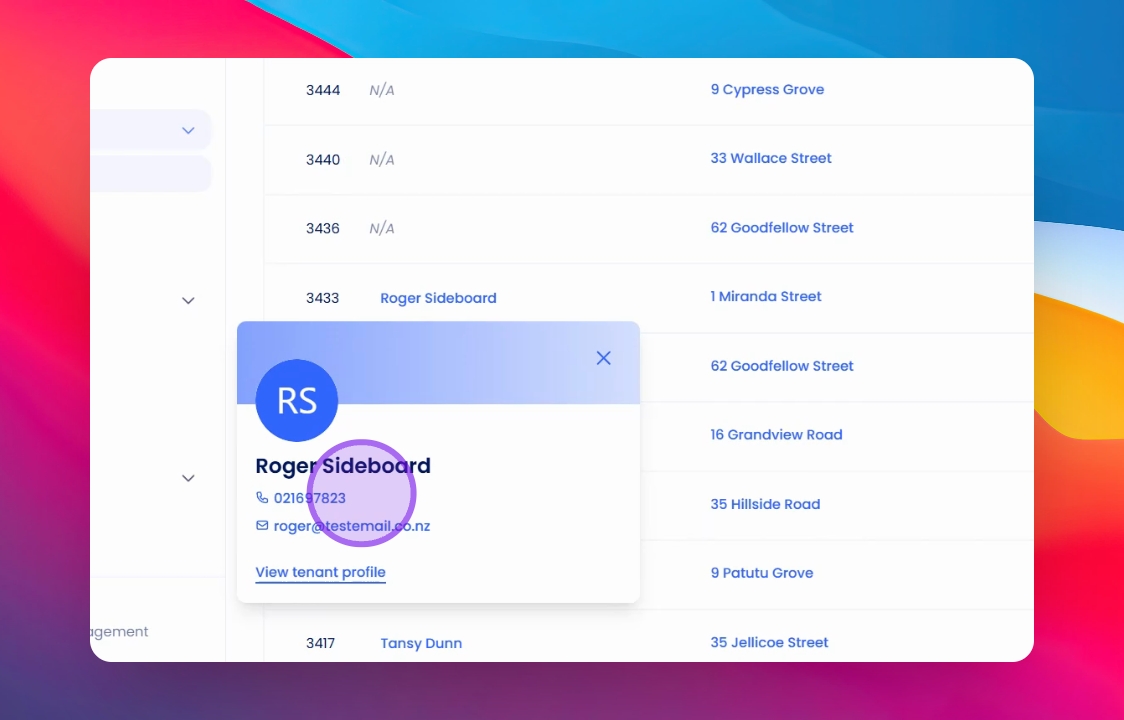
Click on the tenant that you wish to edit.
3. View Tenant Profile
Click on View Tenant Profile to access the detailed information.
4. Edit Tenant Details
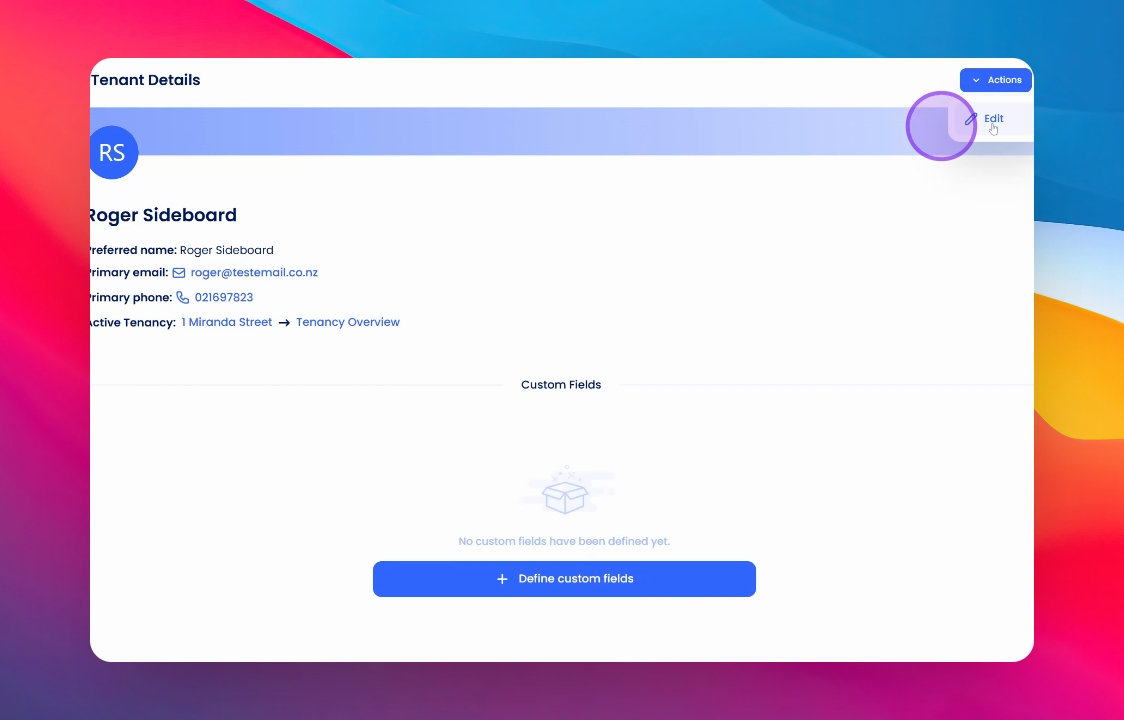
Once you're in this screen, locate the Actions button and click on Edit.
5. Add Bank Account Information
Here you can add the bank account details, as well as any additional emails or phone numbers that you want to include.
6. Save Changes
Finally, once you have completed the necessary fields, click on Save to finalise your changes.
Conclusion
By following these steps, you will successfully add a bank account to a tenant's profile, ensuring efficient management of refunds.