

TL;DR
1
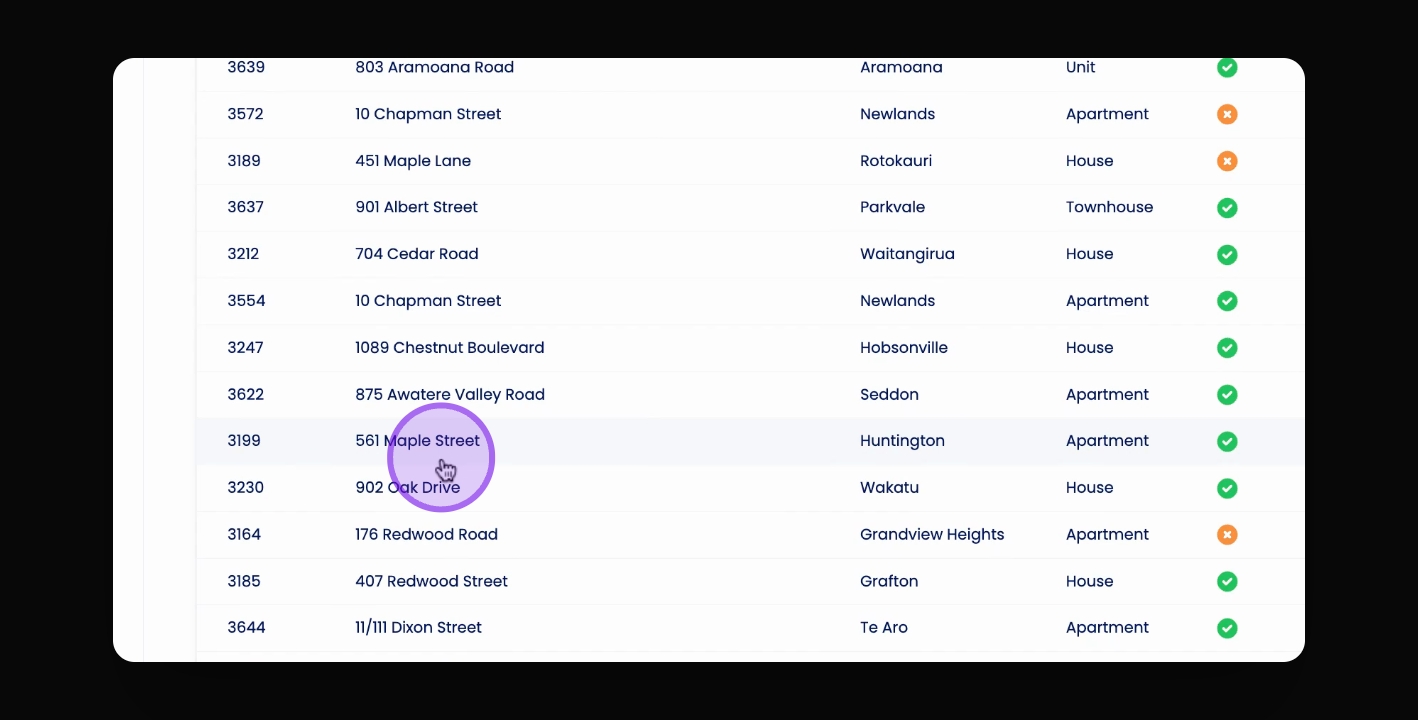
Select the Property
Click on the property to set the inspection template.
2
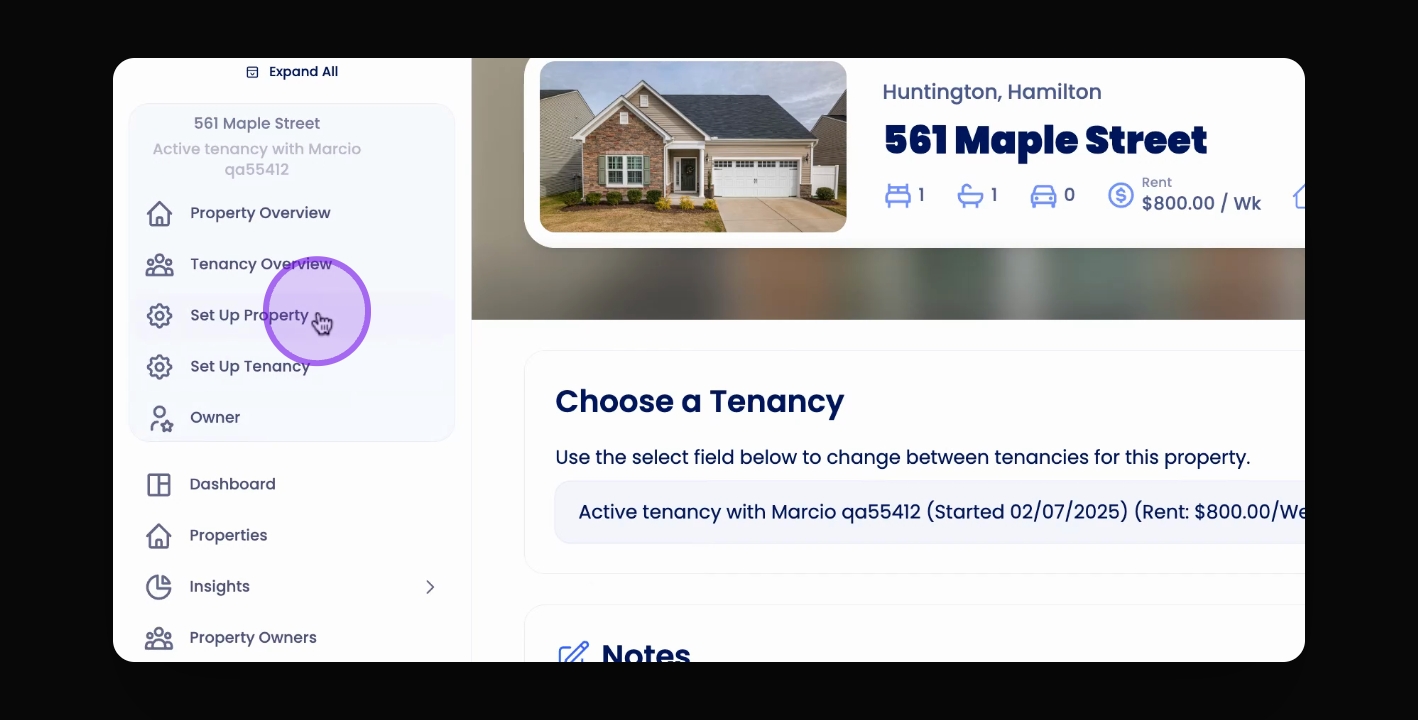
Go to Property Setup
Navigate to Property Setup in the Navigation bar.
3
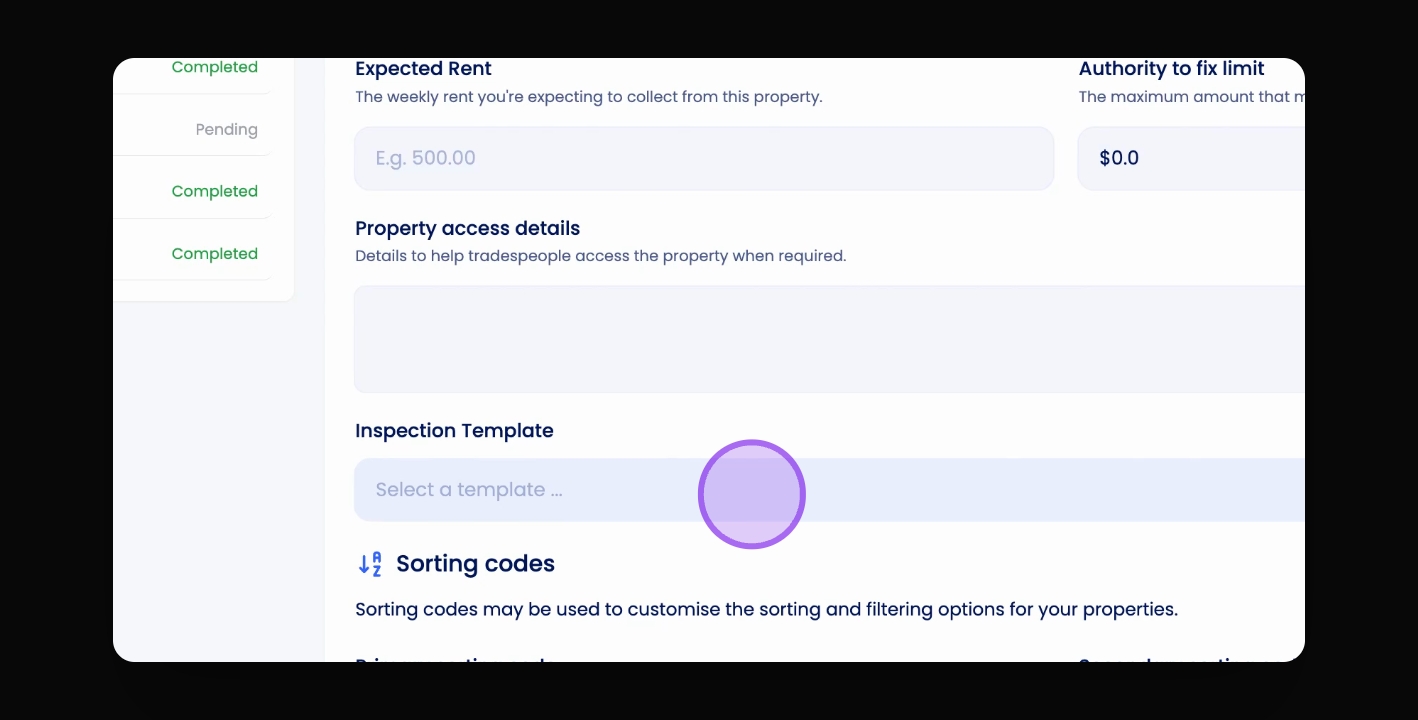
Choose and Save Template
Select your template and click Save and continue.
4
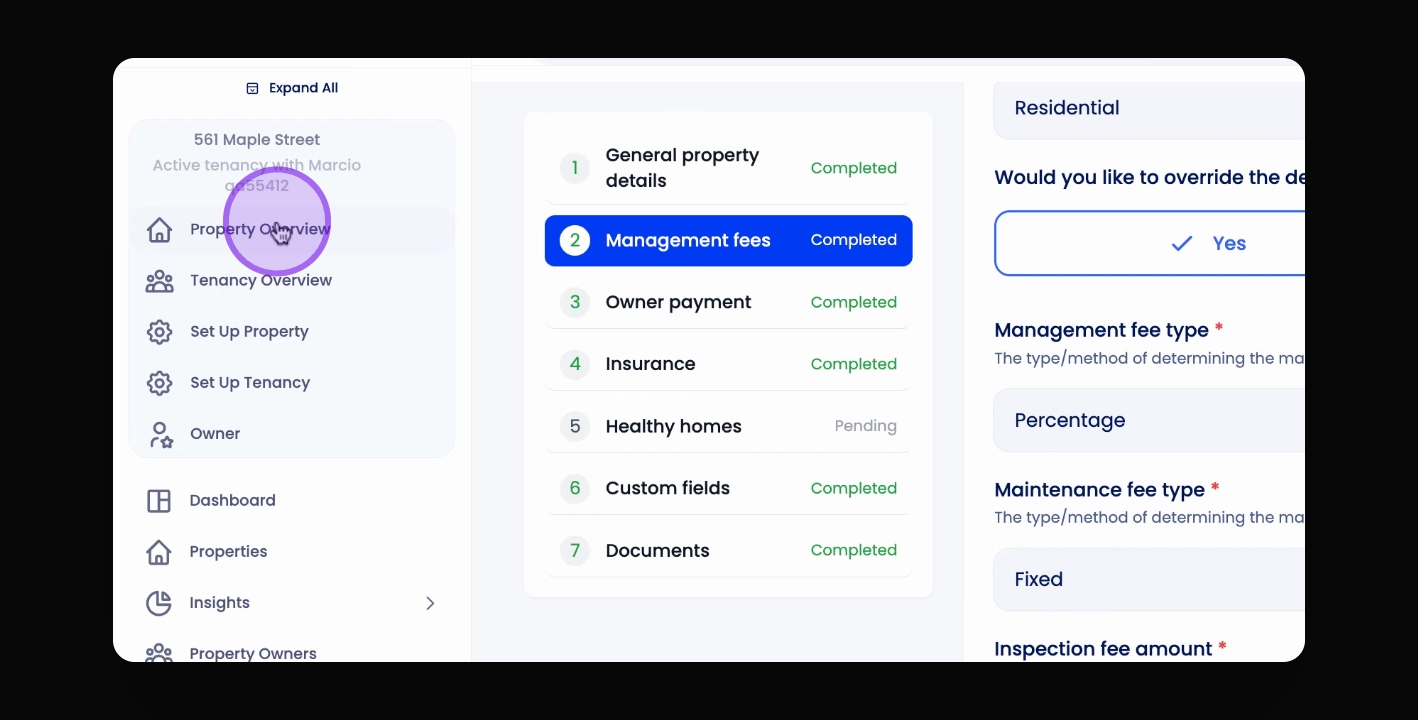
Delete Existing Inspection
Remove any existing inspection to apply the new template.
5
Regenerate Inspection
Click New Inspection to use the updated template.
Let's Do It Together!
Step 1: Select the Property
Click on the property you want to set the inspection template for.
Step 2: Navigate to Property Setup
Visit Property Setup in the Navigation bar.
Step 3: Choose the Inspection Template
Under General Property Details, scroll down to the Inspection Template heading.
Select your desired template from the options.
Click Save and continue to confirm your choice.
The inspection template is now set for the property.
Step 4: Regenerate Inspection if Necessary
If an inspection already exists for that property, it won't pick up the new template.
You will need to go to Property Overview, find the existing inspection, and delete it.
Then, click New Inspection to regenerate the inspection with the new template applied.
Troubleshooting
Template not applied
Ensure existing inspections are deleted before regenerating.
FAQ
Can I change the template later?
Yes, you can select a different template following the same steps.