

To pay an owner a partial amount in Keyhook, go to the Payment screen under the Financials tab. Let's look at the steps:
Step 1: Select Property
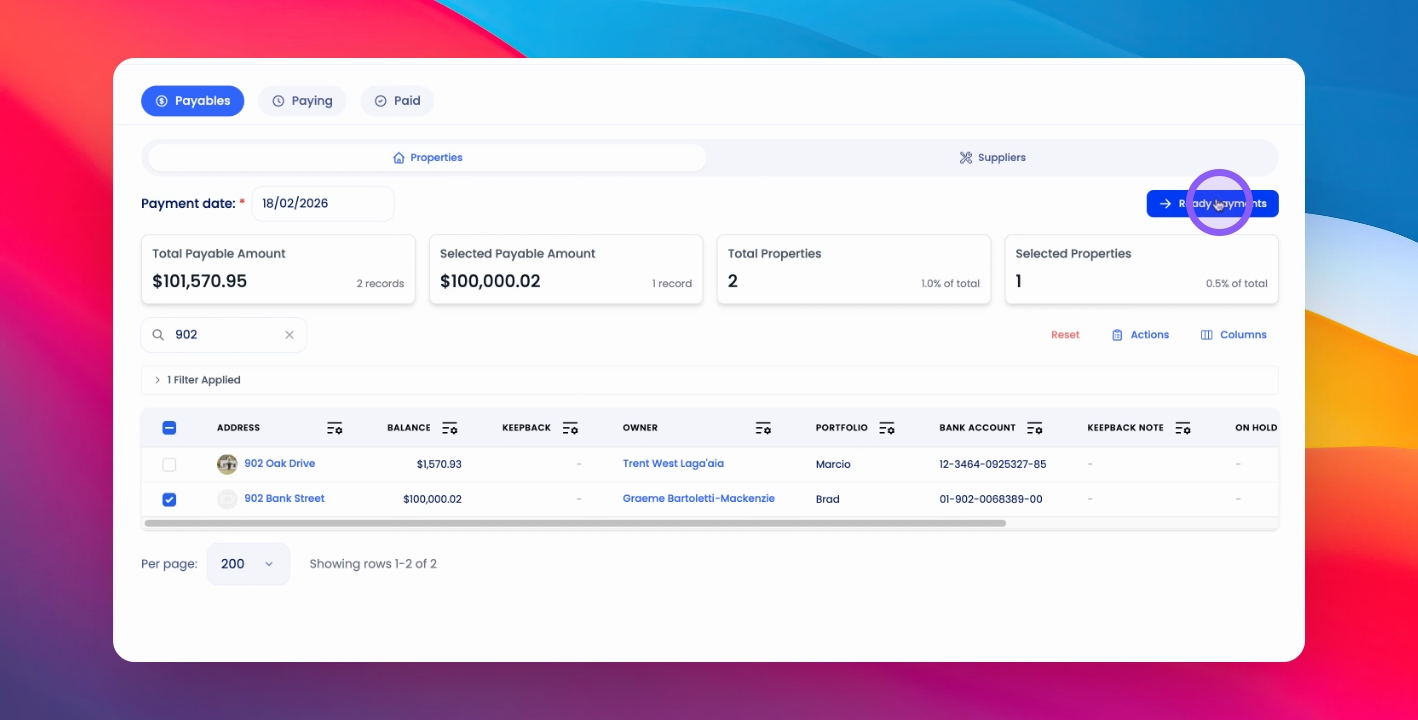
Search for the relevant property, select the property, click Ready Payments, and toggle on Pay Partial Amount.
Step 2: Enter Amount
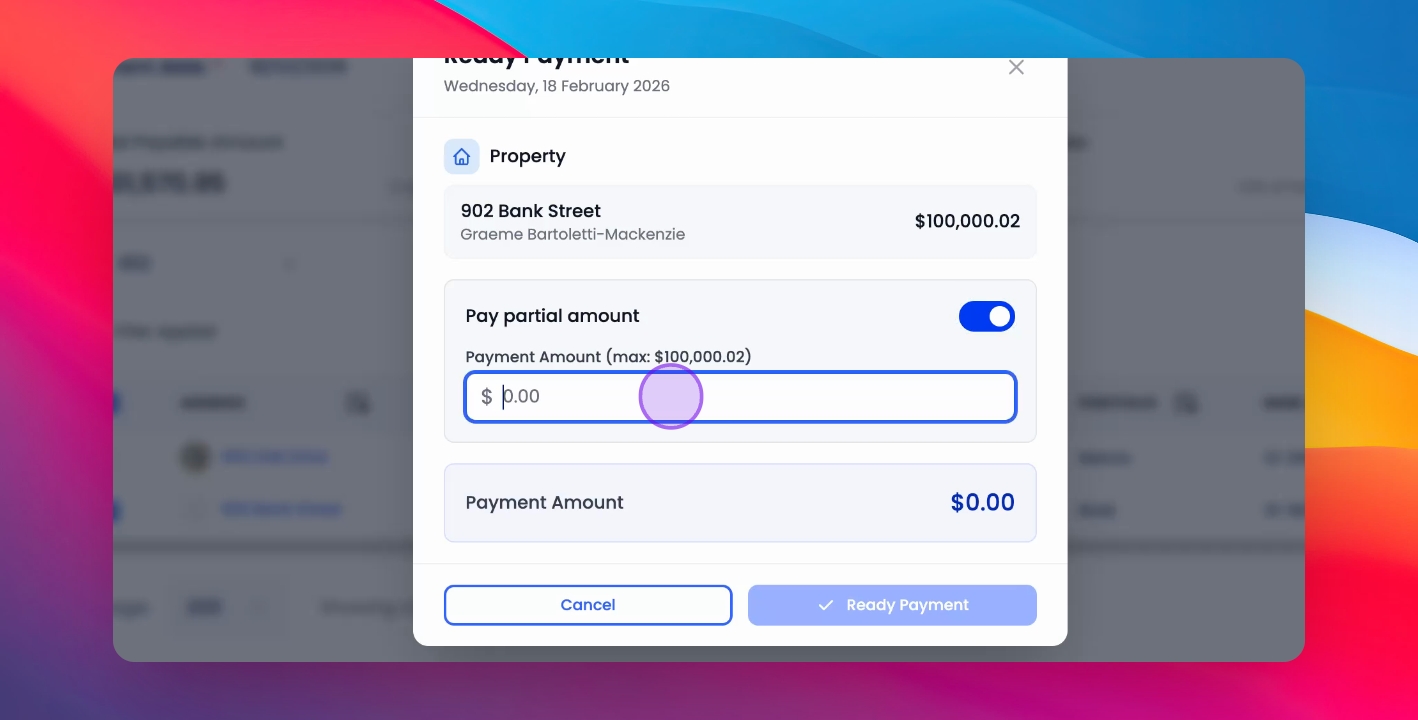
Enter the amount you wish to pay the owner and click Ready Payment.
Step 3: Complete Payment
This will take you to the Paying tab with the relevant payment having been created.
Step 4: Pay Normally
From here you can pay this payment as you normally would.