

TL;DR
1
Tenancy Setup
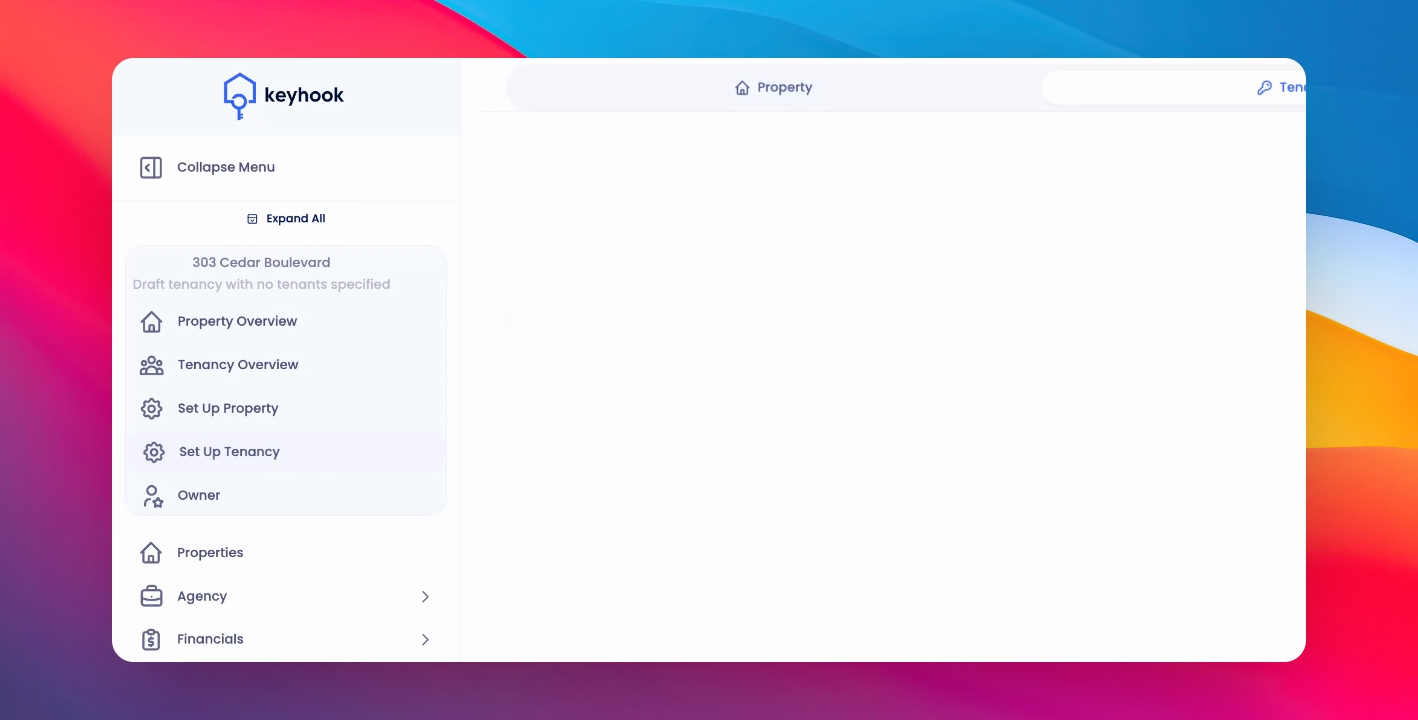
Go to your tenancy setup page.
2
Tenancy Agreement Builder
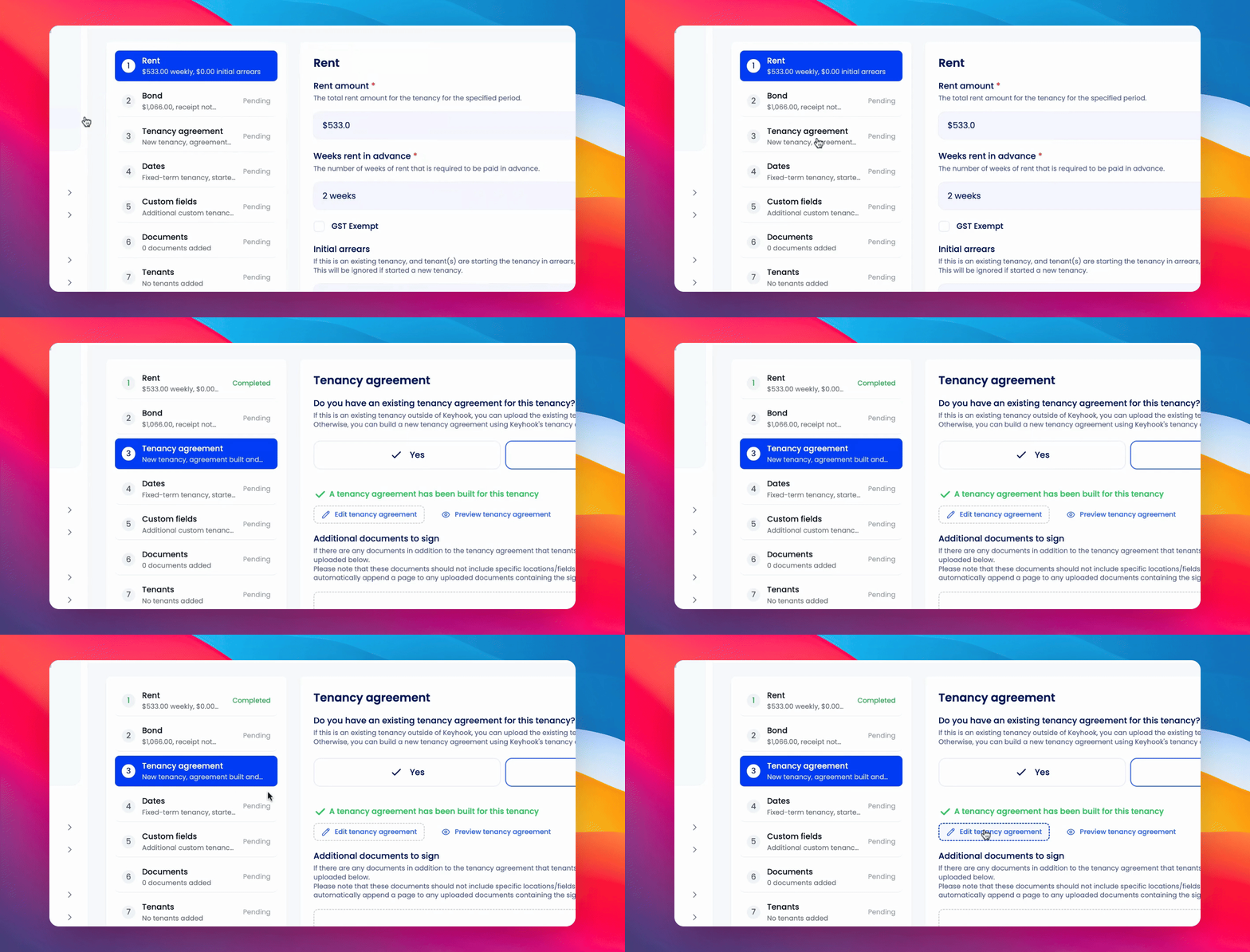
When you get to the Tenancy Agreement section, Click Edit Tenancy Agreement to modify it.
3
Load Template
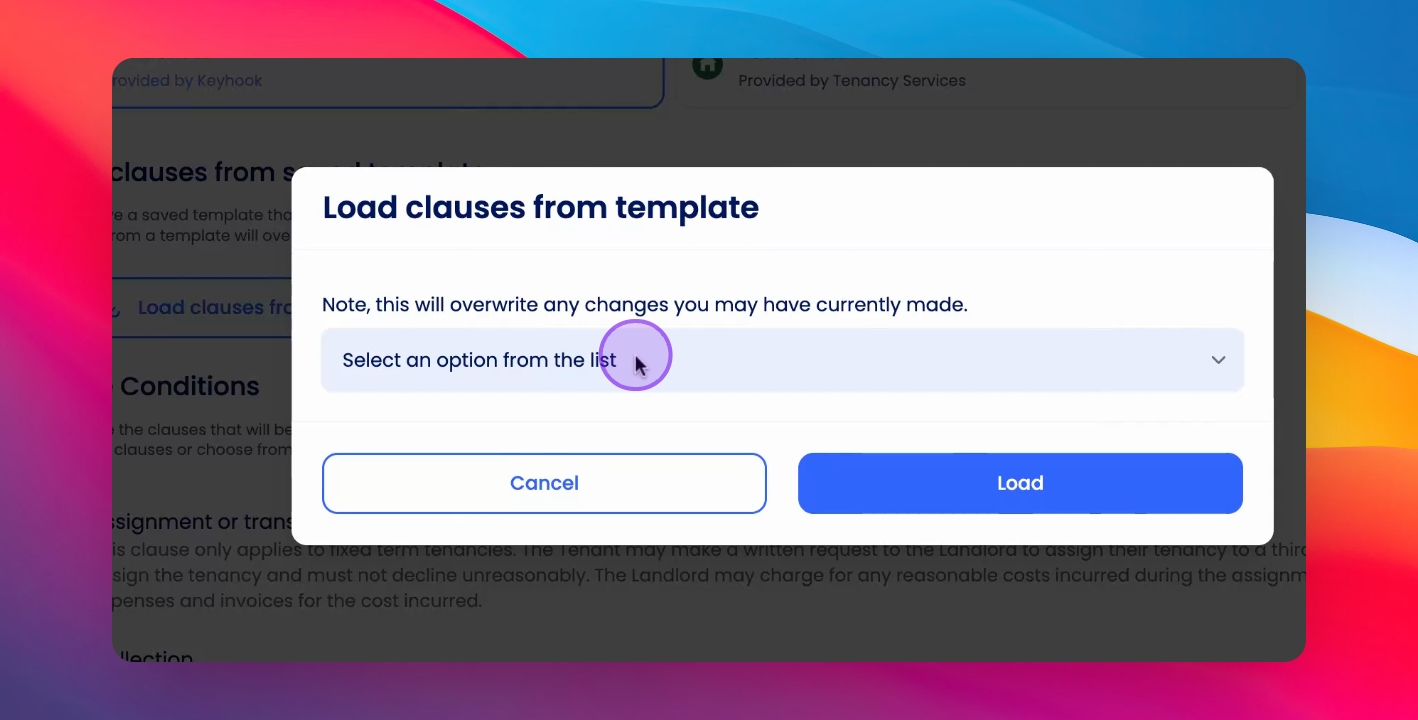
Select a template and click Load to add your saved clauses.
Let's Do It Together!
Step 1: Edit Tenancy Agreement
Navigate to Tenancy Setup and go to the Tenancy Agreement Builder.
Click Edit Tenancy Agreement.
Step 2: Load Template
Click Load Clauses from Saved Template.
Select the desired template from the drop down menu.
Click Load to load the selected template.
If you need more help or have any questions, just reach out to us at support@keyhook.com — we're always here to help!