

To file a bond refund, start by visiting the relevant property in your system. If you have given notice to the tenant, an End of Tenancy section will be visible. Let's look at the steps:
Step 1: Prepare Bond Refund
Click Prepare Bond Refund in the End of Tenancy section to begin processing the refund.
Step 2: Enter Refund Details
Enter the required details, select the bond type, and choose a reason for refund. Specify any bond deductions you want to place on hold or claim.
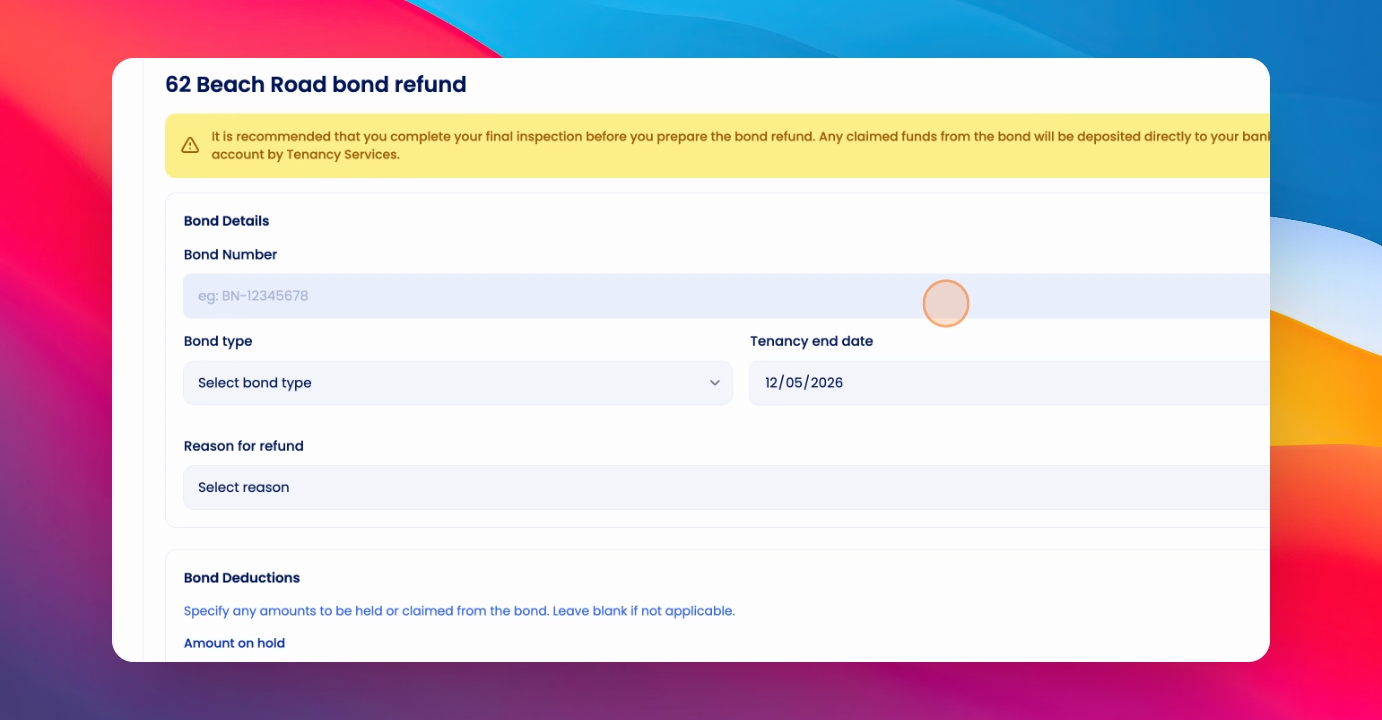
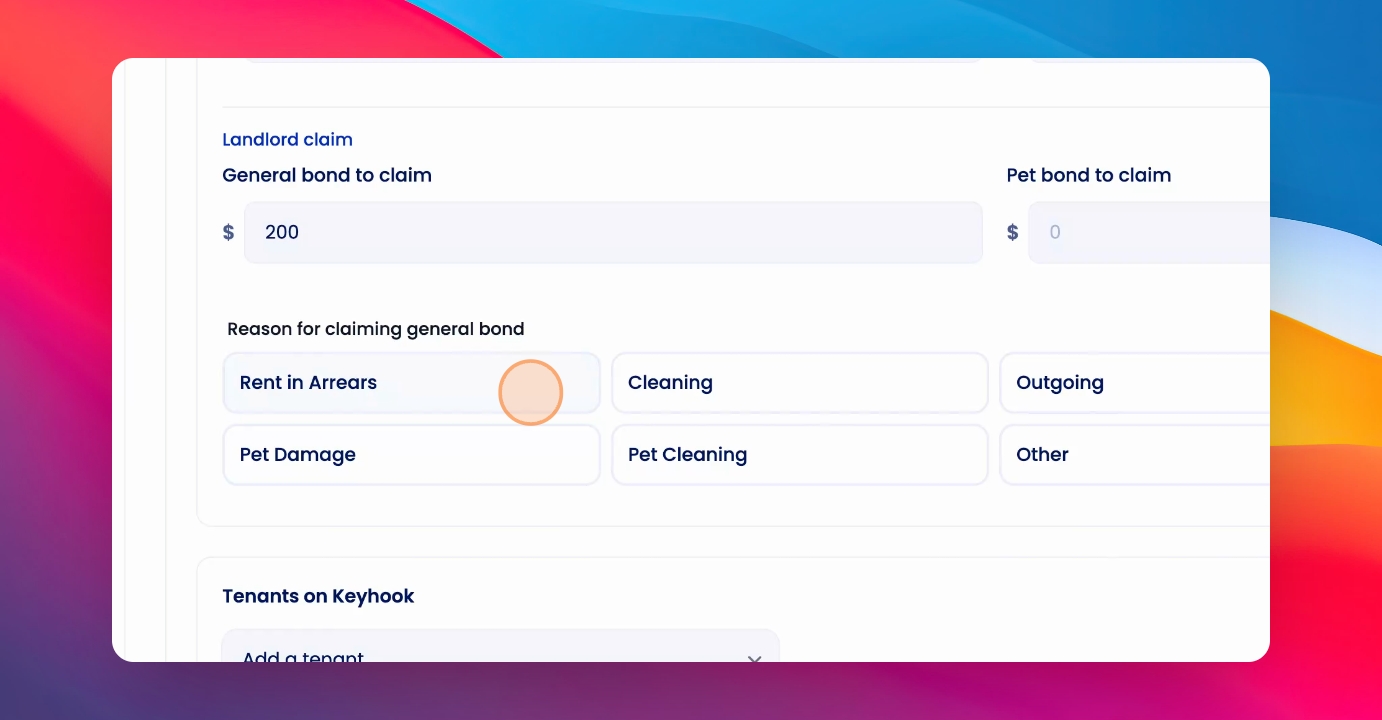
Step 3: Select Tenant and Options
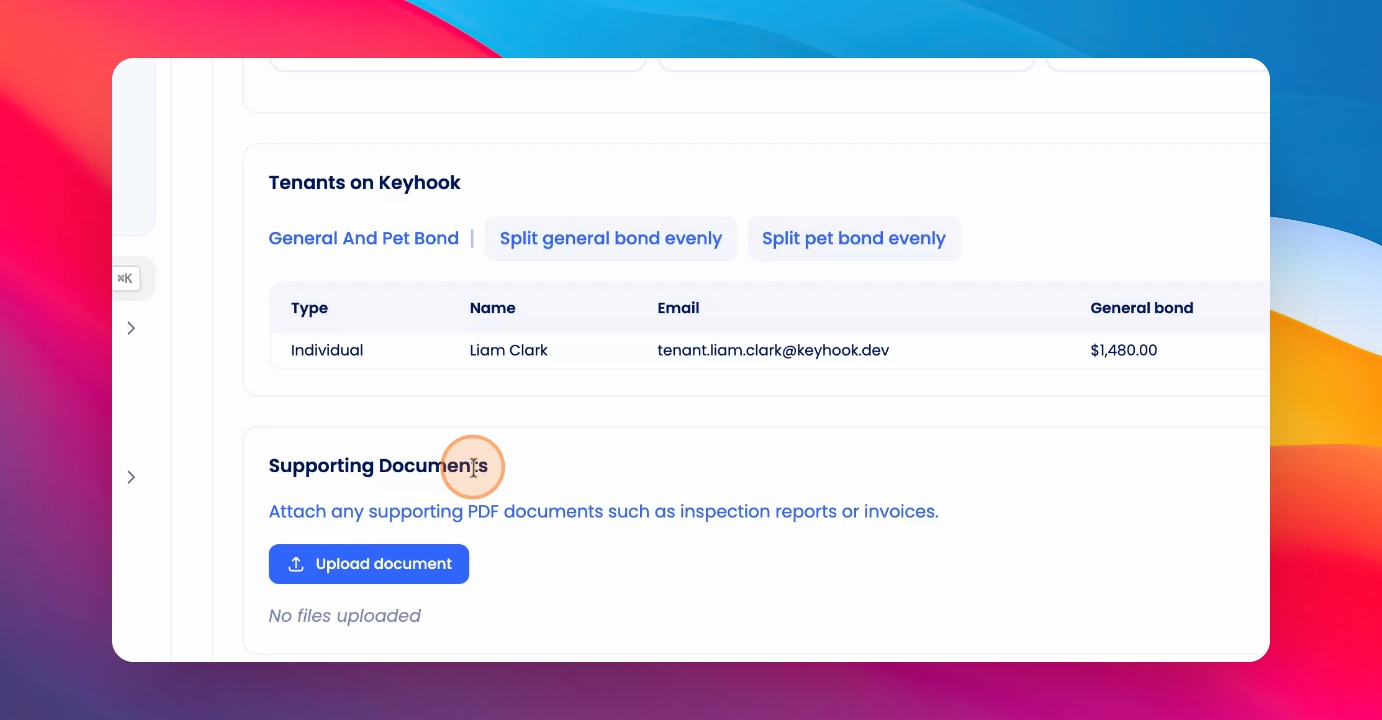
Check the reason for claiming the bond and select the tenant. If there are multiple tenants, choose whether to split the bond evenly among them.
Step 4: Add Supporting Documents
Optionally, add any supporting documents to the bond refund submission.
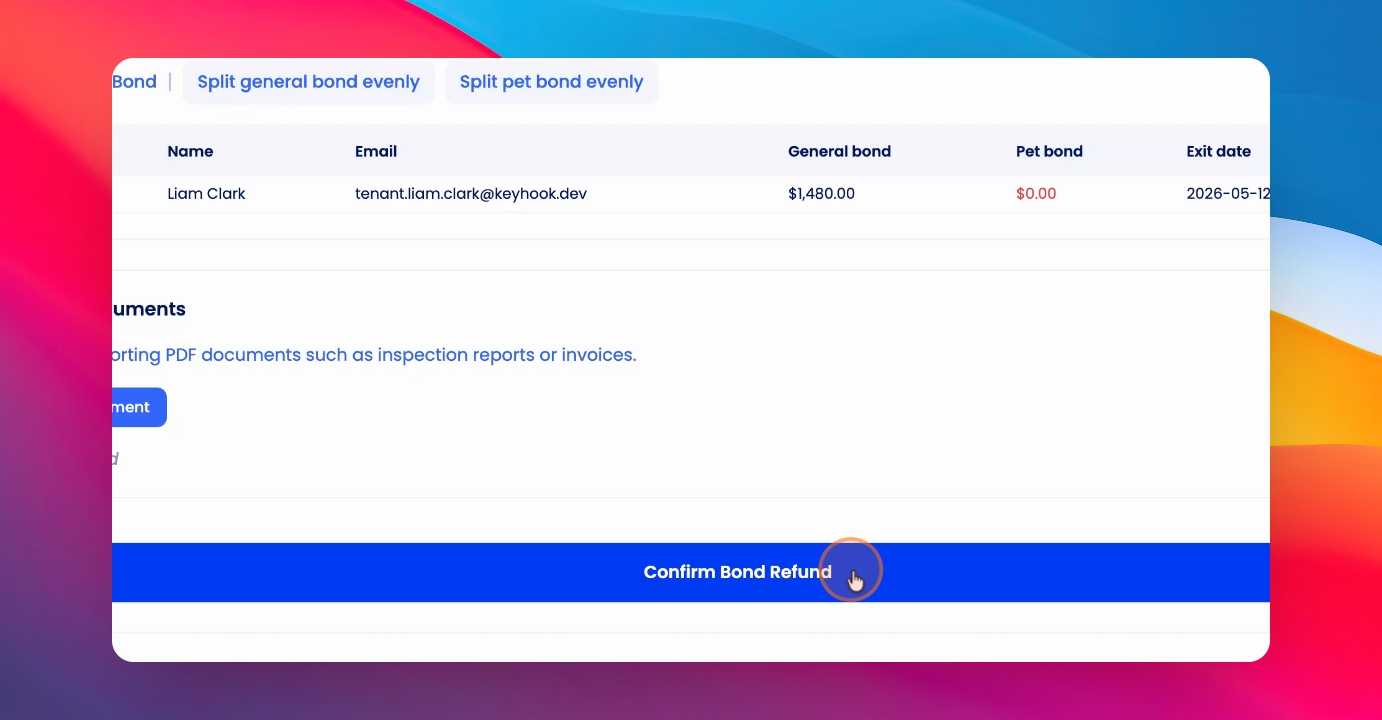
Step 5: Confirm Bond Refund
Click Confirm Bond Refund to proceed. A confirmation screen will appear for you to review the details.
Once processed, the bond refund is sent directly to MBIE or the Bond centre. The tenant will receive communications from the Bond centre for confirmation.