

TL;DR
1
Navigate to property page
Visit the property page linked to the draft tenancy.
2
Set up tenancy
Click Set Up Tenancy in the navigation bar.
3
Select draft tenancy
Choose the draft tenancy to delete from the dropdown.
4
Confirm deletion
Click the Trash can icon and confirm deletion.
Let's Do It Together!
Step 1: Access the Property Page
Navigate to the property page associated with the draft tenancy.
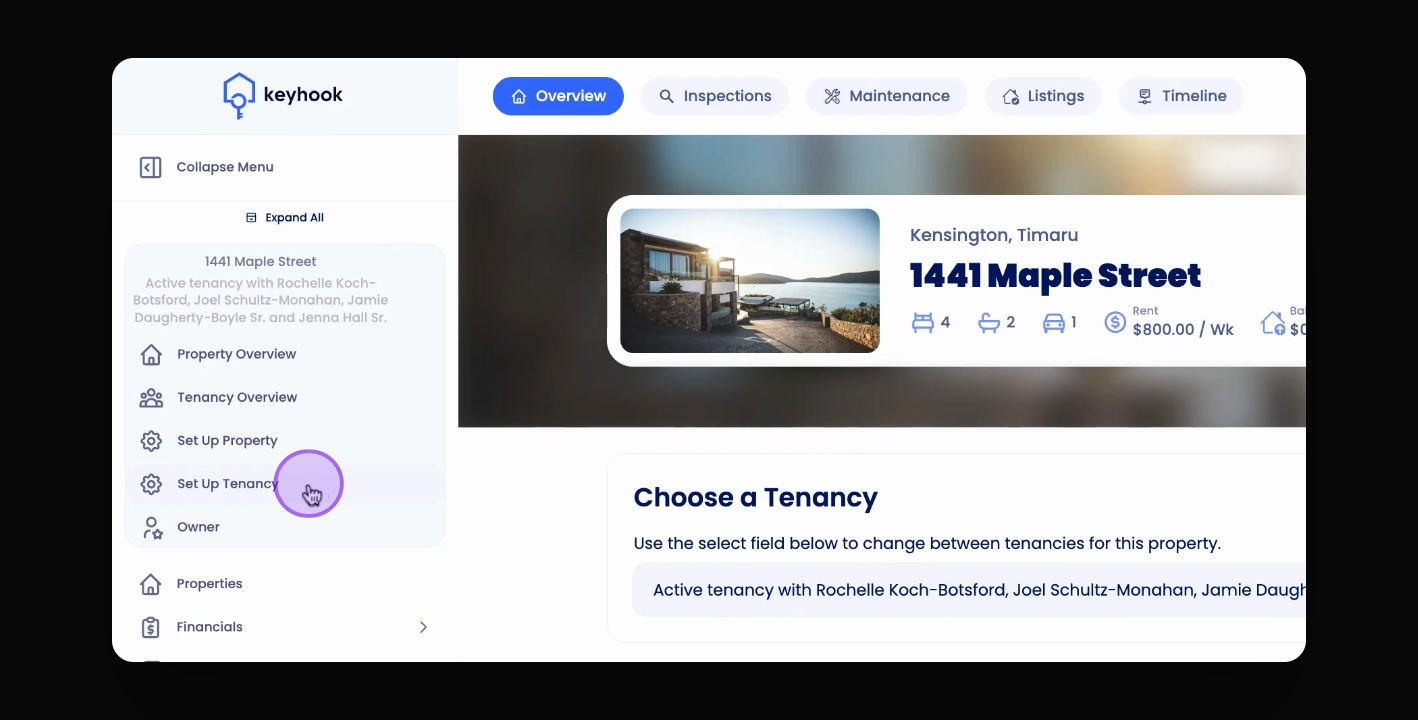
Step 2: Set Up Tenancy
In the navigation bar, click Set Up Tenancy.
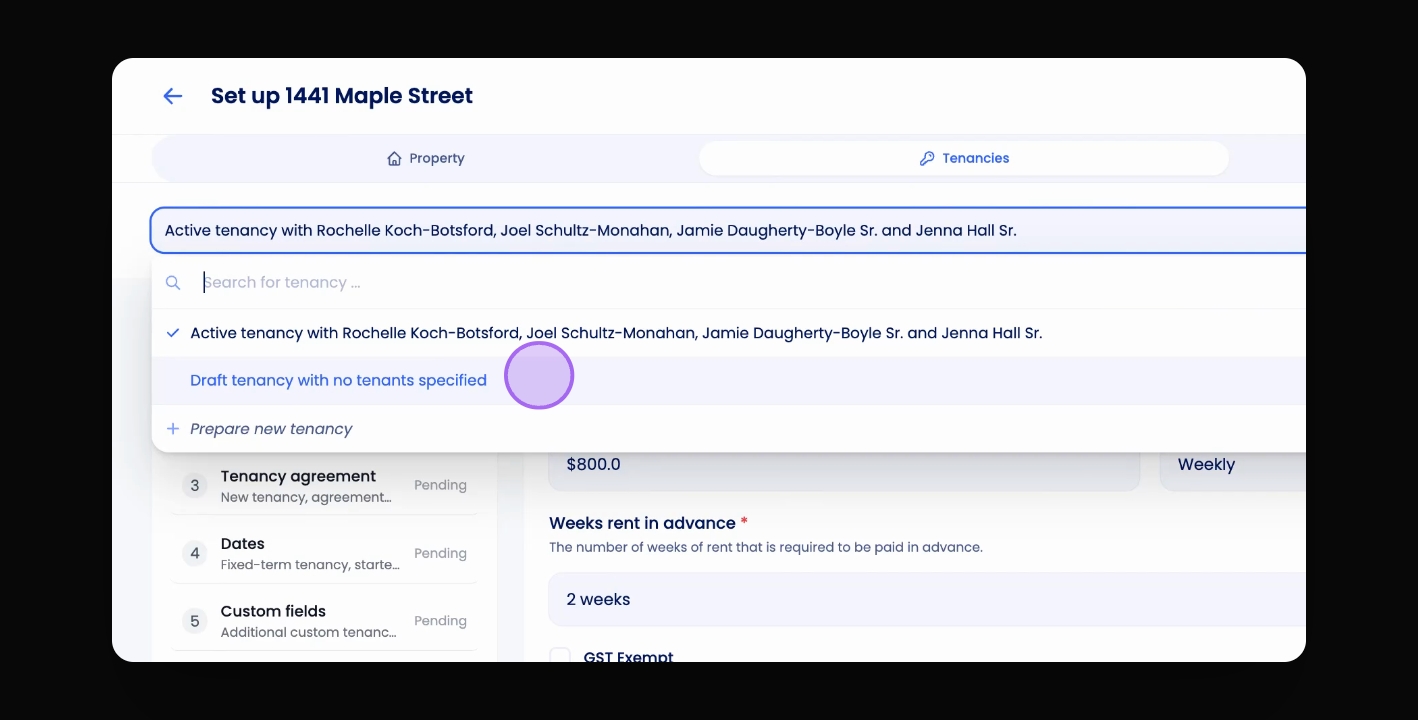
At the top of the screen, click the drop down menu to view tenancies.
Step 3: Select Draft Tenancy
Select the draft tenancy you wish to delete from the list.
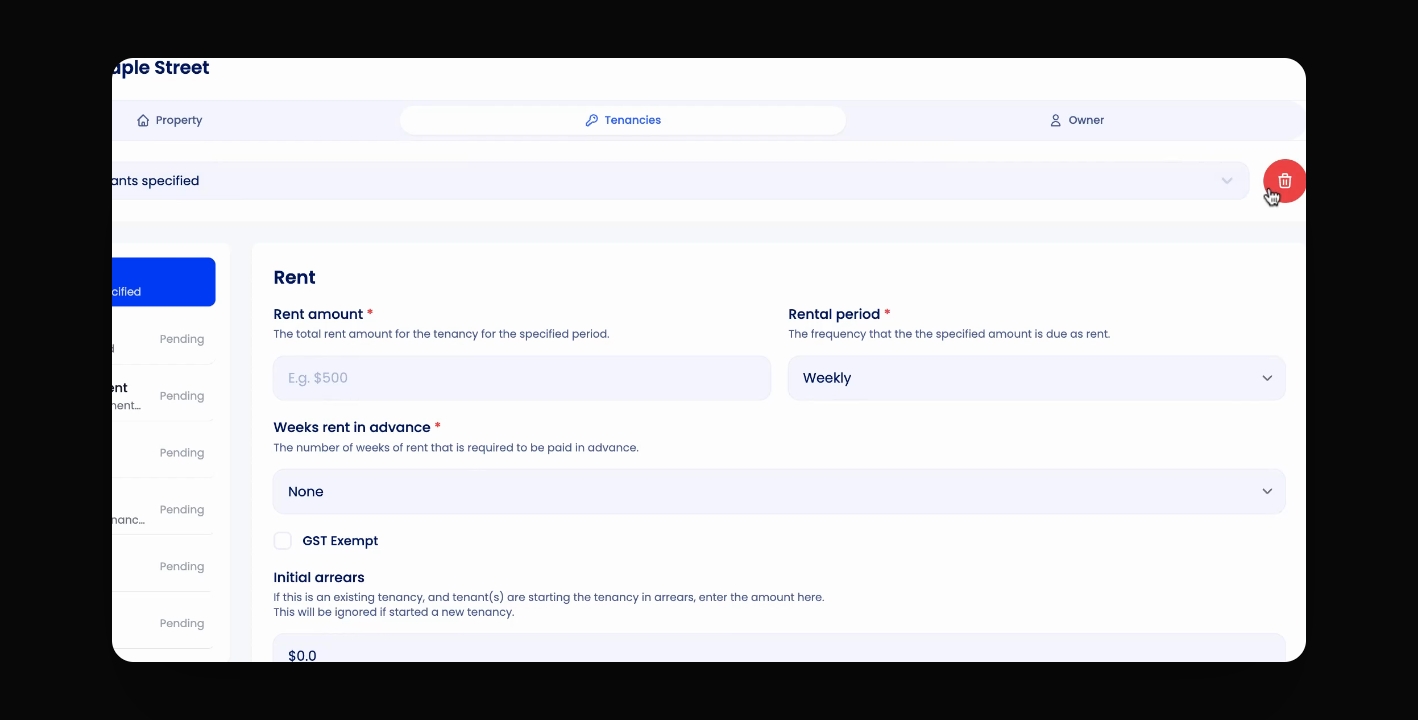
Step 4: Delete Draft Tenancy
Click the red Trash can icon to initiate deletion.
Confirm the deletion by clicking the confirmation prompt.
The draft tenancy has been successfully deleted.
If you cannot find what you are looking for or have any further questions, please feel free to contact us on support@keyhook.com