TL;DR
1
Open Invoice Table
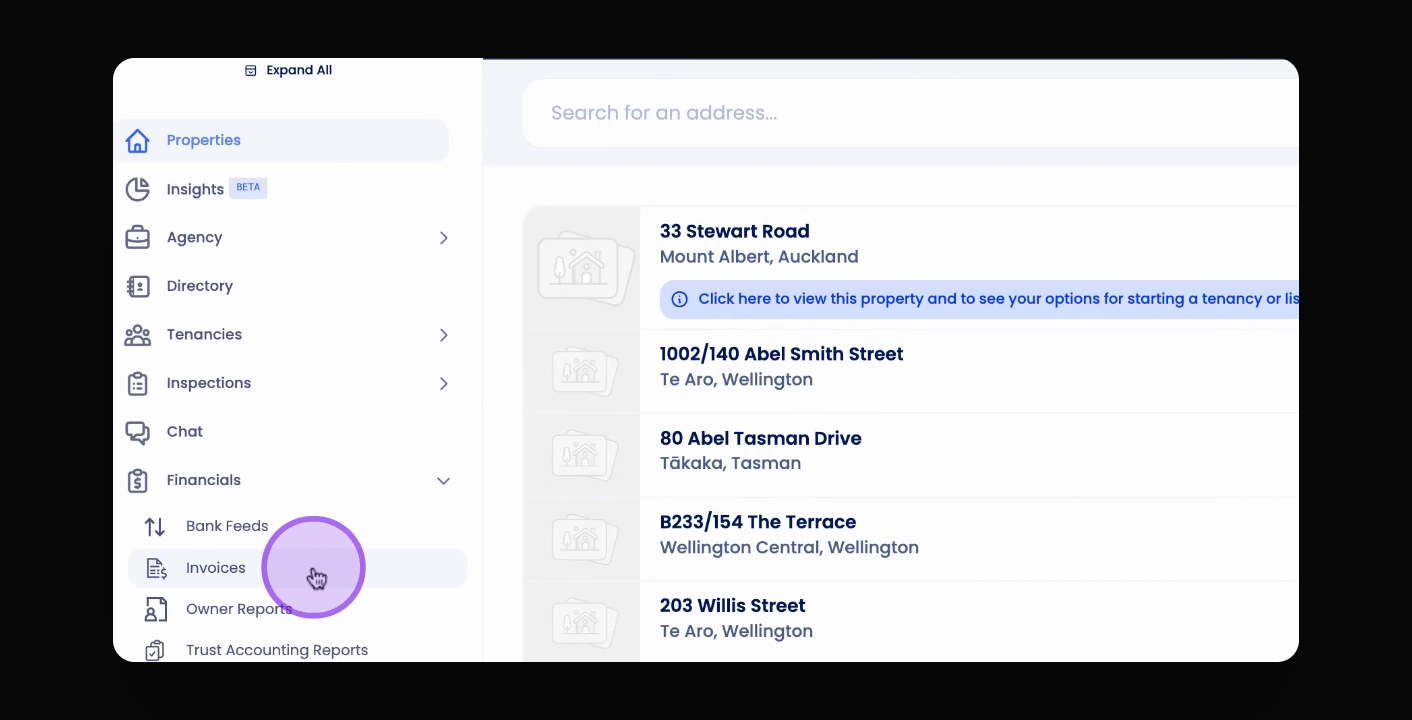
Click Invoices on the navigation menu and select the Tenant Invoice tab.
2
Choose Invoice
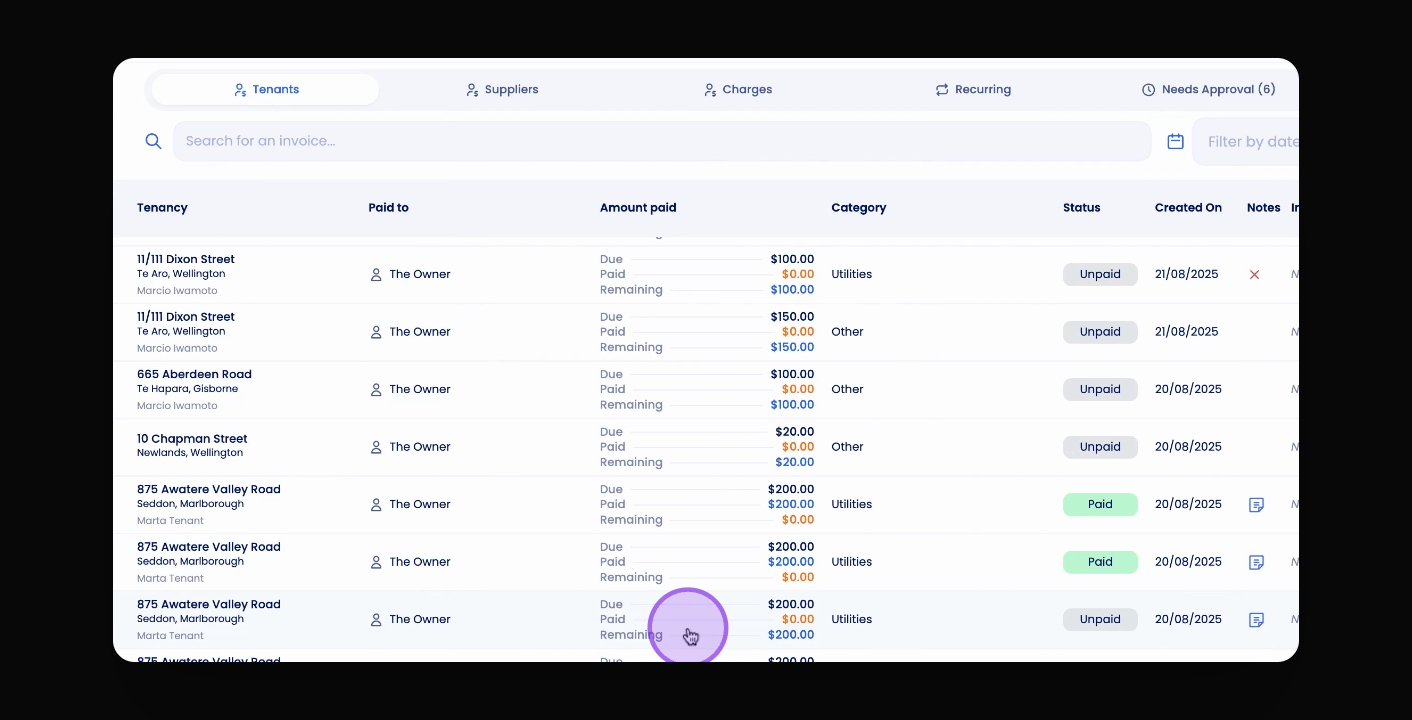
Select the invoice for tenant credit attribution.
3
Apply Credit
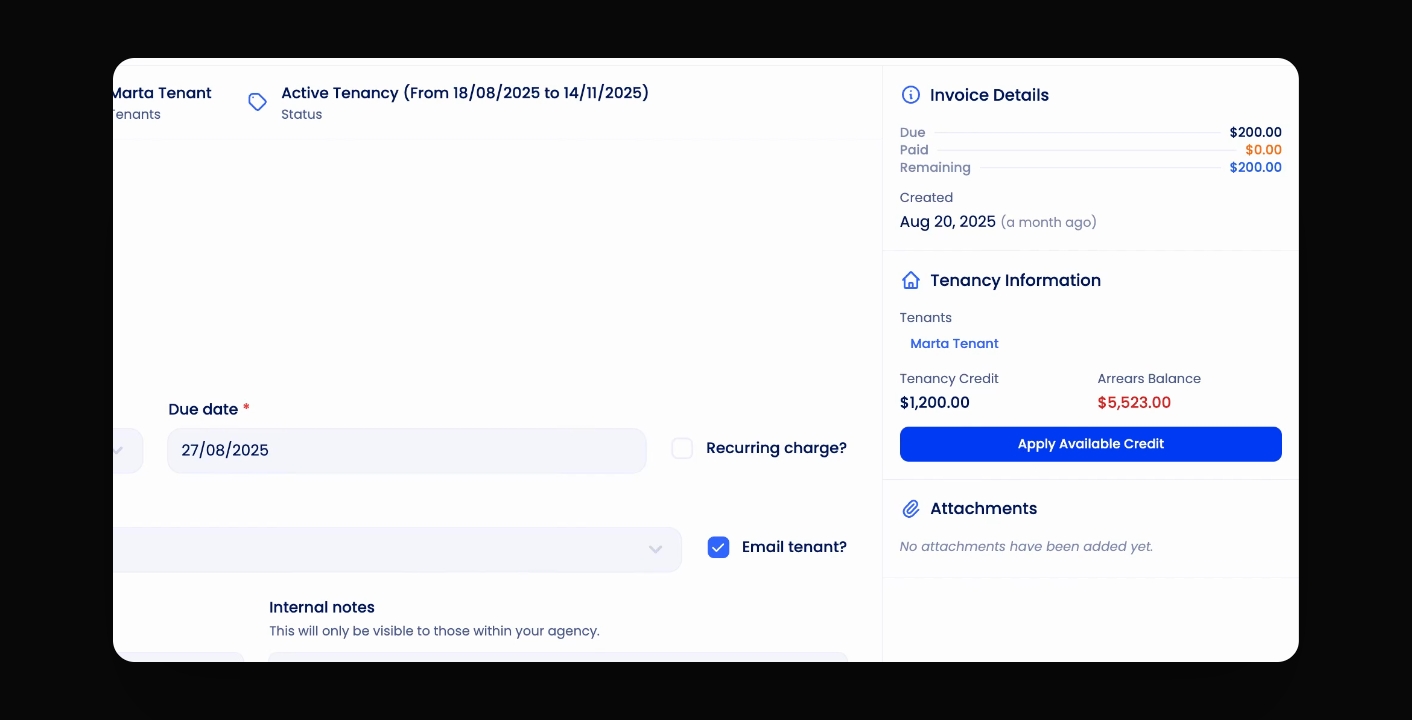
Click Apply Available Credit to apply the tenant credit.
Let's Do It Together!
Step 1: Access Invoice Table
Click on Invoices on the navigation menu.
Ensure you have selected the Tenant Invoice tab.
Step 2: Select Invoice
Select the invoice you'd like to attribute tenant credit to on the right hand side.
Step 3: Apply Tenant Credit
Under Tenancy Information, check the tenant's name and credit amount.
Click Apply Available Credit below to apply the credit.
This will apply the tenancy credits to the invoice.