

TL;DR
1
Access Payment
Click the payment to open the Reconciliation screen.
2
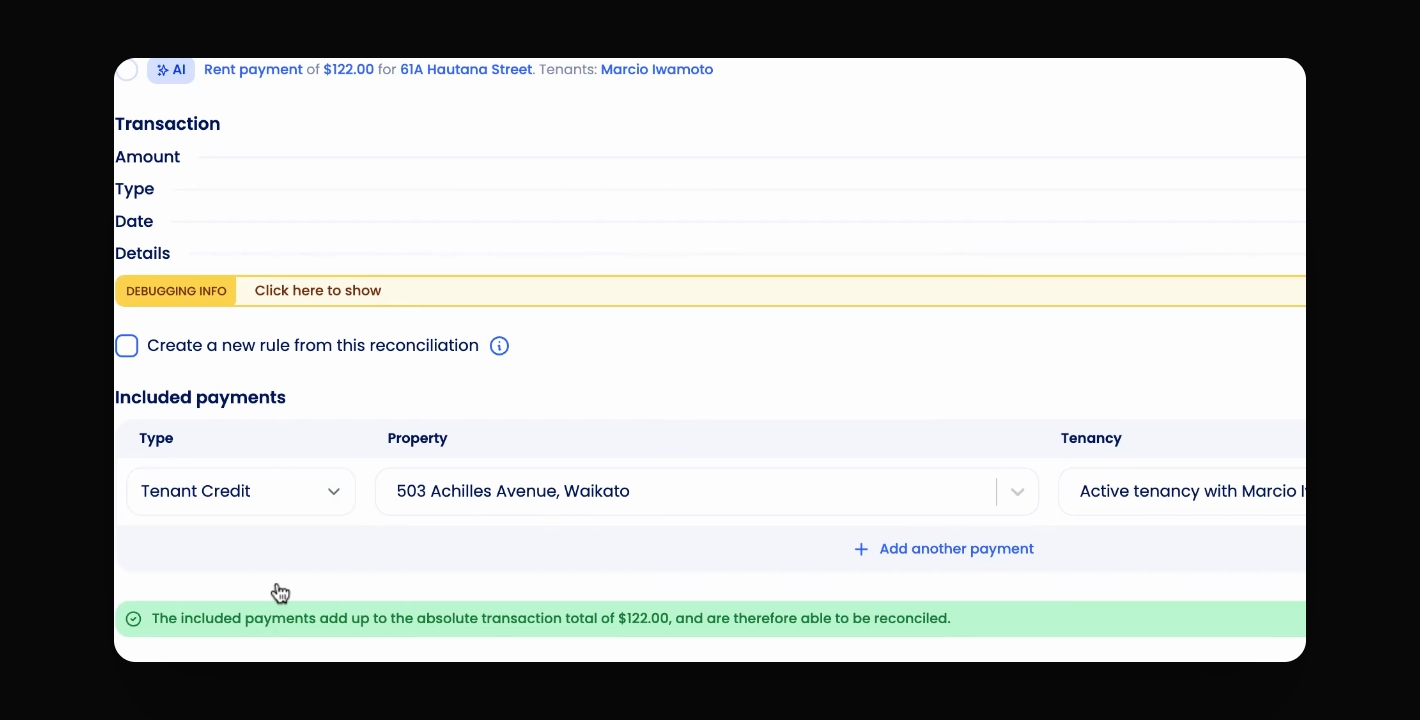
Select Tenant Credit
Choose Tenant Credit under Type and click Reconcile. Ensure you have the correct tenancy selected.
3
Use Tenant Credit
Credit can be used for new or existing invoices.
Let's Do It Together!
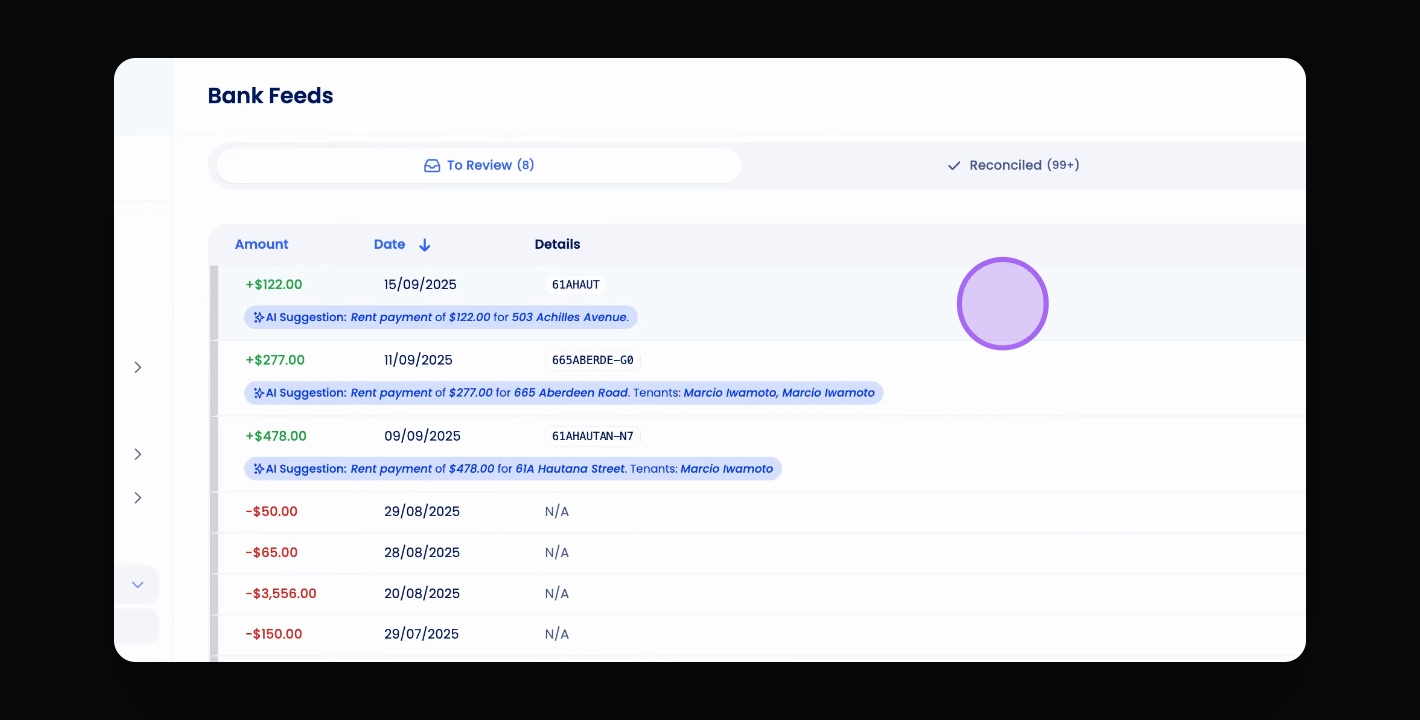
Step 1: Access the Payment
Click on the payment in the Reconciliation screen.
You will access the payment details for reconciliation.
Step 2: Select Tenant Credit
Under Type, select Tenant Credit.
Confirm the tenancy is correct.
Click Reconcile.
The payment will now be attributed to the tenant's credit.
Step 3: Utilise Tenant Credit
This credit can be used when creating an invoice.
It can also be attributed against an existing invoice from within the invoice screen.