

TL;DR
1
Select property
Click on the property you want to archive.
2
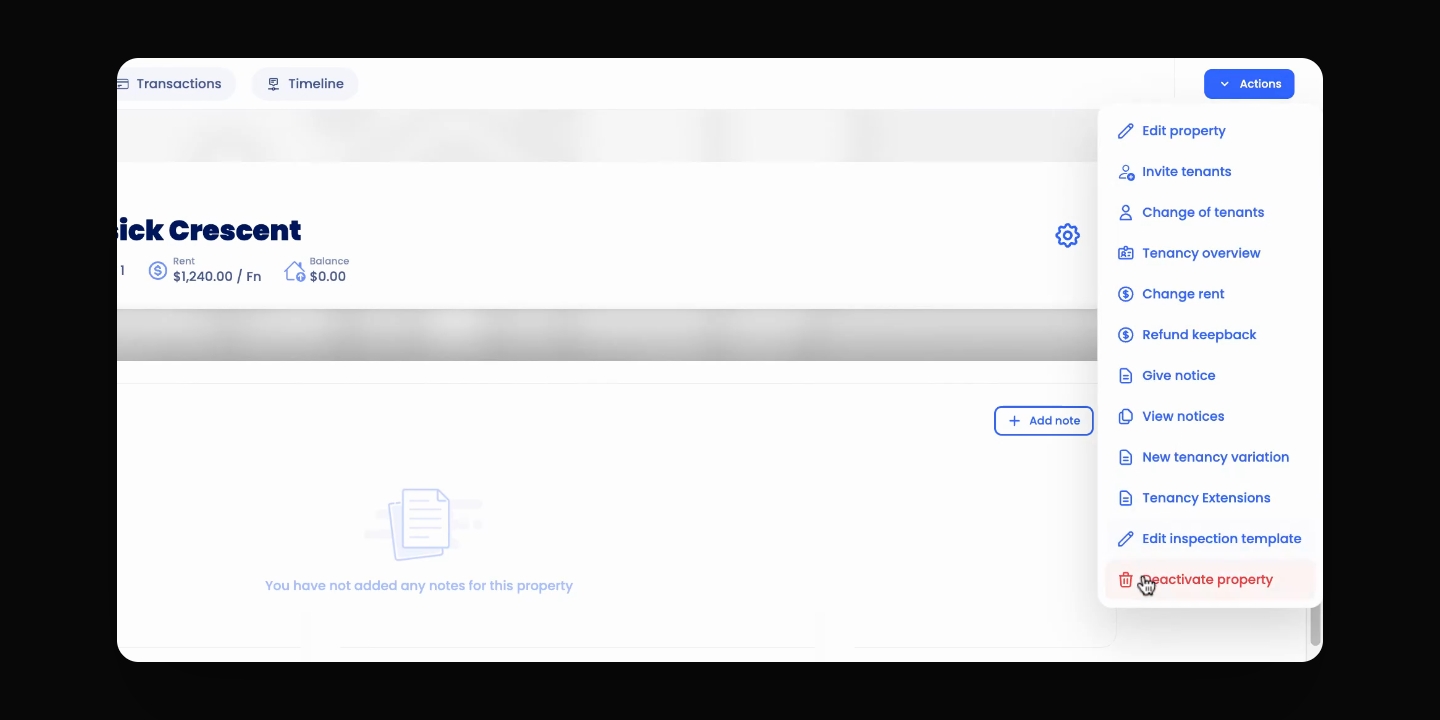
Deactivate property
Go to Actions and click Deactivate Property.
3
Move to unassigned properties
Go to Portfolio Management and move the property to unassigned.
Let's Do It Together!
Step 1: Deactivate the Property
Select the relevant property and go to Actions in the top right.
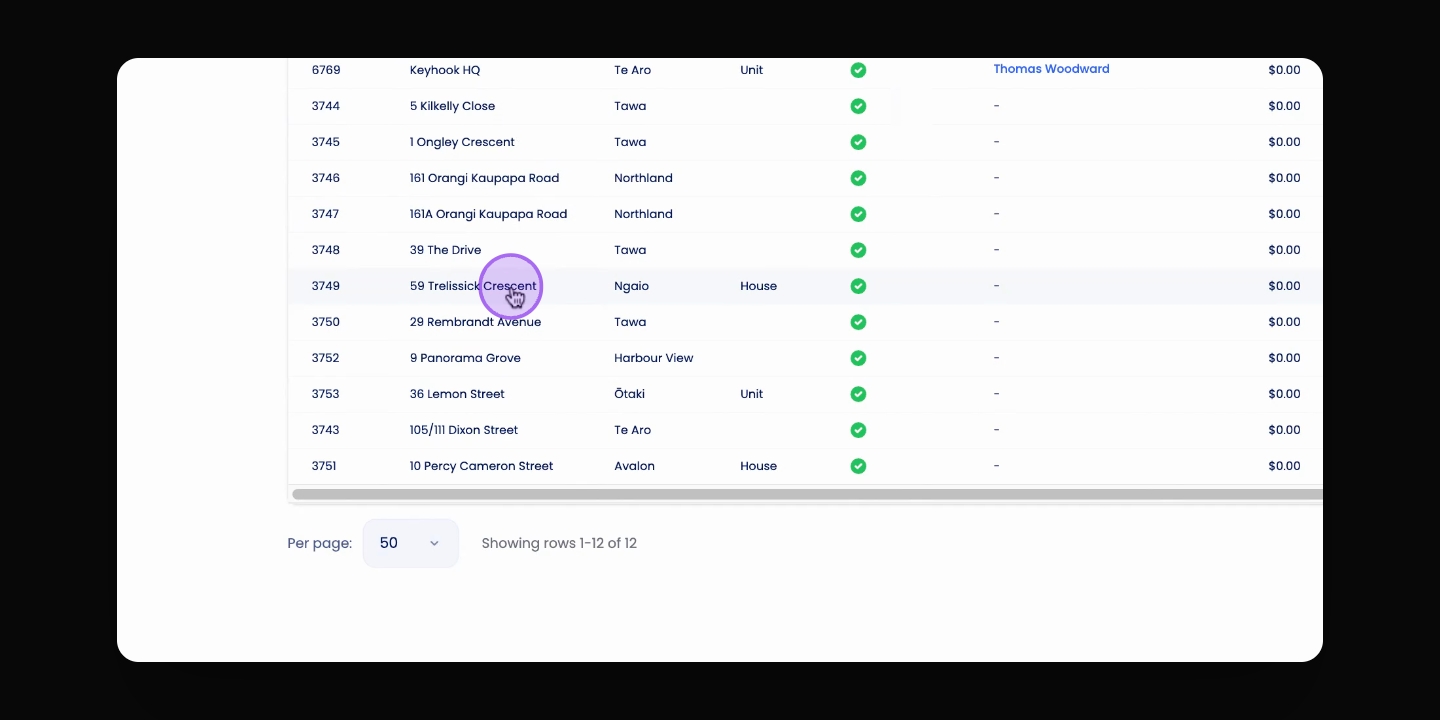
Step 2: Deactivate Property
Click Actions and then click Deactivate.
Your property will now be deactivated.
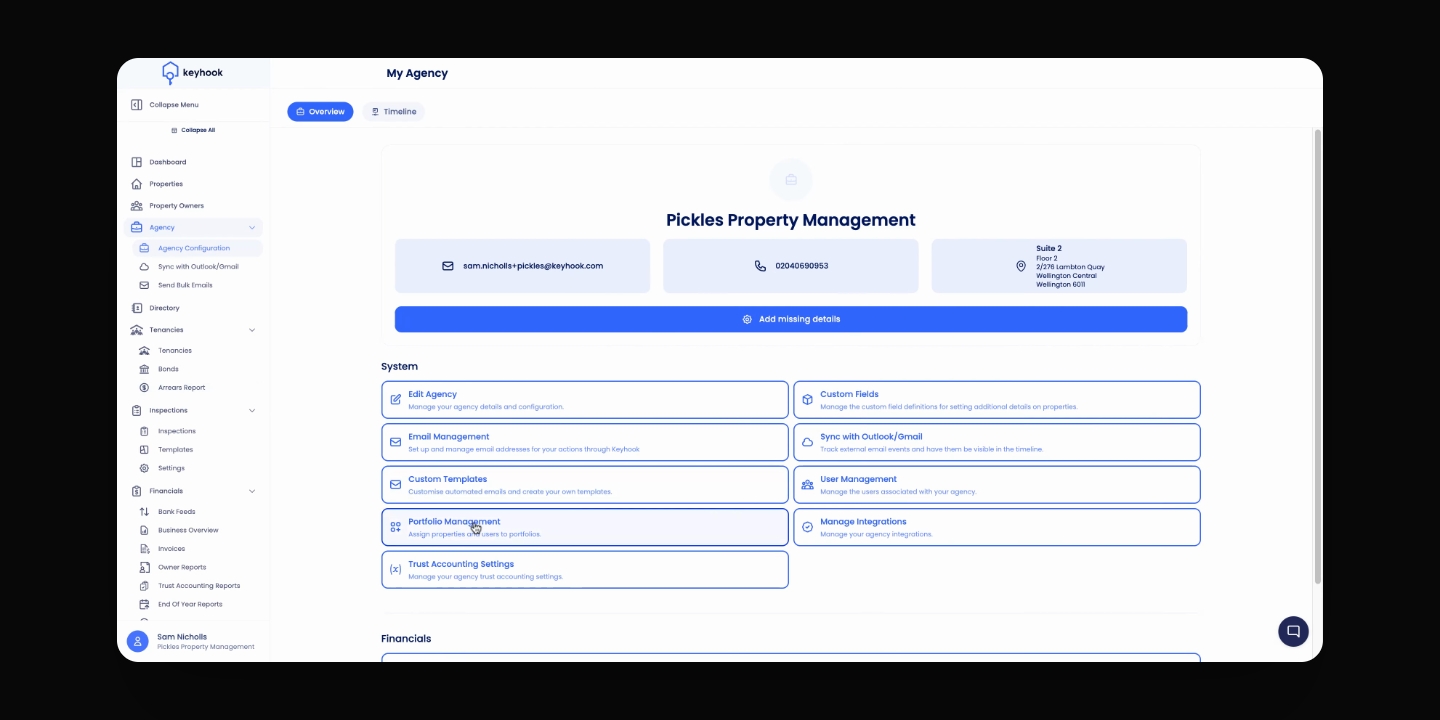
Step 3: Navigate to Portfolio Management from Agency Configuration
Navigate to Agency Configuration > Portfolio Management
Step 4: Move to Unassigned Portfolio
Select the relevant property from the portfolio and move it to the unassigned portfolio.
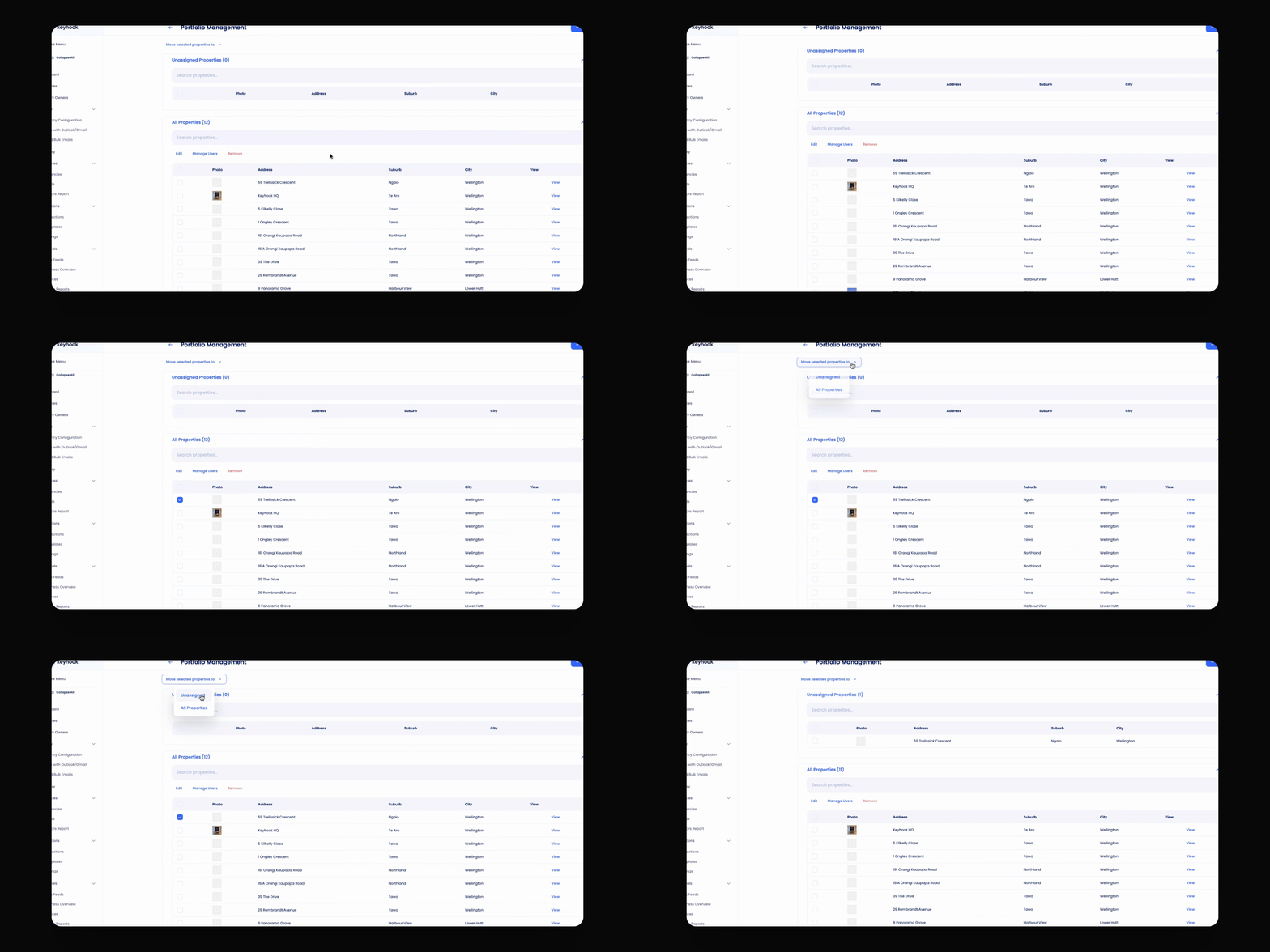
The property will be hidden from your properties list.