

To add an accountant's email or a financial email to an owner, click on the relevant owner, click Actions at the top right hand corner and select Edit. Let's look at the steps:
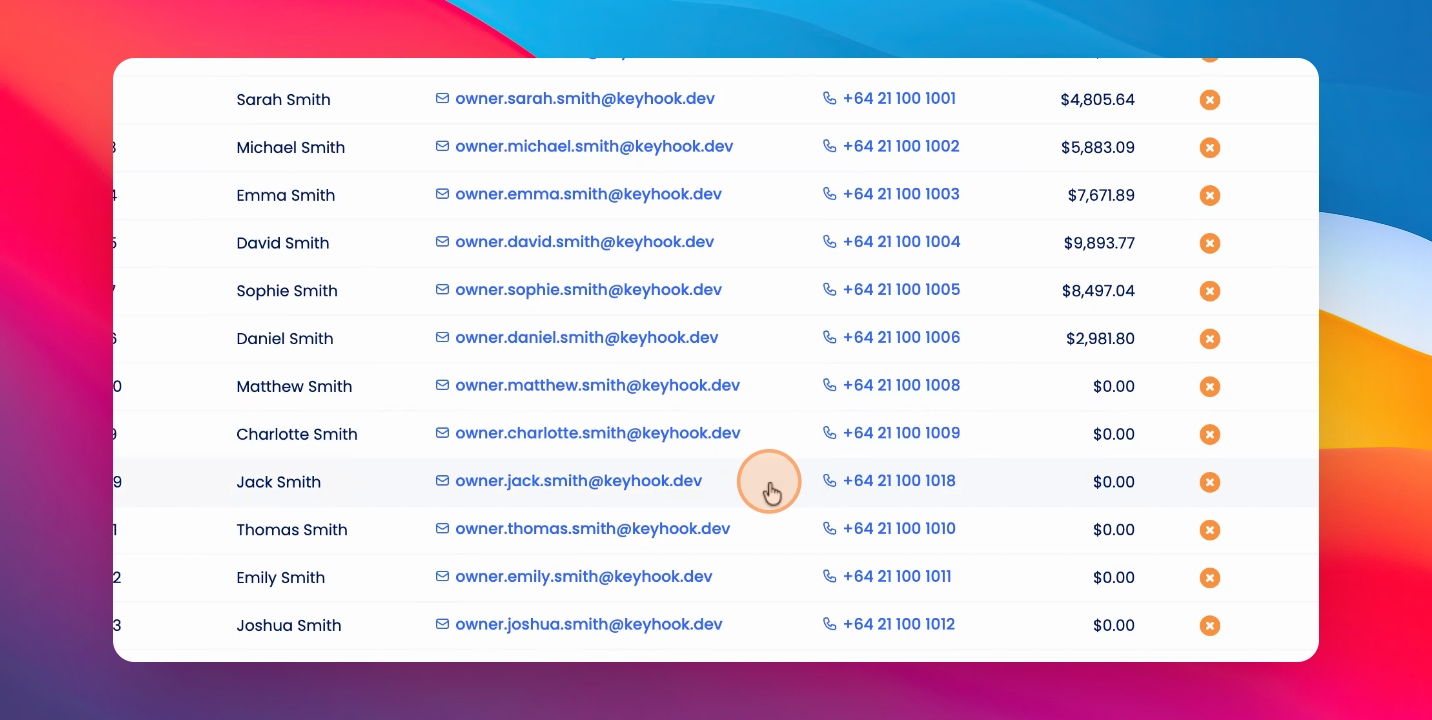
Step 1: Click Add Email
Click on Add an Email Address and add the accounts email.
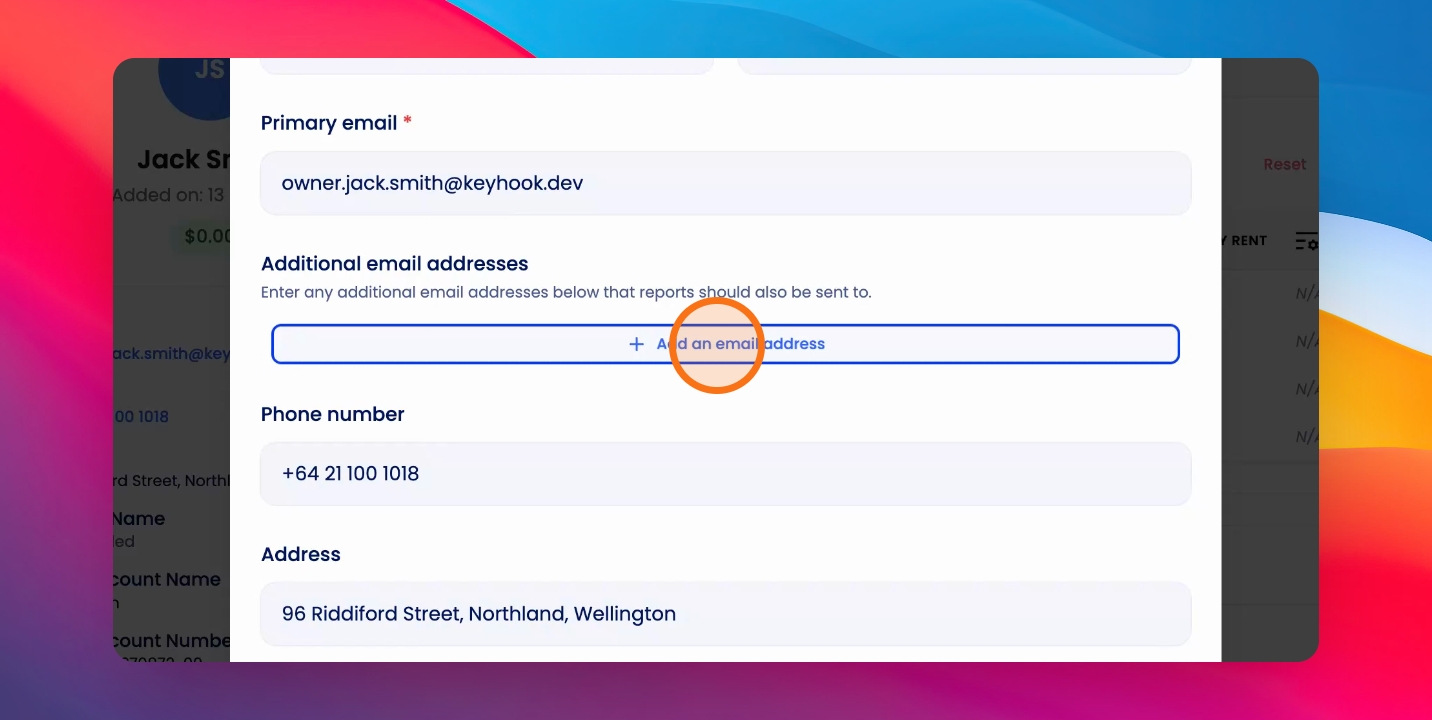
Step 2: Select Accounts Email
And select the Accounts Email checkbox, then click Save.
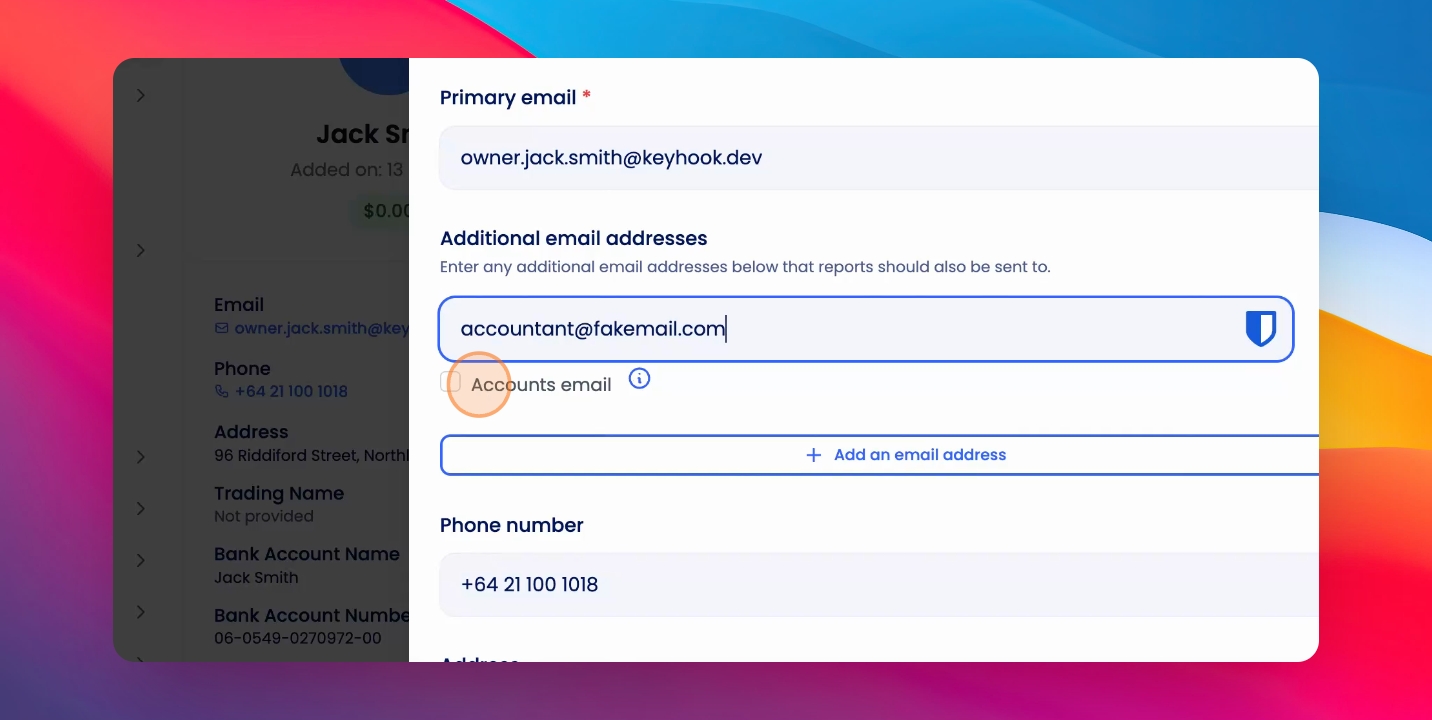
Any financial statements will be sent to the accounts email.
Regular communications won't be sent to the account's email.