

On table list pages across Keyhook such as Tenancies, Properties, Owners, Maintenance and Inspections, you may notice that one row is highlighted in yellow.
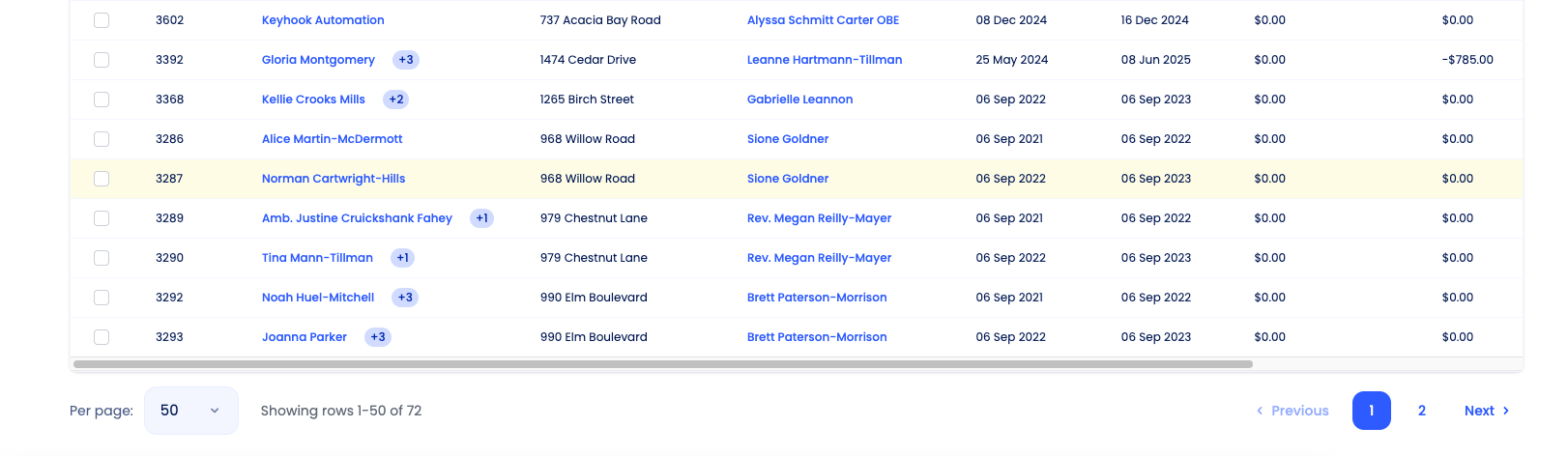
This yellow highlight indicates the last item you clicked on.
In other words, it shows the record you most recently viewed.
How this works in practice
This makes it easy to quickly recognise where you were in the list, especially when working through multiple records.
Why Keyhook does this
The yellow highlight is there to:
Help you keep your place in long lists
Reduce confusion when navigating back and forth
Improve efficiency when reviewing or updating multiple records
Only one row will be highlighted at a time. The highlight updates as you click on a different record.
If you need more help or have any questions, just reach out to us at support@keyhook.com — we're always here to help!