

TL;DR
1
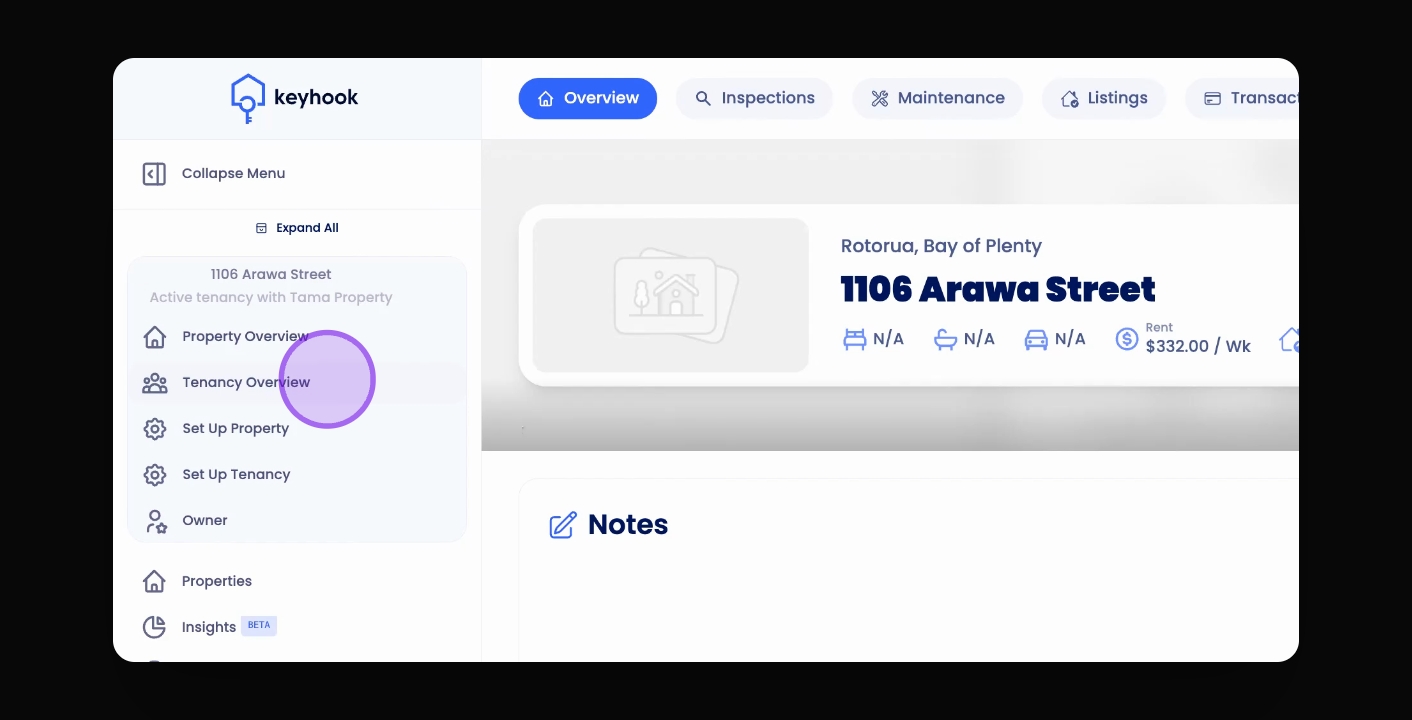
Click Tenancy Overview
When viewing a Property Overview, access the tenancy overview through the navigation bar.
2
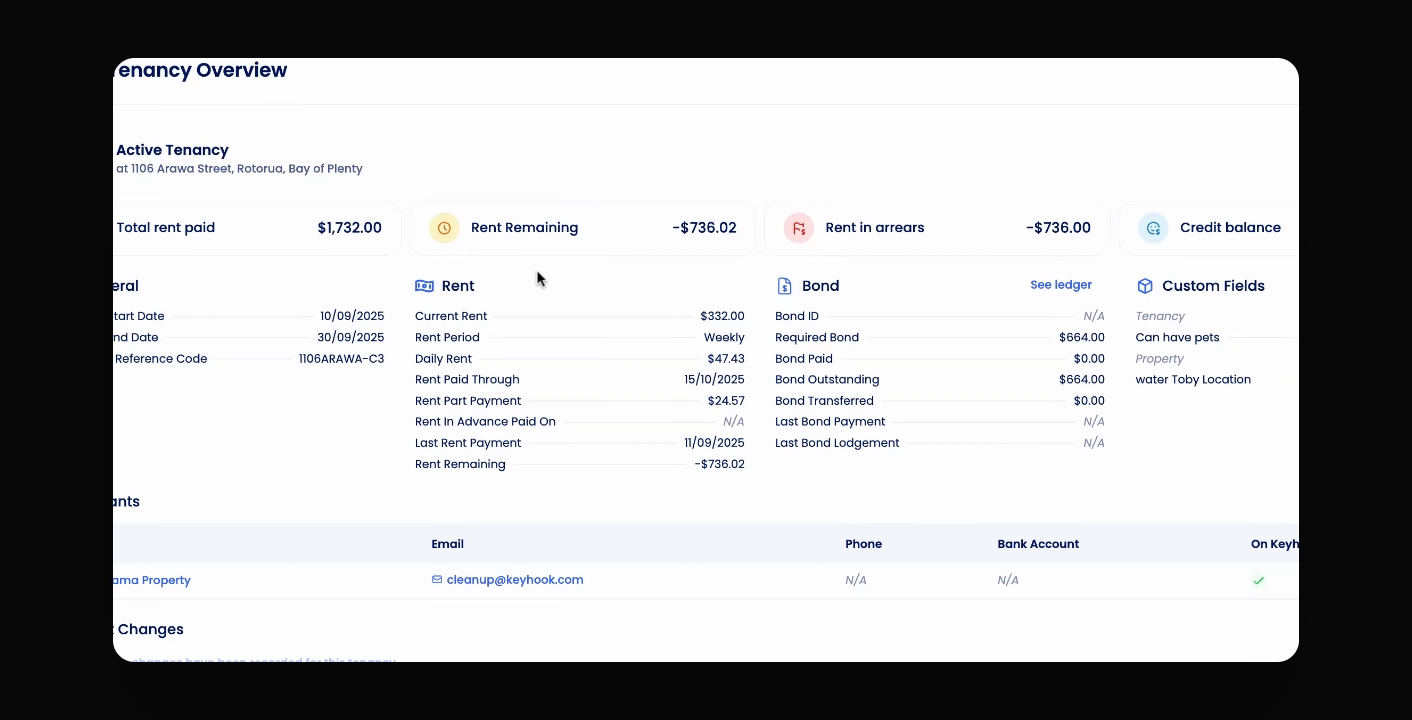
Review Finances
Check remaining rent, arrears, and tenant credits.
3
View Rent Ledger
Scroll down to see and download the rent ledger.
4
Check Invoices
Look for any invoices and rent changes in the overview.
Let's Do It Together!
Step 1: Access Tenancy Overview
Click on the Tenancy Overview button in the navigation bar.
You will be presented with the tenancy overview information.
Step 2: Review Tenancy Information
Check the remaining rent and tenancy details displayed.
View the arrears balance and any tenant credit associated with this tenancy.
This information provides a comprehensive view of the financial status of the tenancy.
Step 3: View Rent Ledger
Scroll down to see the rent ledger for this tenancy.
You can also download the rent ledger for your offline records.
Check the transaction records related to the tenancy.
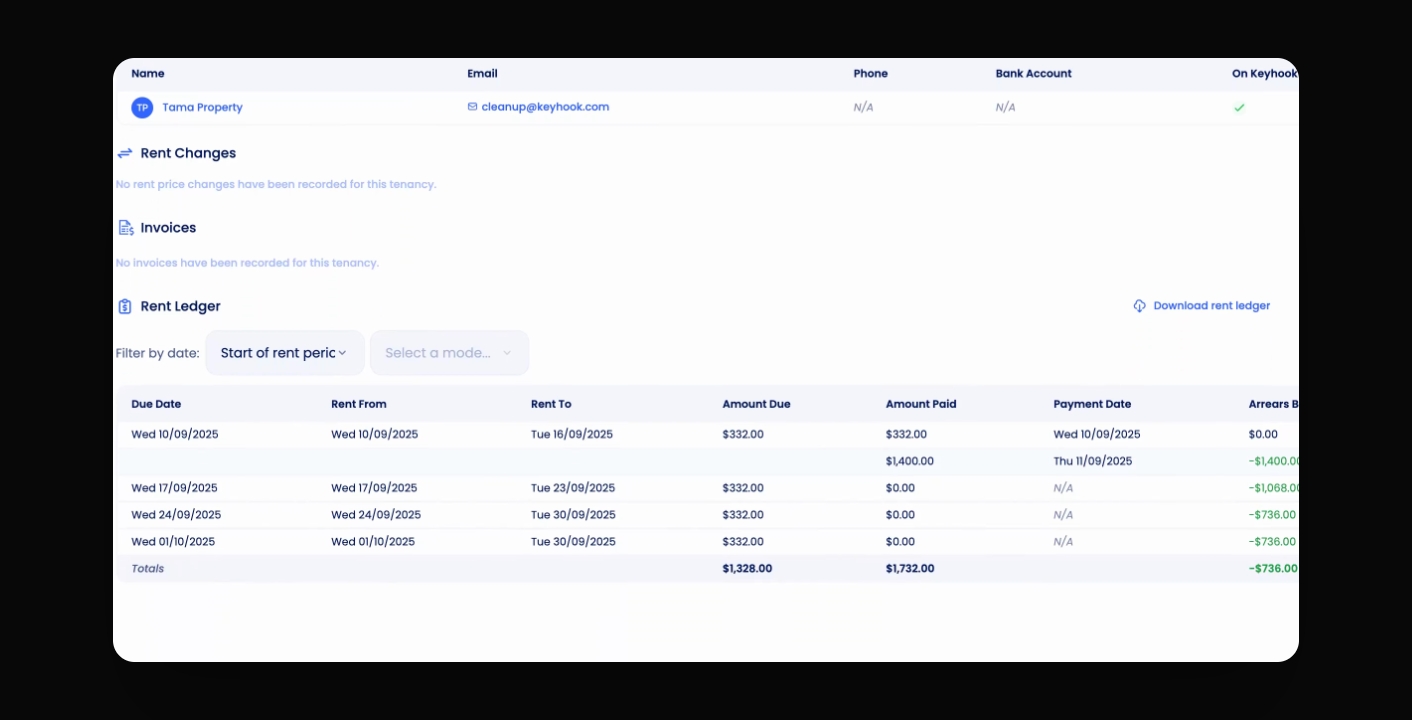
Step 4: Check Invoices and Rent Changes
Look for any invoices and rent changes displayed within the Tenancy Overview.
This will keep you updated on any changes related to the tenancy.