

TL;DR
1
Visit the property
Go to the relevant property to check your pending tenancy.
2
Select pending tenancy
Choose the pending tenancy from the dropdown.
3
View or download agreement
Scroll to see the agreement or download it.
4
Cancel tenancy
Click Delete Tenancy to cancel the pending agreement.
Let's Do It Together!
Step 1: Access the Property
Visit the relevant property to check the status of your Pending Tenancy Agreement.
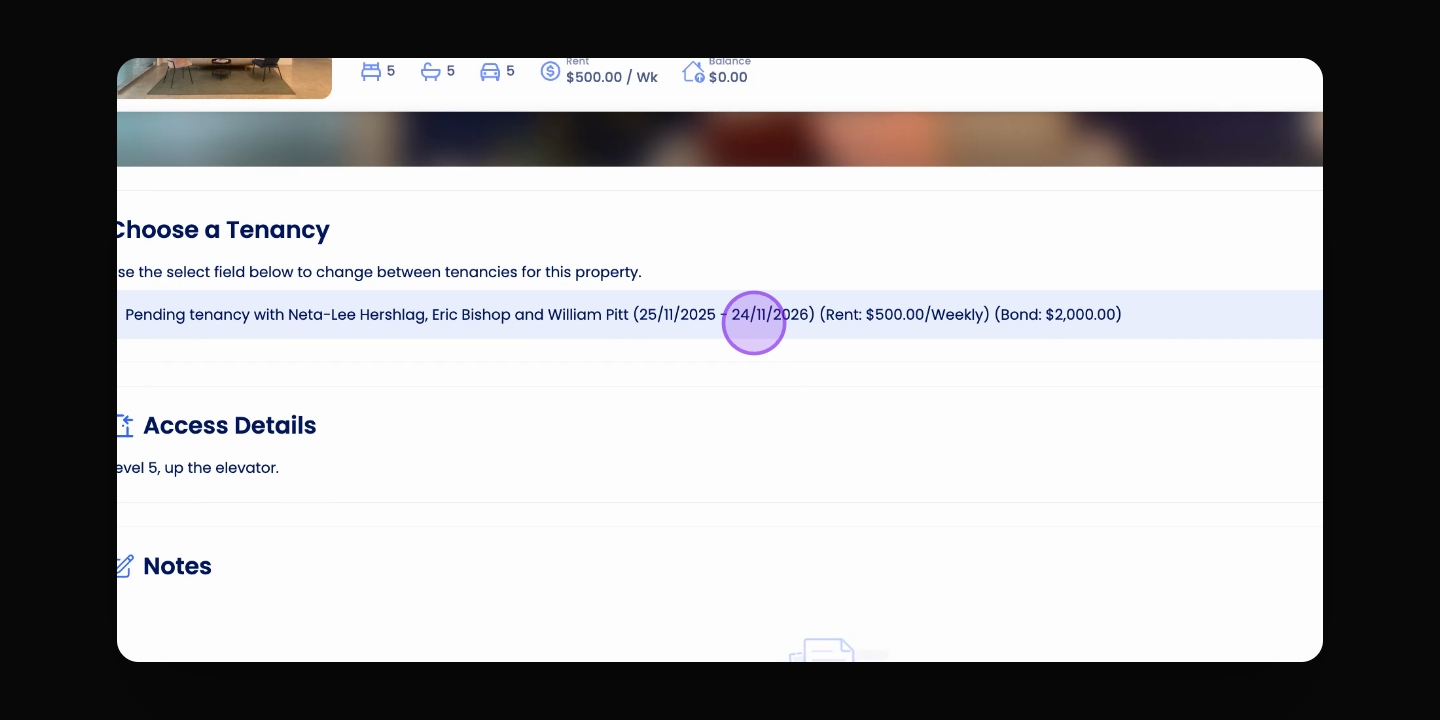
Step 2: Choose Pending Tenancy
Select the pending tenancy in the Choose a Tenancy dropdown.
Step 3: View Tenancy Agreement
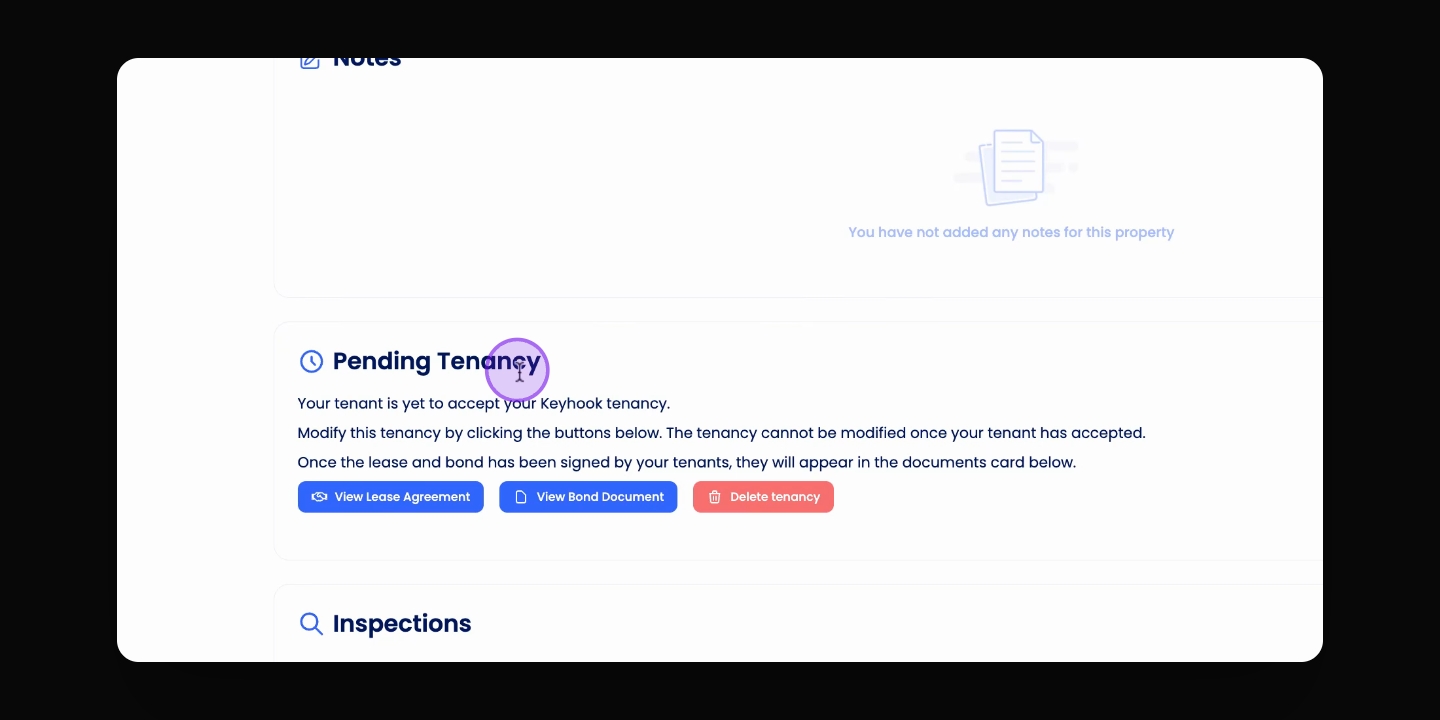
Scroll down to the Pending Tenancy section to view the Tenancy Agreement.
You can either download the Tenancy Agreement or scroll to view it fully.
Step 4: Cancel Pending Tenancy
To cancel the pending tenancy, click the Delete Tenancy button.