

To manage the Rent Review reminder date for a tenancy, start by accessing the relevant property. Let's look at the steps:
Step 1: Open the Property
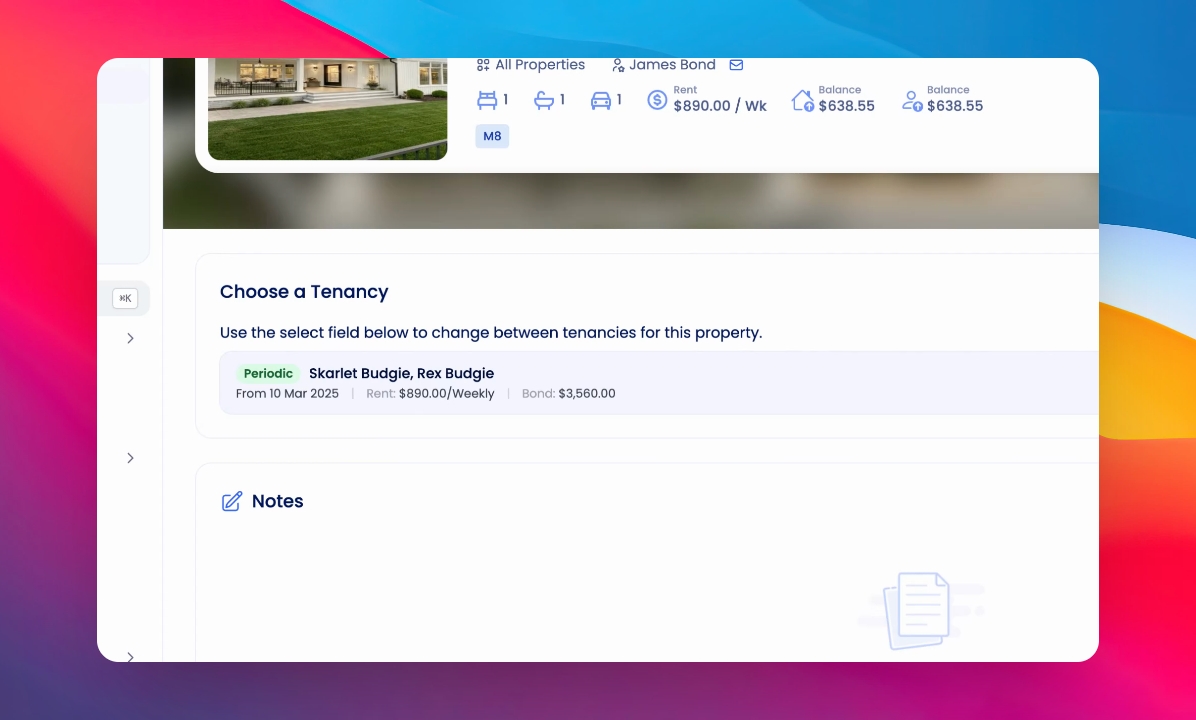
Visit the relevant property in your system. Ensure you are working with the correct property, then enter the Setup Tenancy section and go to the Dates area.
Step 2: Locate Rent Review Date
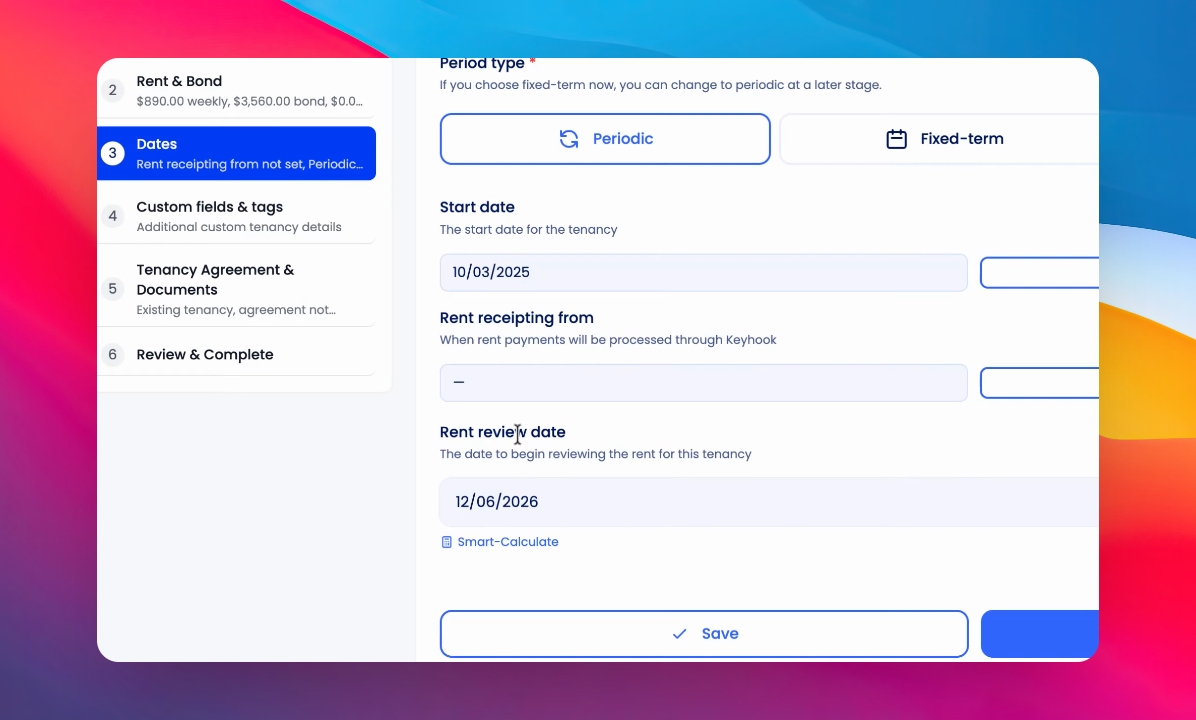
In the Dates section, find the current Rent review date.
Step 3: Use Smart Calculate
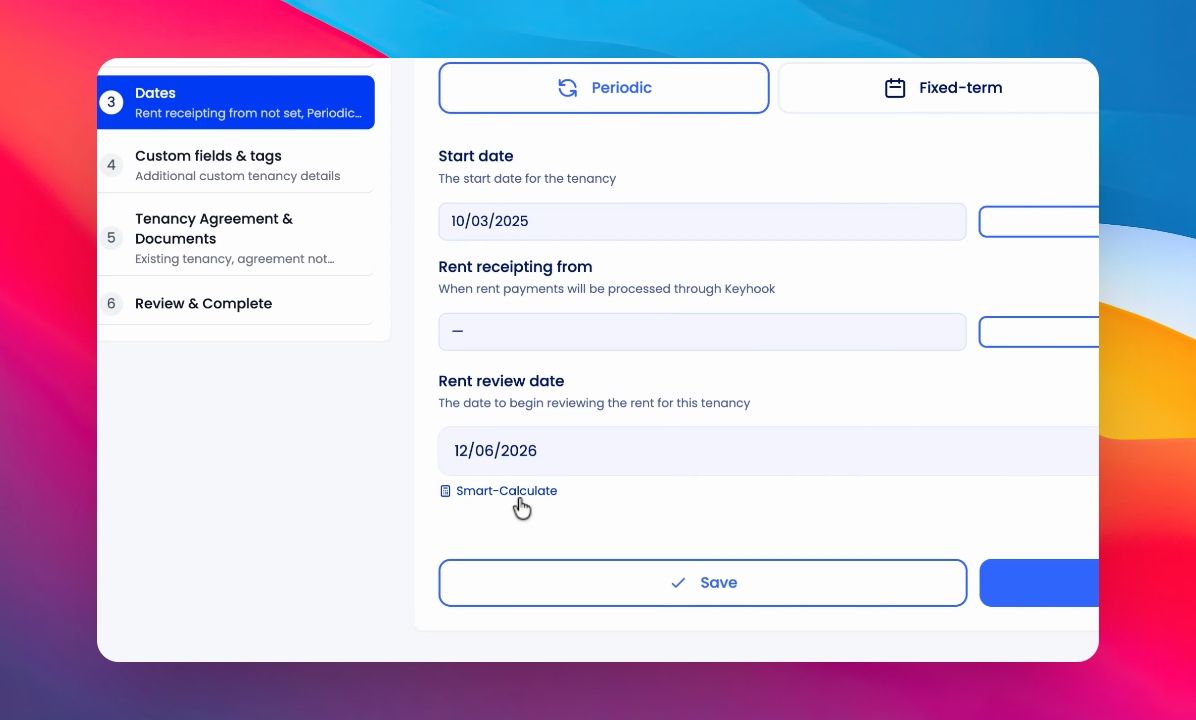
To calculate a new rent review date automatically, click Smart Calculate.
Step 4: Enter Last Rent Change Date
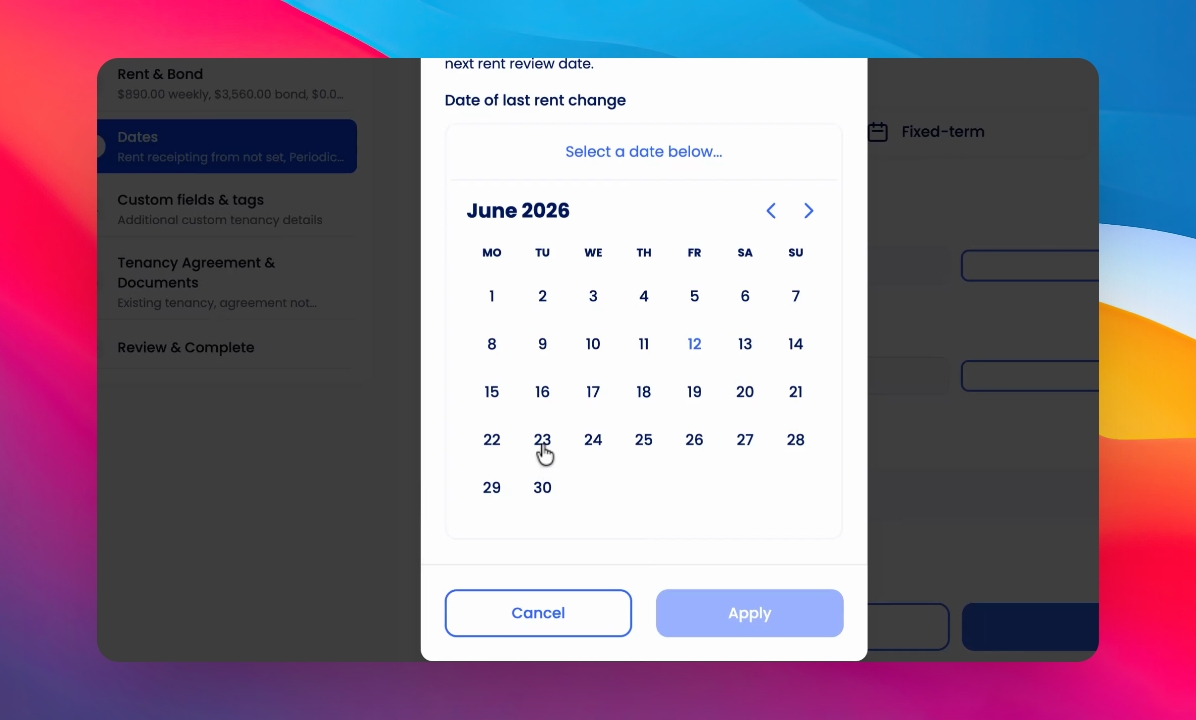
Select the date when the last rent change occurred.
Step 5: Review Calculated Date
The system will display the calculated rent review date, which is set 100 days before 12 months after your last rent change.
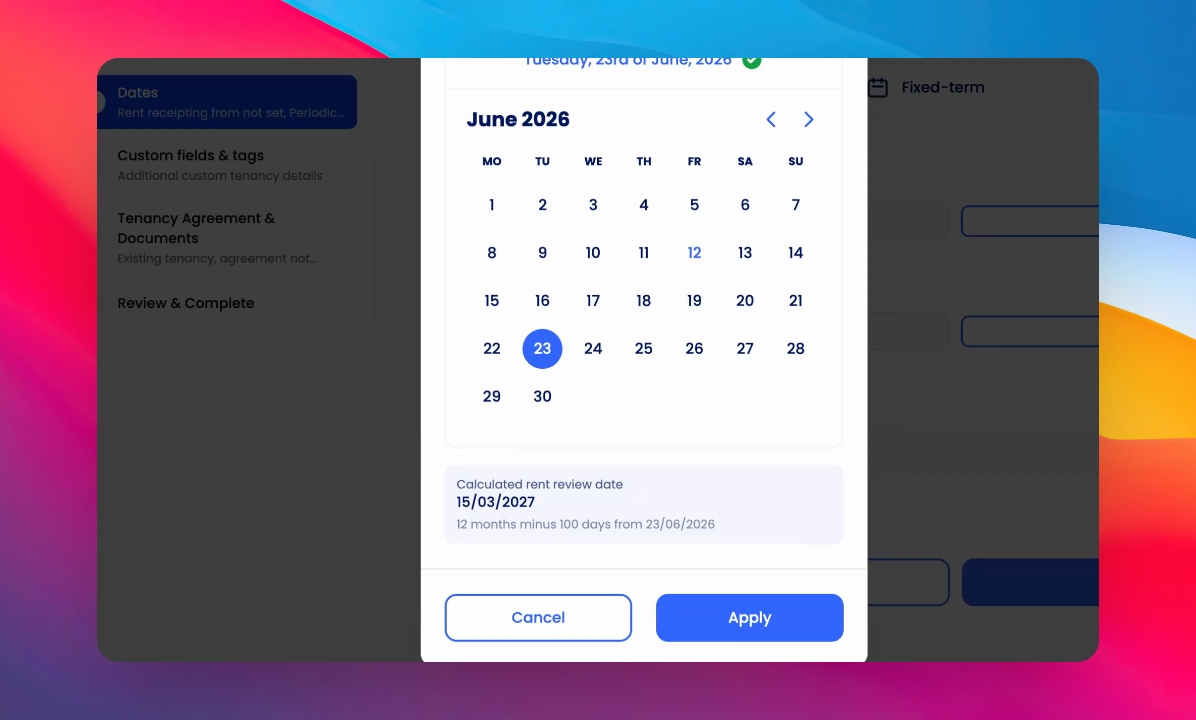
Step 6: Apply and Save
Click Apply to confirm and save the new rent review date.
Once saved, you will receive an email reminder and a reminder will be added to your dashboard's to-do list.