

TL;DR
1
Click into the property
Access property details to view balances.
2
Understand property balance
It shows the specific balance of the property.
3
Understand owner balance
It reflects total balances across all owned properties.
4
Negative balances explained
Indicate pending invoices but won't generate payouts.
5
Payment conditions
Invoices are paid only after sufficient credit or rent.
Let's Do It Together!
Step 1: View Property Details
Click into the property to see the balances.
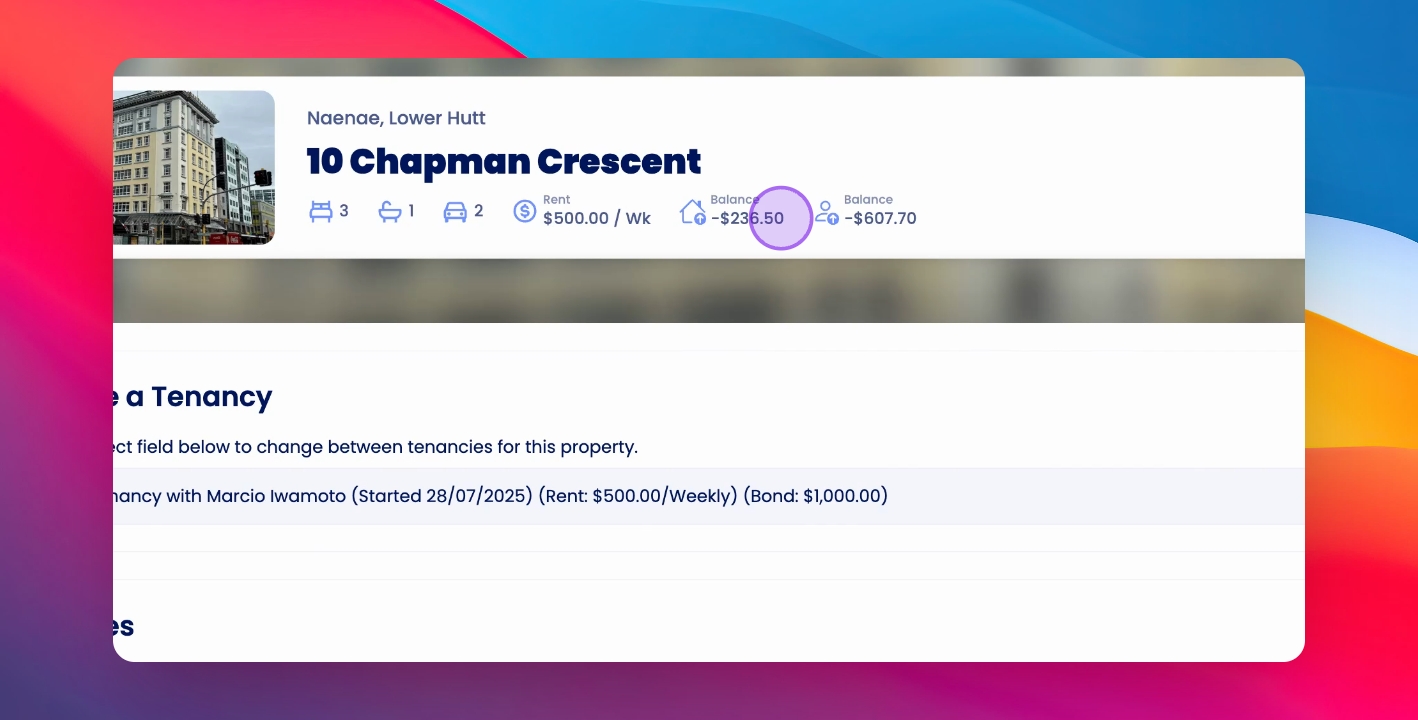
The property details display the balances at the top of the screen.
Step 2: Understand Property Balance
The property balance shows the balance specific to the property.
Step 3: Understand Owner Balance
The owner balance reflects the total balance across all properties owned.
Step 4: Note Negative Balances
The property balance can be negative, indicating an invoice pending payment.
Negative balances won't result in actual payments.
Step 5: Review Invoice Impact
A negative property balance indicates an invoice amount added against it.
Step 6: Understand Payment Conditions
Invoices won't be paid until owner credit or rent is receipted.
This ensures the invoice amount is covered before payment.
If you need more help or have any questions, just reach out to us at support@keyhook.com — we're always here to help!