

Why this happens
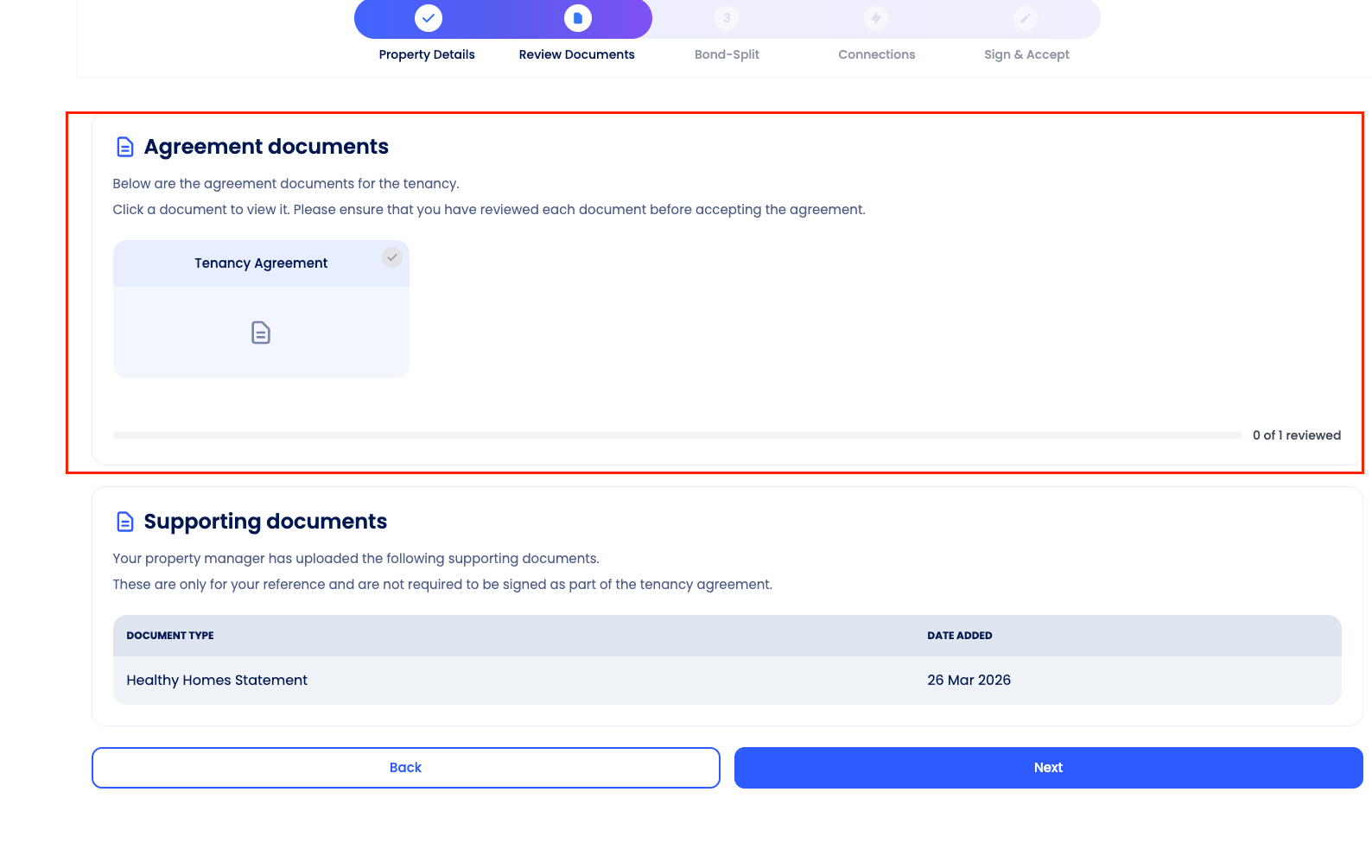
This error means you haven't yet confirmed that you've read each document in the Agreement documents section. Before you can move past this step, you need to:
Open every document listed under Agreement documents (e.g. the Tenancy Agreement)
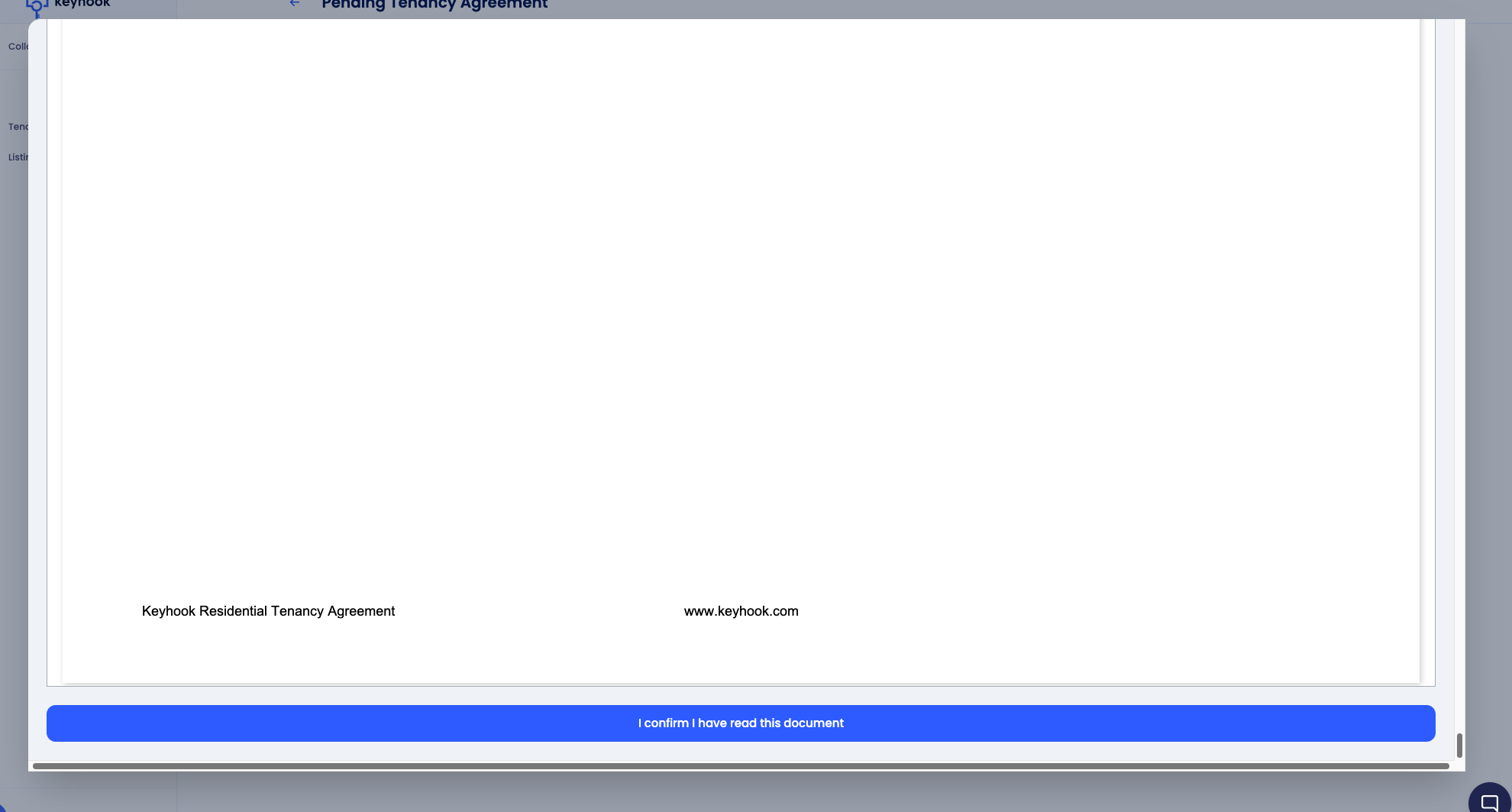
Confirm you have read each one by clicking the "I confirm I have read this document" button at the bottom of the document preview
Until each document in the section shows as reviewed, the Next button will not let you move on.
Note: Documents in the Supporting documents section do not need to be confirmed — only those in the Agreement documents section.
Screenshots:
Solution
Click the Tenancy Agreement card (and any other documents listed under Agreement documents) to open the document preview.
Scroll to the bottom of the document and click "I confirm I have read this document".
Repeat for any other documents in the Agreement documents section until all are marked as reviewed (the section will show "X of X reviewed" at the bottom).
Once every document is confirmed, click Next to proceed to the next step (Bond-Split)