

Introduction
This tutorial will provide you with essential insights into the tenant's status, including their rental situation, bond status, and invoice management. By the end of this guide, you will have a clear understanding of how to interpret the information displayed on this screen, including the rent ledger and payment history.
How to Instructions
1. Understanding Tenant Information
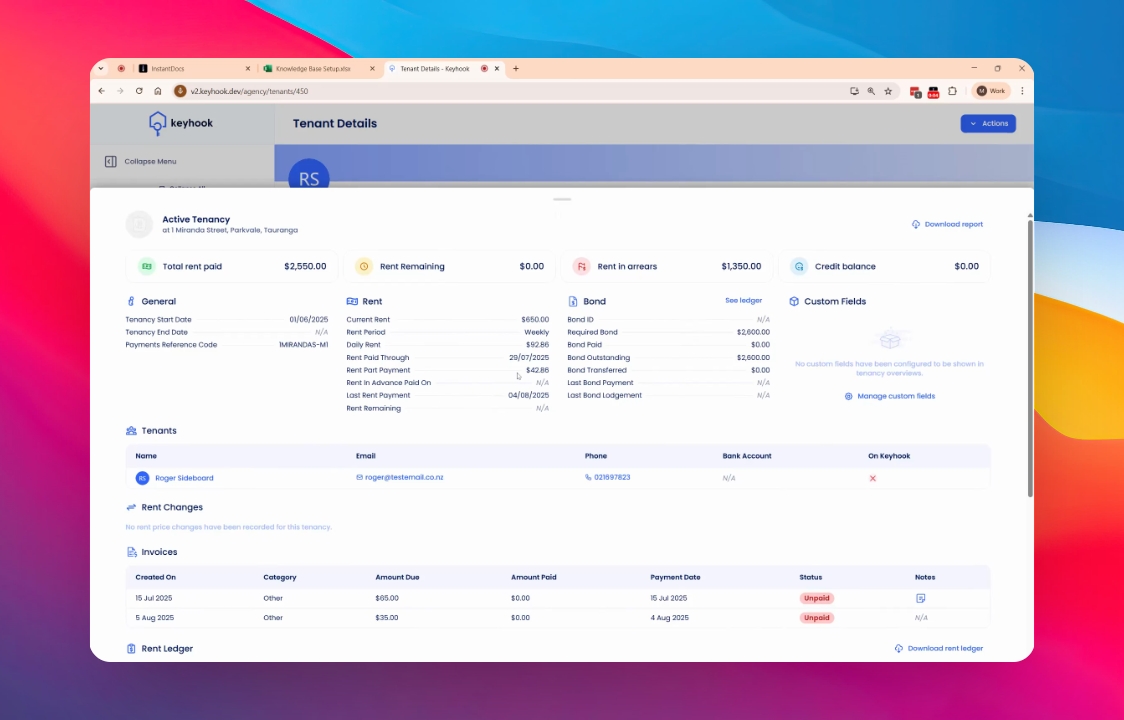
The Tenancy Overview screen displays crucial information regarding the tenant, including when they started their tenancy, arrears balance, rent paid through, bond status, tenant information, and more!
Additionally, it provides insights into any changes in their rent and the status of their invoices.
2. Examining the Rent Ledger
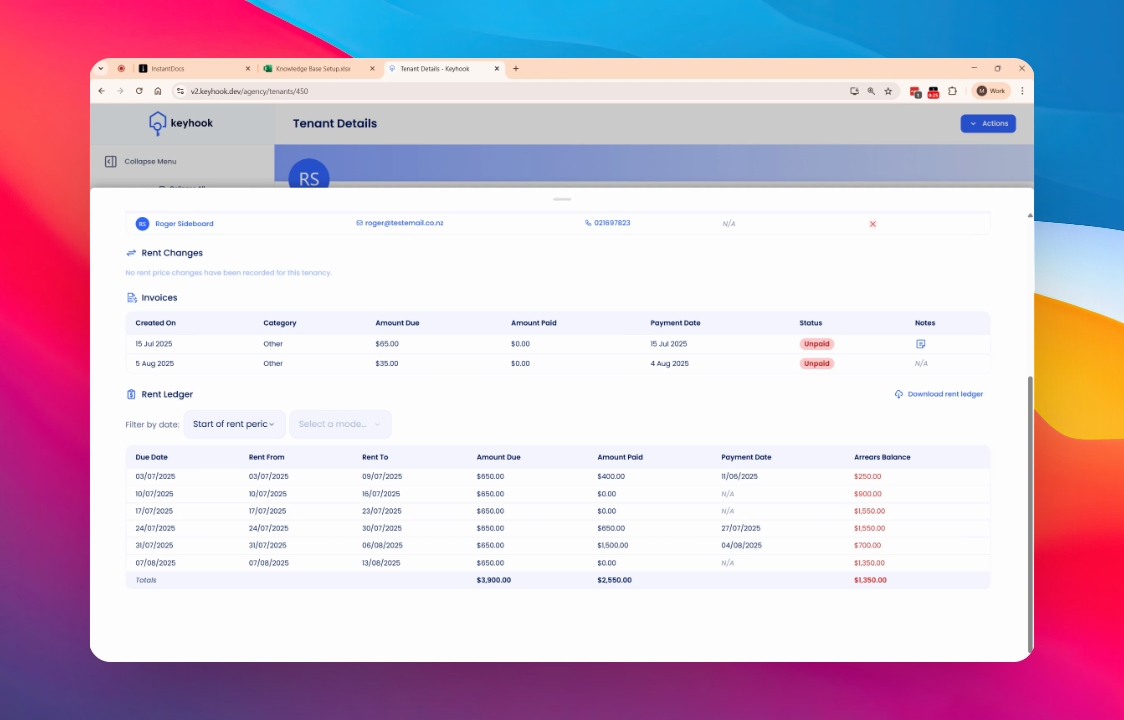
At the bottom of the screen, you will find the rent ledger, which provides a detailed account of the tenant's rental payments and obligations.
3. Analyzing Rent Entries
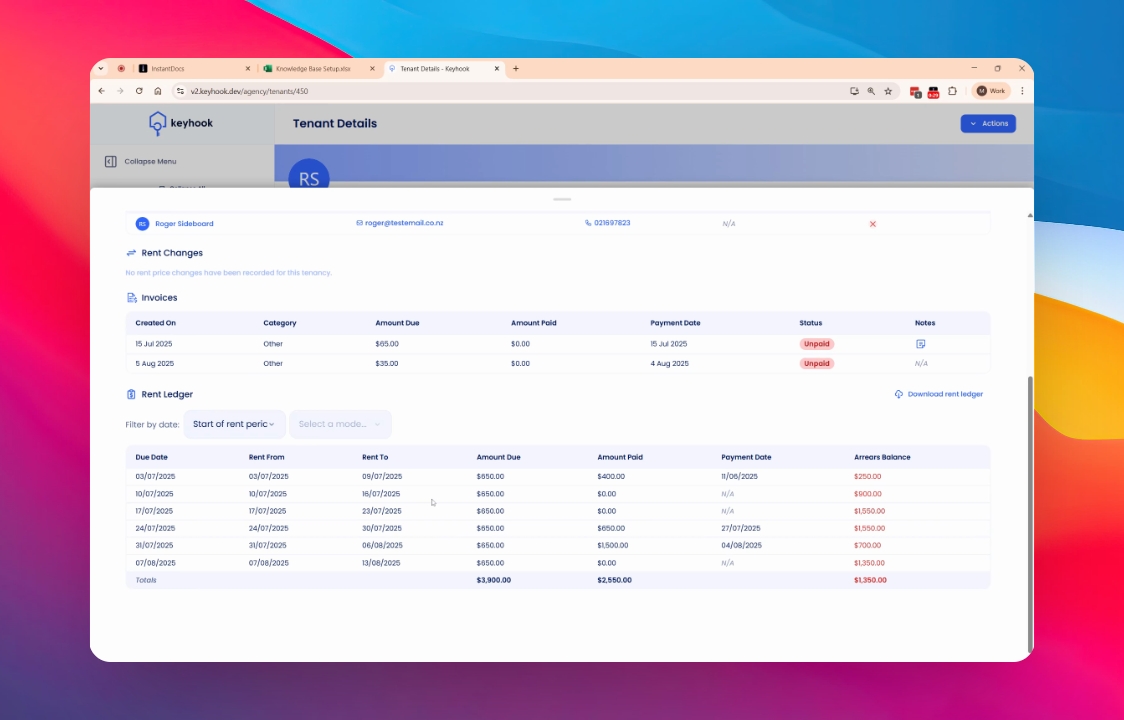
The rent ledger generates new entries each week, detailing the expected rent amount due for the upcoming period. It displays the amount due and the amount actually paid, allowing you to compare what should have happened versus what occurred in reality.
4. Reviewing Payment History
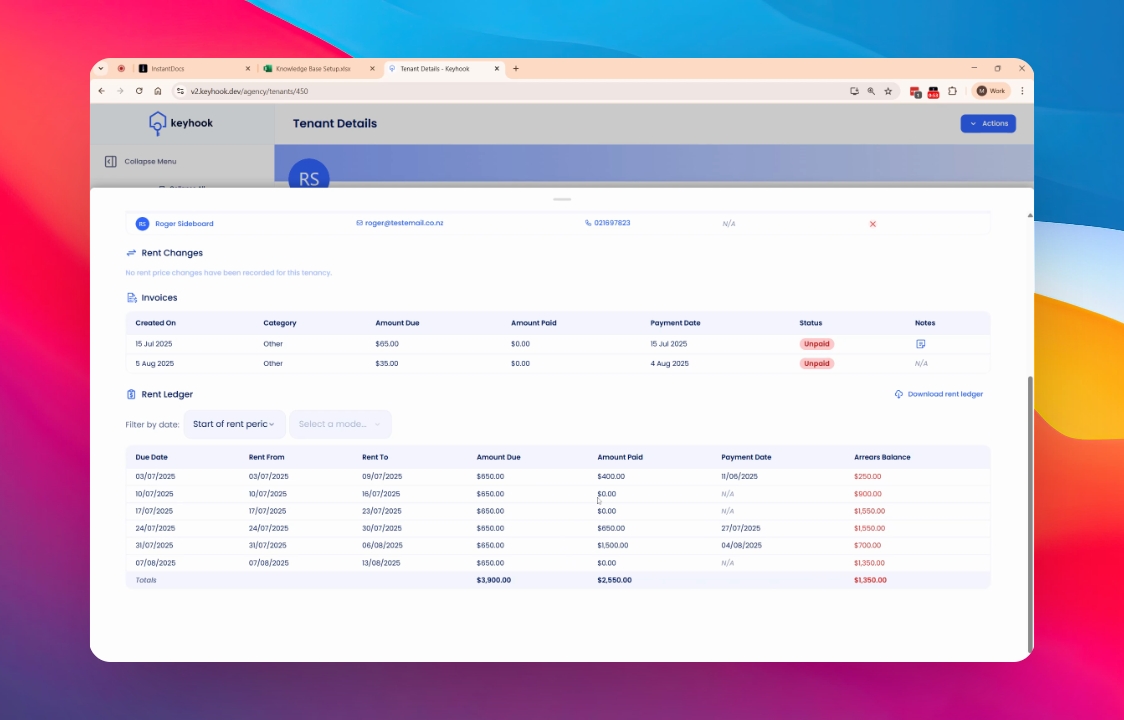
The ledger provides a clear history of payments. For instance, if a tenant moved in and paid which was insufficient for the rent period, the system reflects that they are in arrears. Subsequent payments, whether made or missed, are recorded to give an accurate representation of the current amount owed.
Conclusion
By following this guide, you now have a solid understanding of the Tenancy Overview screen, including how to interpret tenant information and rent ledger details effectively.
If you need more help or have any questions, just reach out to us at support@keyhook.com — we're always here to help!