TL;DR
1
Go to bank feeds
Access your bank feeds to start the process.
2
Select transaction
Click on the relevant transaction you want to receipt.
3
Choose transaction details
Select "Bond" for payment type, enter the address, select the tenancy. Then confirm the amount and the bond type.
4
Add another payment (optional)
If you are reconciling a general and a pet bond together, click to 'Add Another Payment' and repeat step 3.
5
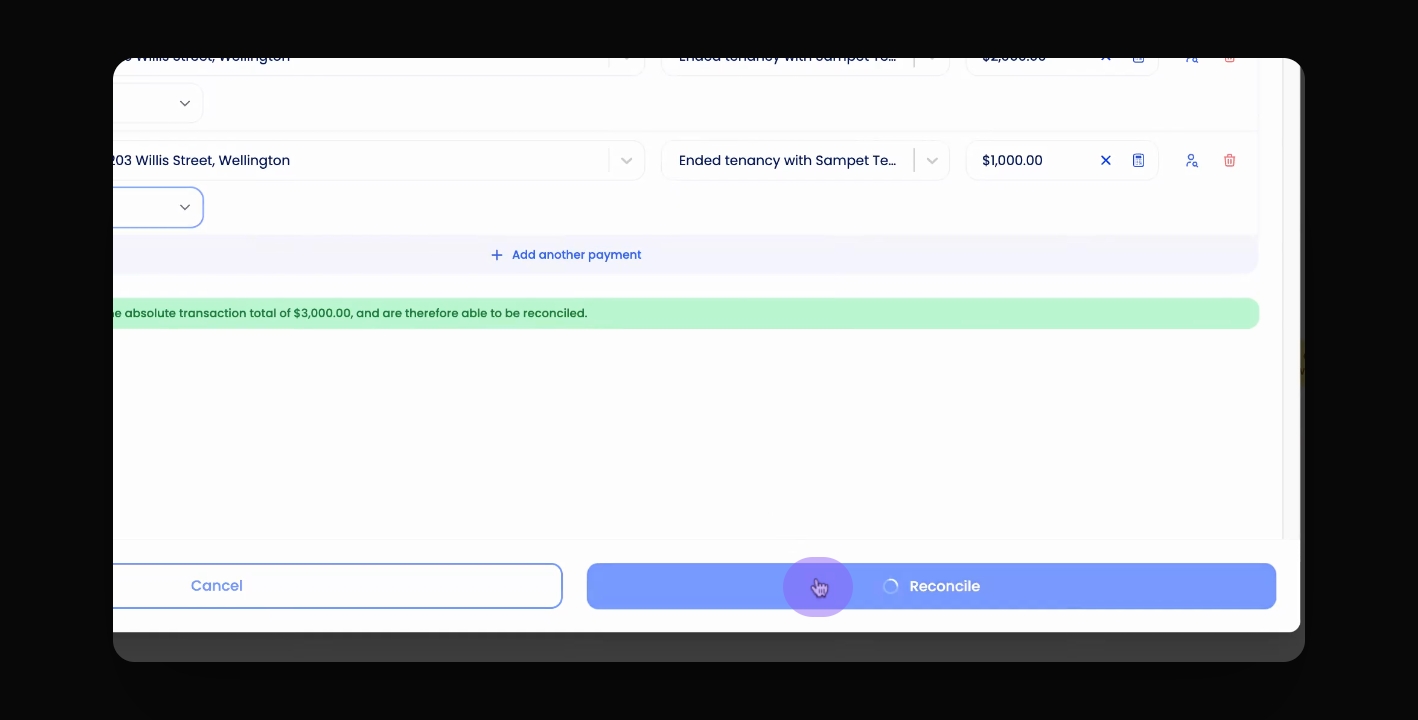
Reconcile transaction
Click Reconcile to finish.
Let's Do It Together!
Step 1: Access Bank Feeds
Go to your bank feeds.
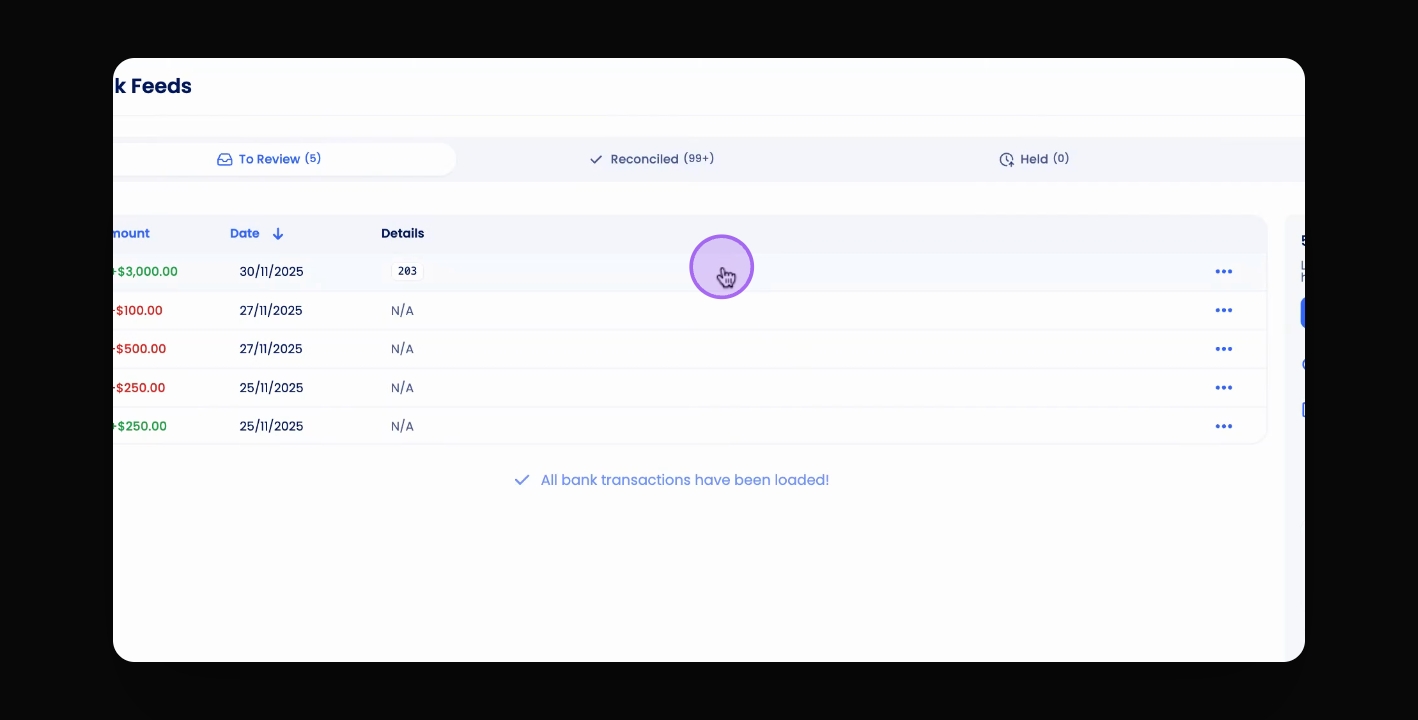
Step 2: Select Transaction
Click on the relevant transaction.
Step 3: Select Payment Details
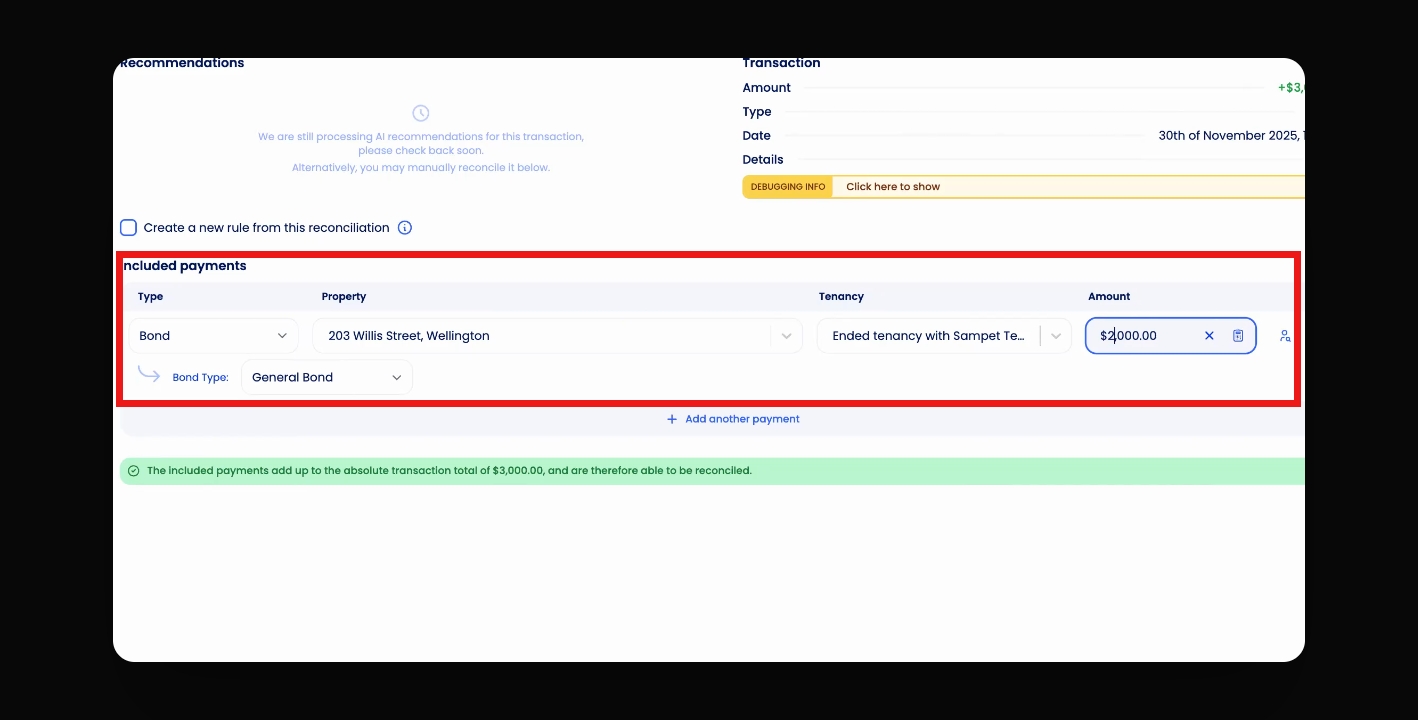
Under type, select Bond.
Under Property, select the Address
Select the Tenancy from the drop down list.
Confirm the Amount
Select the Bond Type
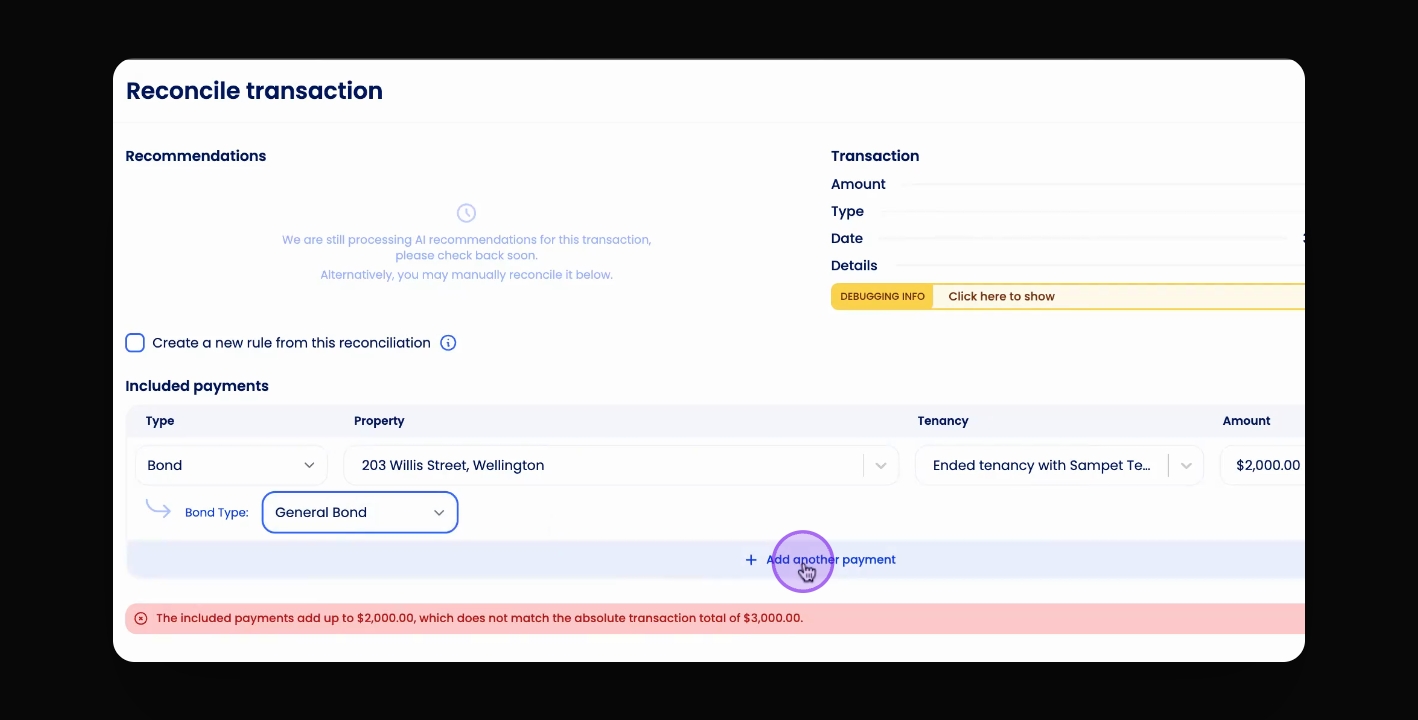
Step 4: Add Second Payment Details (Optional)
If you are reconciling General Bond AND Pet Bond in the same transaction; Select Add Another Payment.
Step 5: Select Payment Details
The Address and the Tenancy will auto-fill. Choose the Payment Type and the Bond Type.
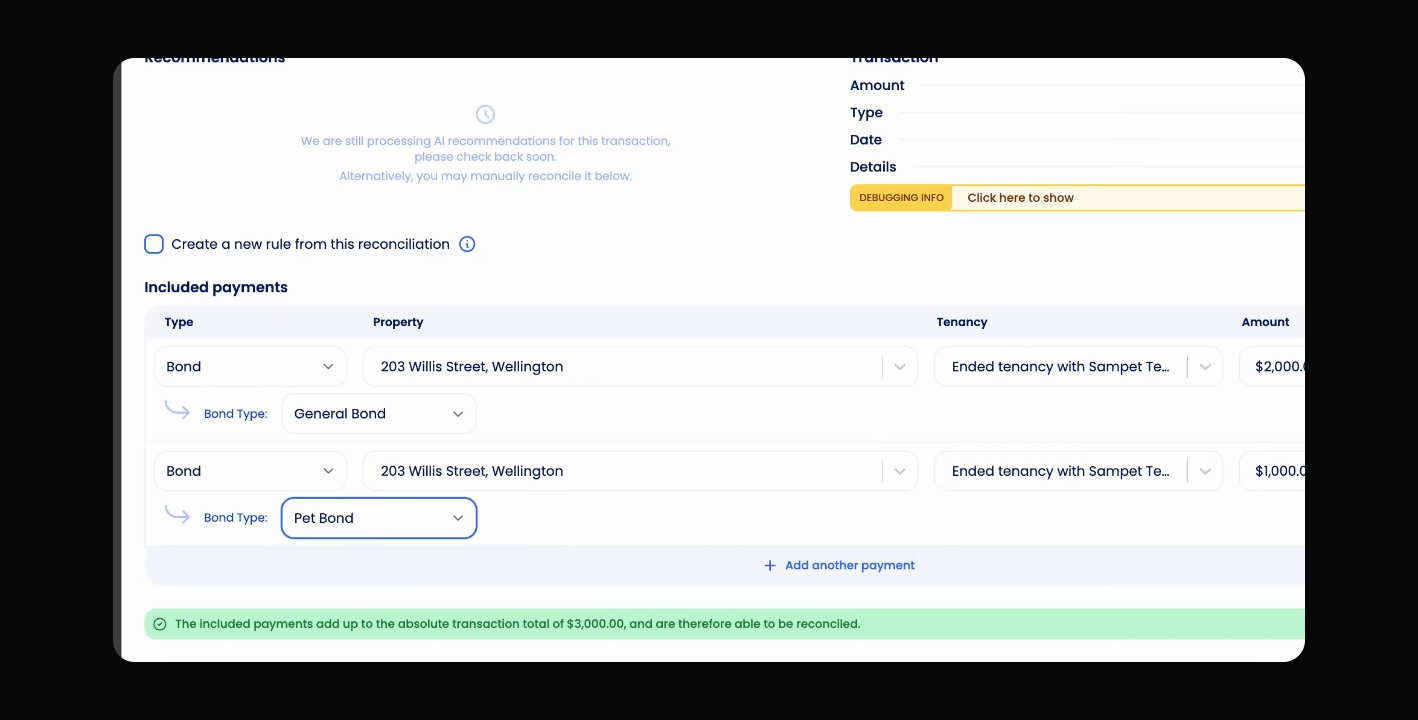
Step 6: Verify Amount
Click Reconcile