Your dashboard is the first thing you see when you log in to Keyhook. The main area shows an activity feed of everything that needs your attention, and the Overview panel on the right gives you a live snapshot of some key numbers across your portfolio.
What you can see and why
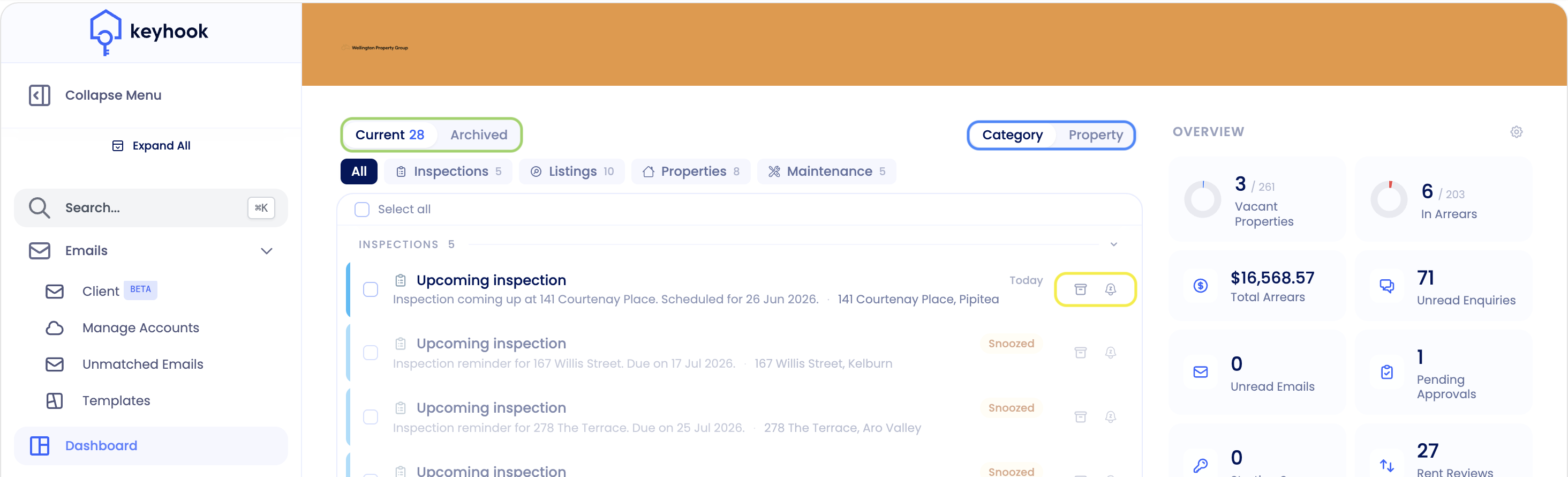
Items are grouped into categories — Inspections, Listings, Properties, and Maintenance — and you can filter to a single category or view them all together.
Current / Archived — Current shows live items that need attention; Archived holds the ones you've already cleared.
Category / Property — switch between grouping items by activity type or by property.
Snooze or archive — snooze a card to be reminded later, or archive it once it's handled.
The Overview panel
The Overview panel on the right is a live snapshot of the key numbers across your portfolio. Each stat is clickable and takes you straight to the matching list or report. Here's what each one shows and where it takes you:
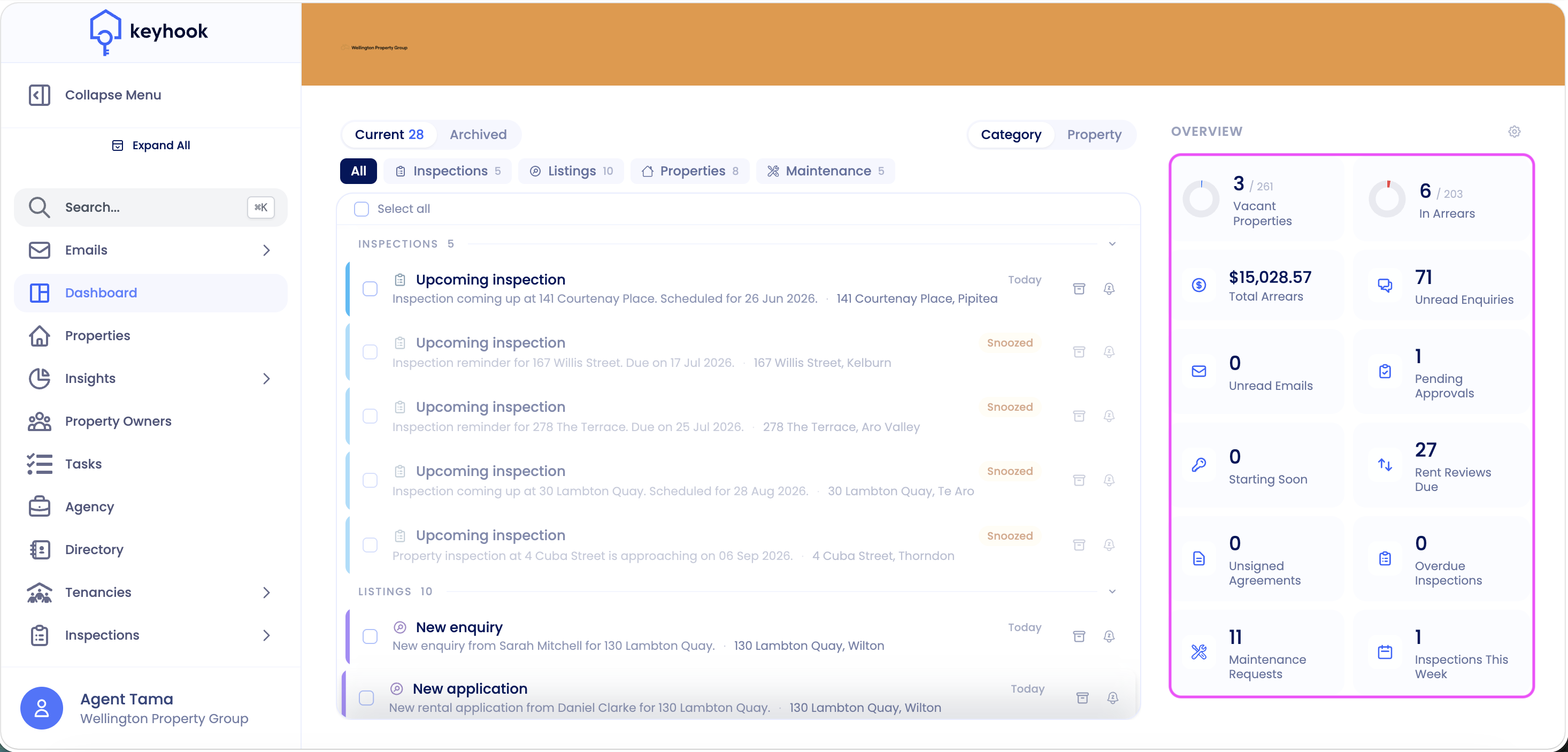
Vacant Properties — Properties in your portfolio without an active tenancy. Opens the Properties table, filtered to vacant.
In Arrears — Tenancies currently behind on rent, shown against your total number of tenancies. Opens the arrears report.
Total Arrears — The total dollar value of rent owed across your portfolio. Opens the arrears report.
Unread Enquiries — New property enquiries you haven't actioned yet. Opens the Enquiries list.
Unread Emails — Messages in your Keyhook inbox you haven't opened yet. Opens Emails → Client.
Pending Approvals — Maintenance jobs awaiting approval or a start date (owner action needed). Opens Maintenance → Maintenance, showing open requests where the status is pending or awaiting start date, sorted by ascending start date and grouped by start date.
Starting Soon — Tenancies with a move-in date coming up. Opens the tenancies table, filtered to upcoming starts.
Rent Reviews Due — Tenancies at or approaching their rent review date. Opens the tenancies table, filtered by rent review.
Unsigned Agreements — Tenancy agreements still waiting on tenant signatures. Opens your pending tenancies.
Overdue Inspections — Inspections past their due date that haven't been completed. Opens the inspection list, filtered to a scheduled date before today.
Maintenance Requests — Open maintenance requests across your portfolio. Opens the Maintenance list.
Inspections This Week — Inspections scheduled this week. Opens the inspection list, filtered to a scheduled date between Sunday and Saturday of the current week.
Customising the Overview
You can choose which stats appear, and what order they show in:
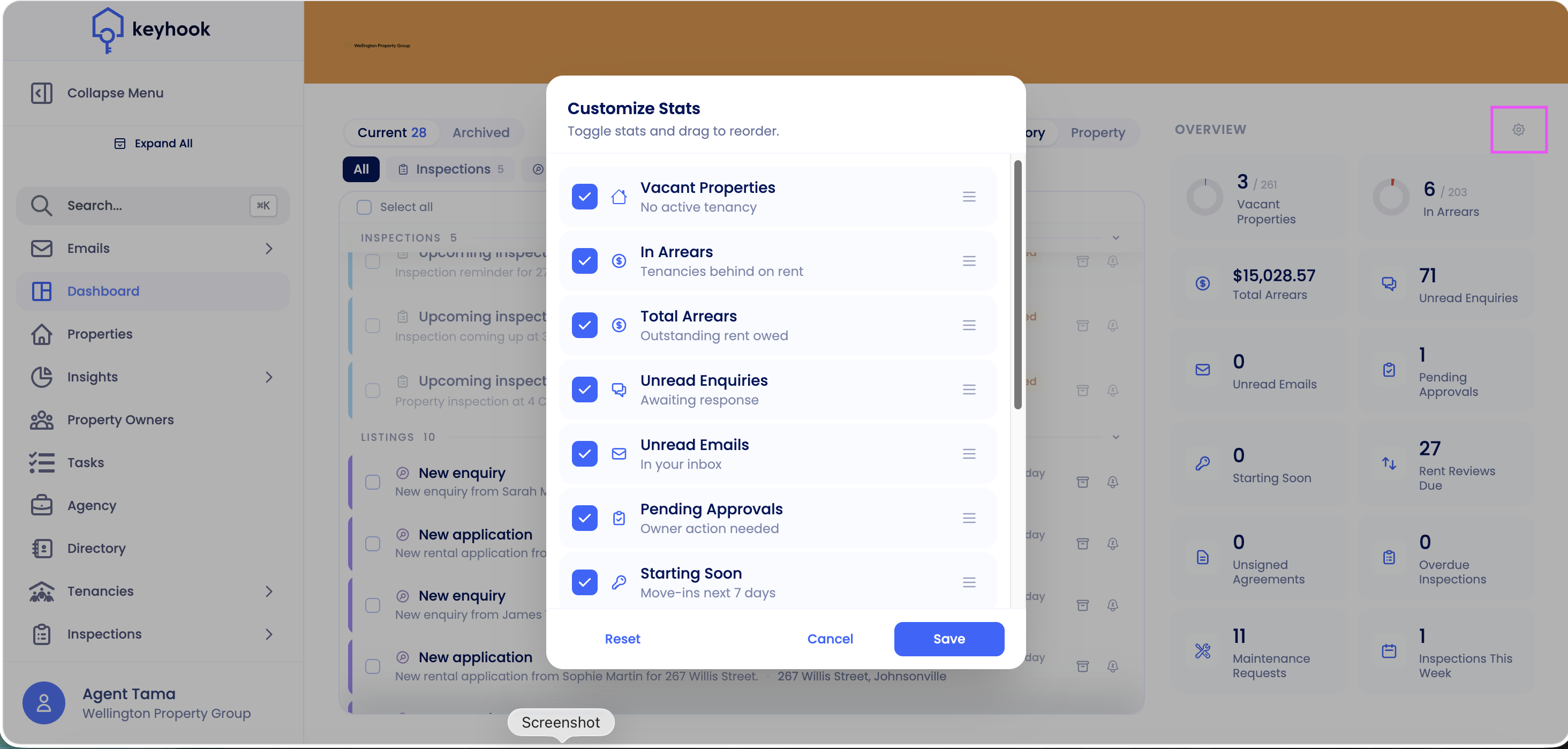
Click the settings (gear) icon at the top-right of the Overview panel.
In the Customize Stats window, tick the stats you want to show, or untick any you want to hide.
Drag the handles to reorder them.
Click Save. (Use Reset to return to the default set, or Cancel to discard your changes.)