

TL;DR
Let's Do It Together!
Step 1: Access Supplier Invoices
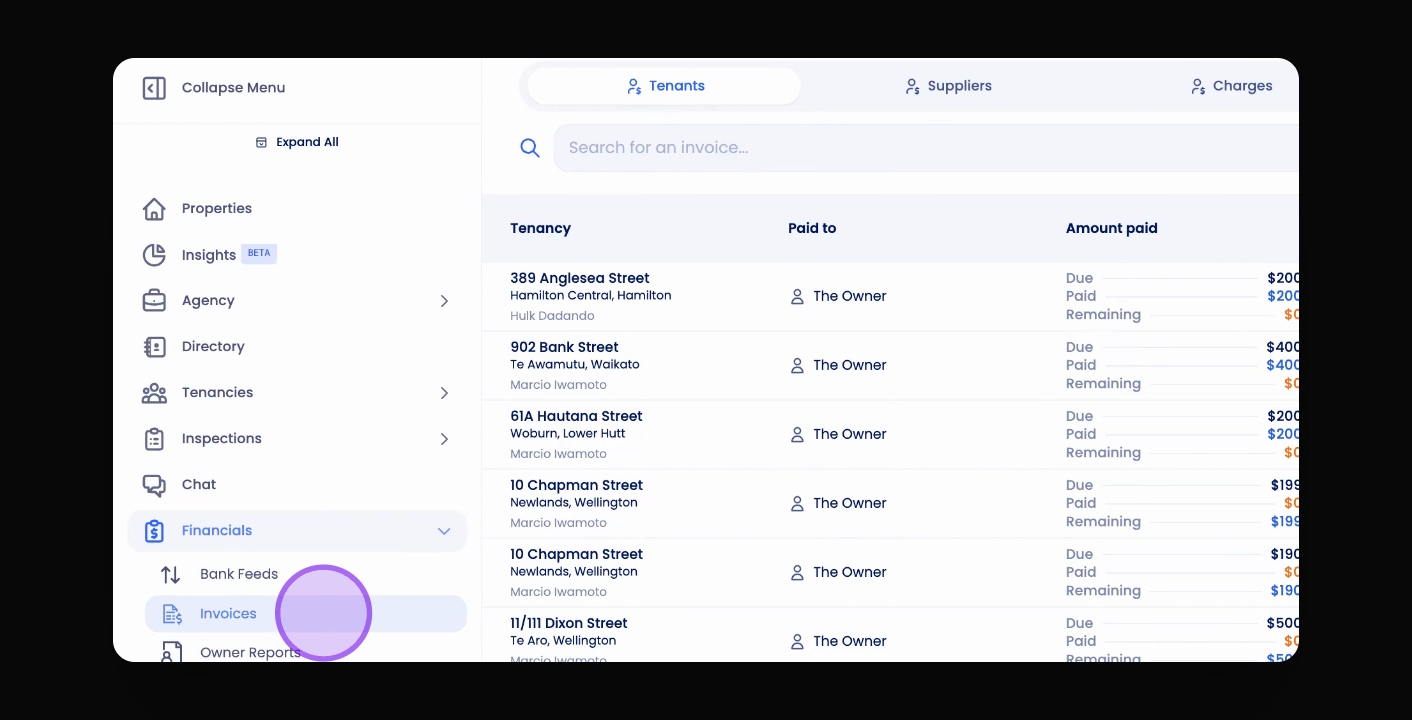
Click Invoices in the navigation bar.
Select the Suppliers tab to view the Supplier Invoices table.
Step 2: Filter Invoices
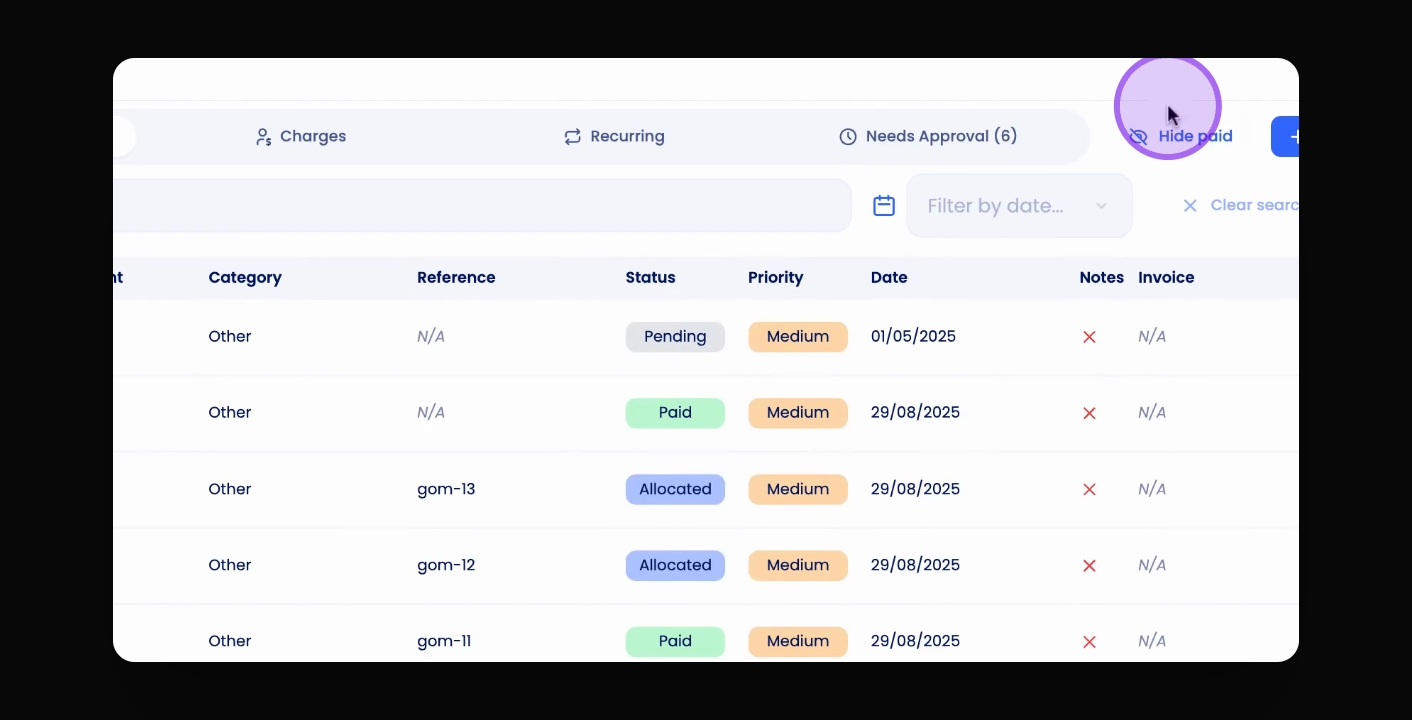
Click Hide Paid Invoices to display only open invoices.
Use the Search bar to filter by invoice amount, property, or supplier name.
Additionally, you can filter the table by date.
Step 3: Understand Invoice Priority
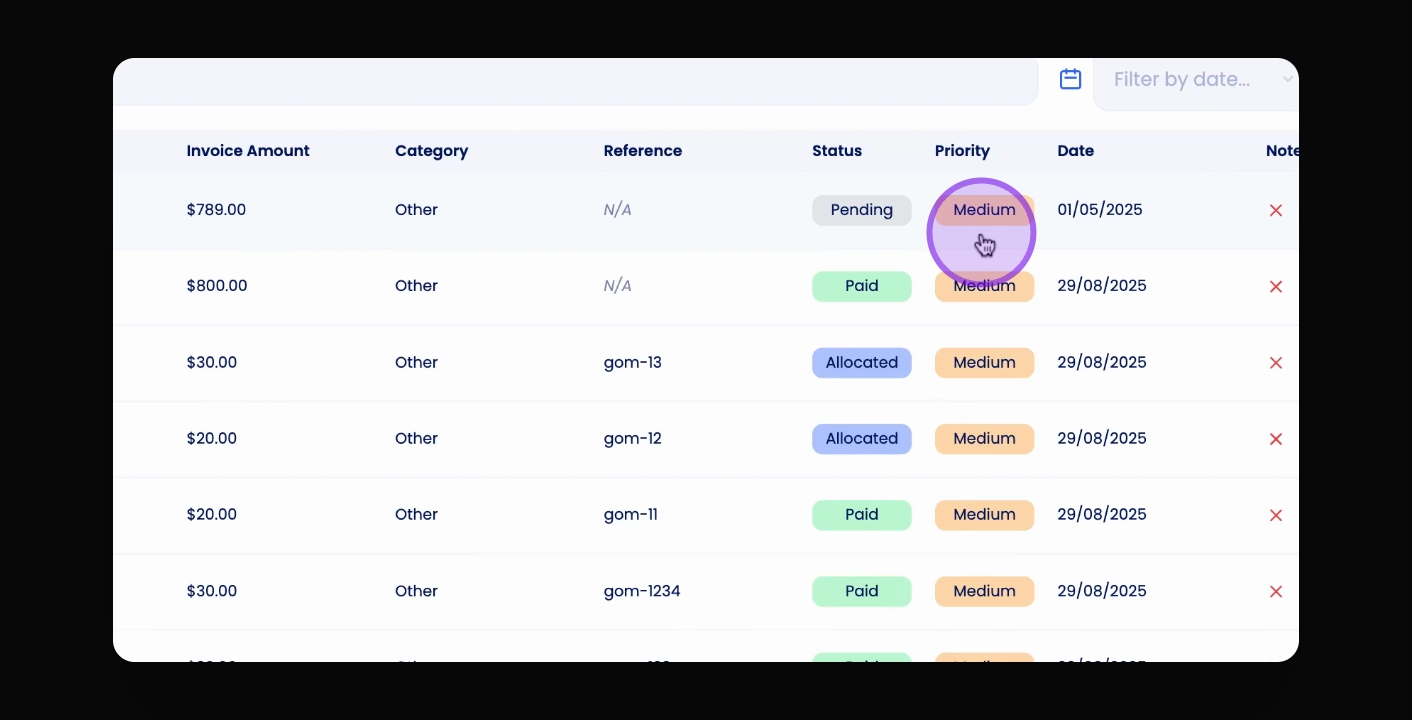
Each invoice has a priority level: low, medium, or high.
This priority can be set within the invoice under the Priority section.
Step 4: Check Invoice Status
Each invoice has a status: Paid, Allocated, or Pending.
Paid means the full invoice amount has been deducted and the supplier paid.
Allocated means the full invoice amount is deducted, but the supplier is yet to be paid.
Pending means the full invoice amount has not been deducted yet.
Note that a pending invoice may have a partial deduction, but full payment awaits complete deduction.