

On rare occasions, some banks may send repeat data. This mostly occurs for transactions which may be represented as pending transactions AND cleared transaction, both of which can appear individually within your bank feed.
Step 1: Flagging Duplicates
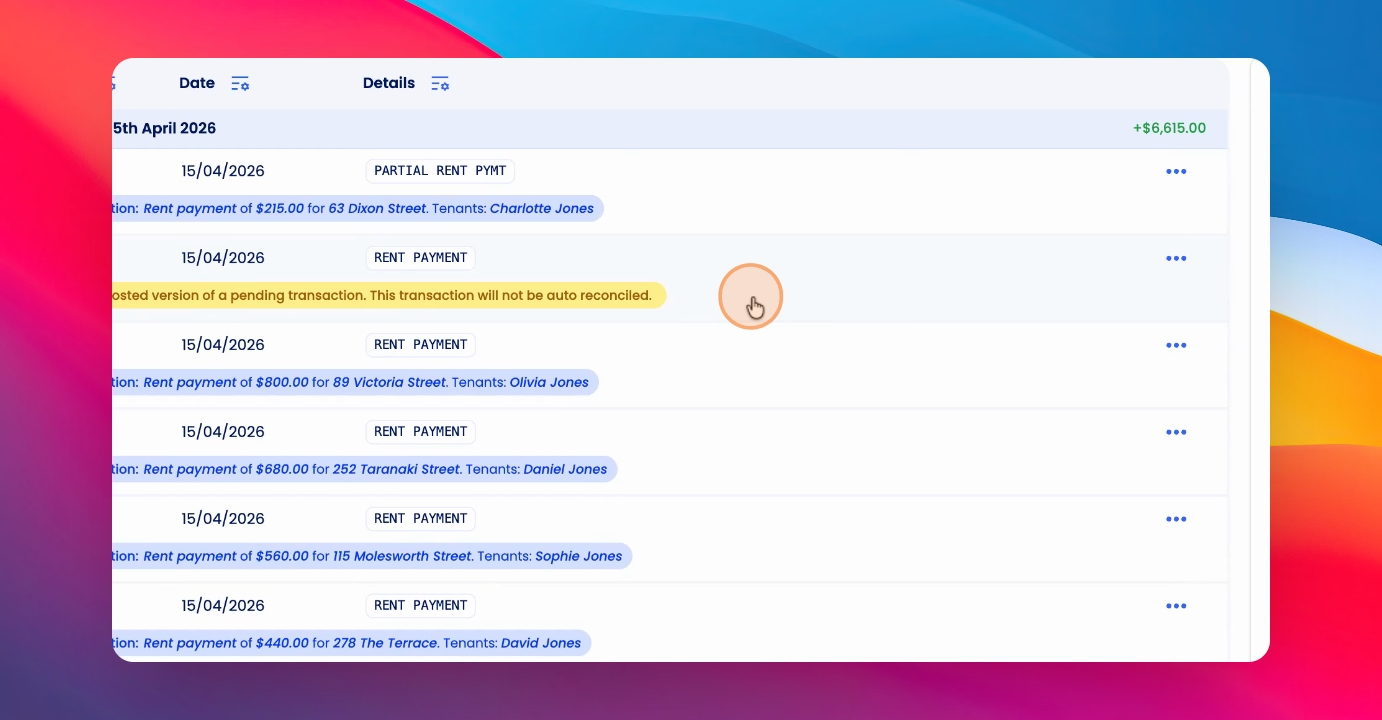
Out of caution, Keyhook will now look for any pending and cleared transactions that may be duplicates and flag these for you. When you see this yellow warning, click into the transaction.
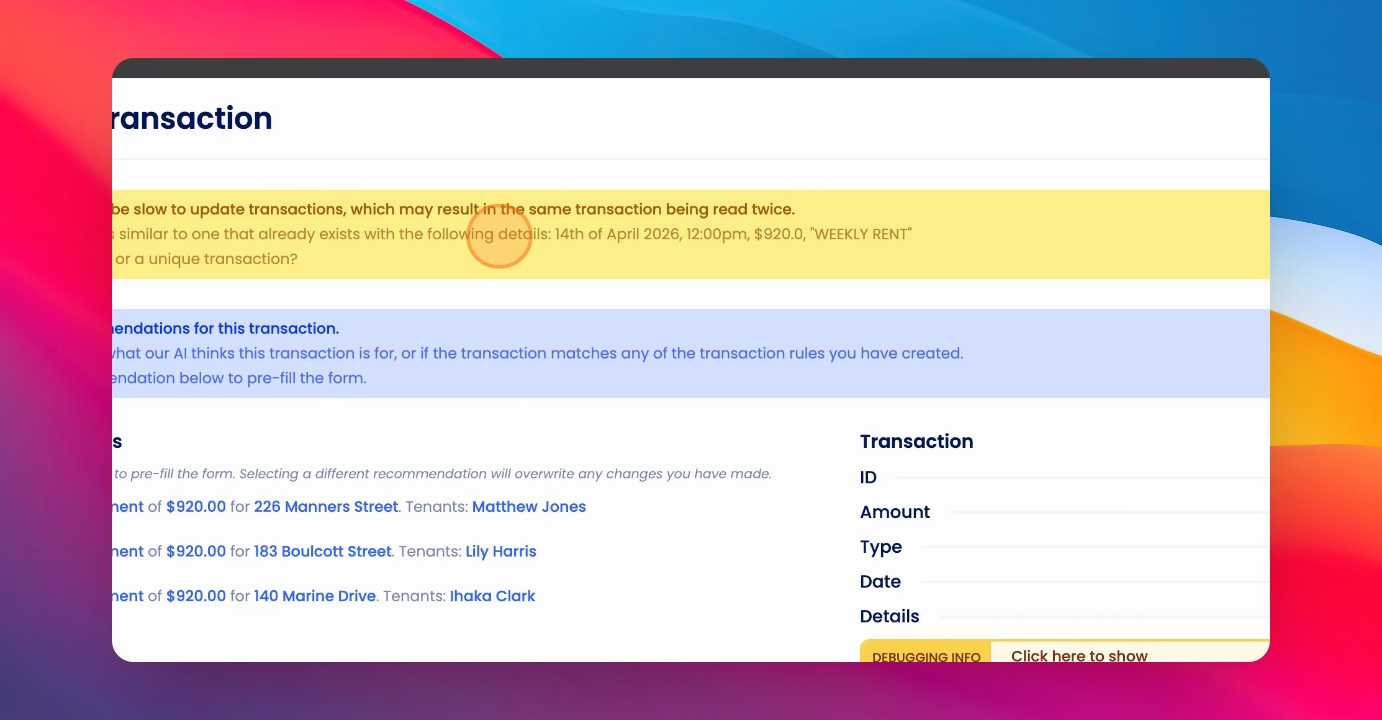
At the top, you'll see the details of the transaction that Keyhook thinks may be a duplicate. Review these details carefully.
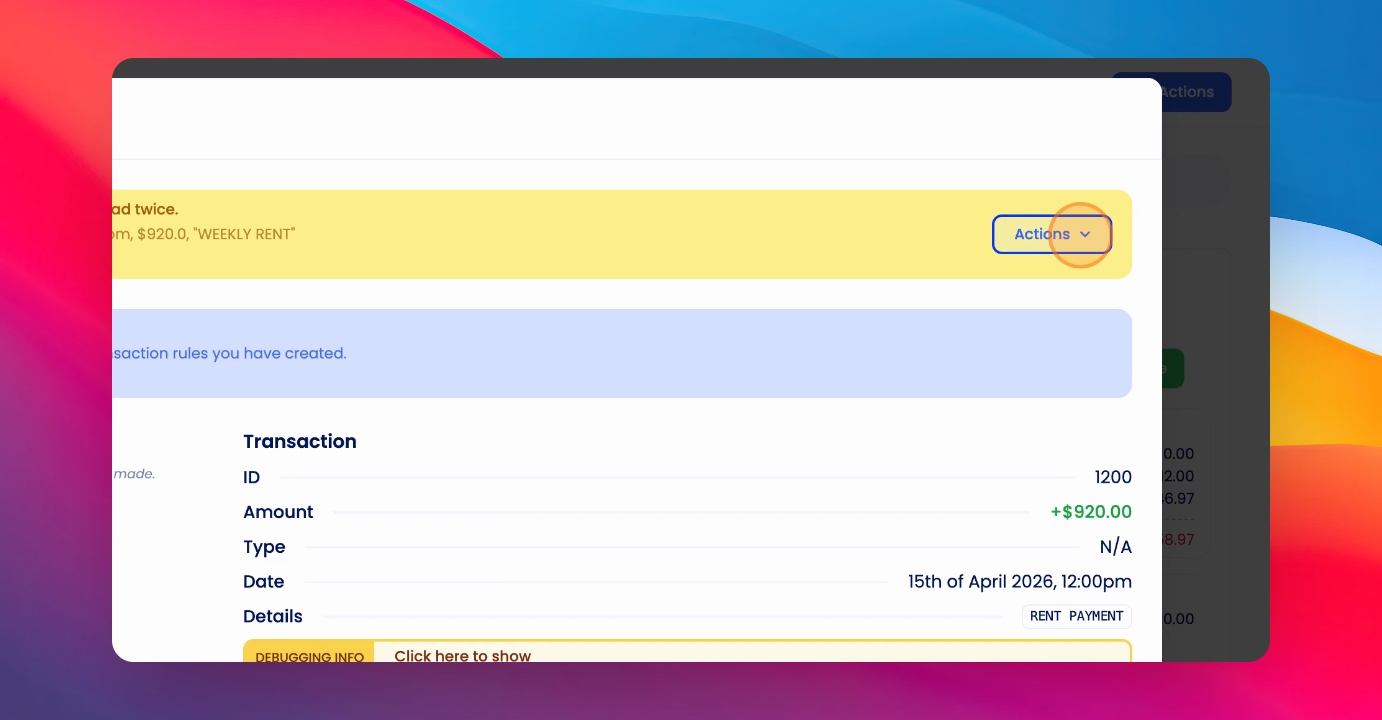
If required, go into your bank feed to review the original transaction. Once you have reviewed the potential duplicate, click the Actions button and specify whether this is a duplicate (and should be archived) or if it's a unique transaction (and should be receipted as normal).
Once you've completed this process, you can continue reconciling this transaction as normal.