

TL;DR
1
Open the Directory
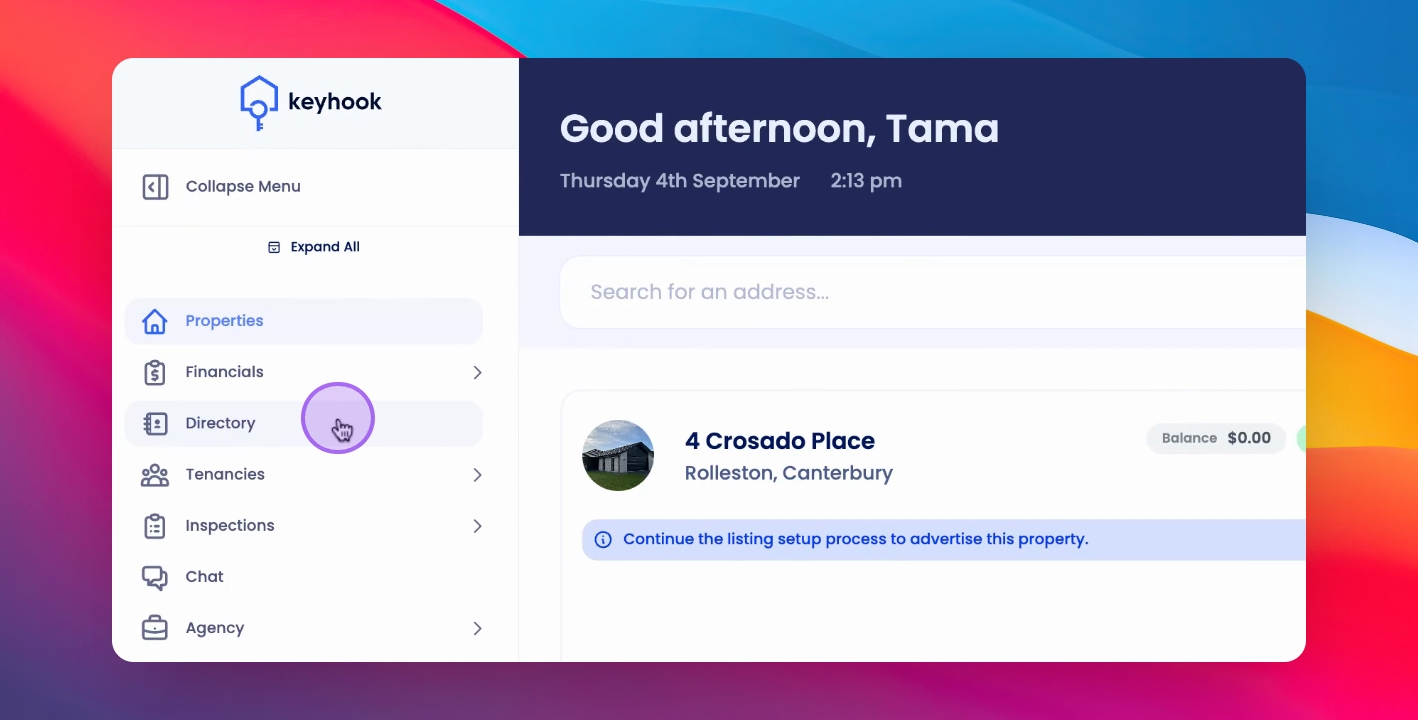
Click on the Directory in the navigation bar.
2
Search for Contacts
Type the name or property to find contact information.
3
Access Contact Info
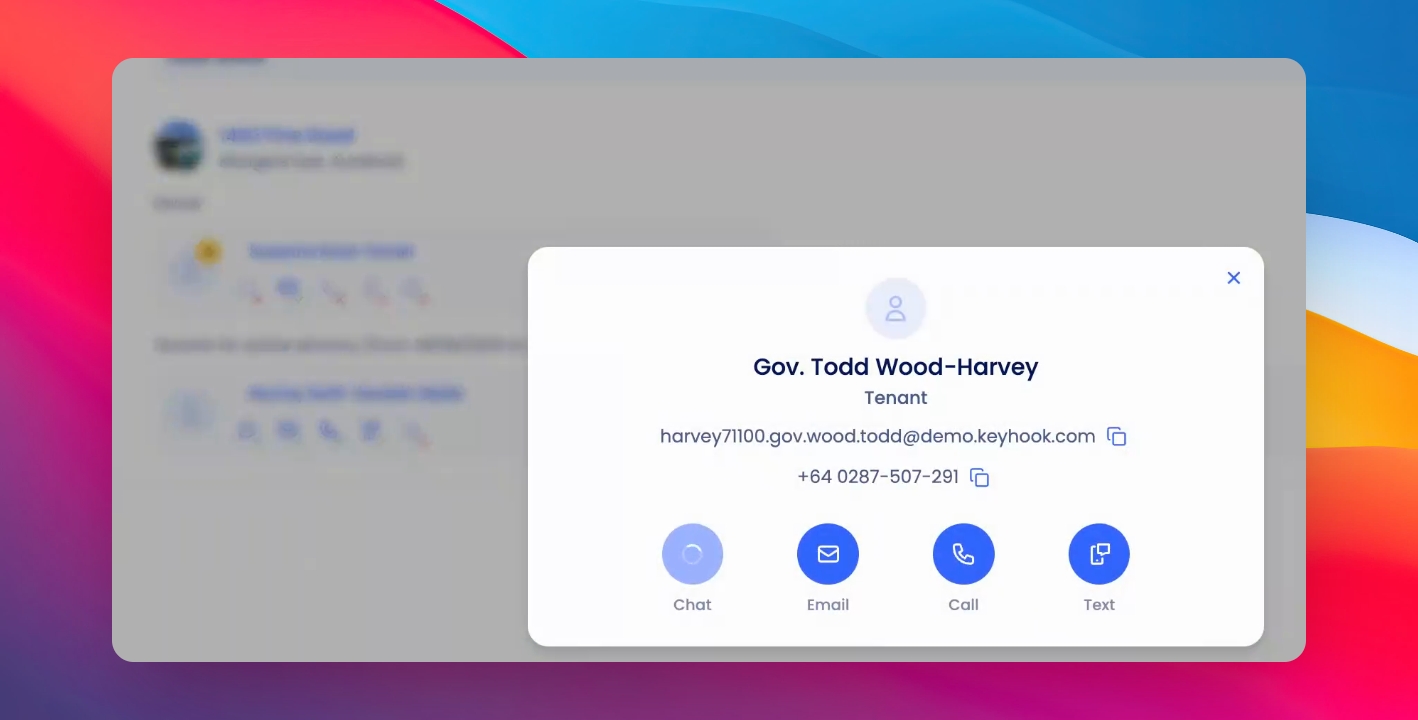
Click the contact card to view and use contact options.
4
Search Emails/Phones
You can also search for emails and phone numbers.
Let's Do It Together!
Step 1: Access the Directory
Click on the Directory in the navigation bar.
Begin typing any search term related to a tenant, property owner, or property.
You will see relevant contact cards based on your search.
Step 2: View Contact Information
Click on the contact card that appears for your search term.
Use the quick links to text, call, email, or chat within the app.
You will have access to the contact information for the tenant or owner.
Step 3: Search Using Additional Terms
You can also search directly for email addresses and phone numbers from the Directory.
If you need more help or have any questions, just reach out to us at support@keyhook.com — we're always here to help!