

TL;DR
1
Navigate to Templates
Go to the Template section under Inspections.
2
Select a Template
Choose the template you wish to duplicate.
3
Choose Duplicate
Click the Actions button and select Duplicate.
4
Edit Template Name
Click into Copy Template to change the name.
5
Update the Template
Finally, click Update Template to save changes.
Let's Do It Together!
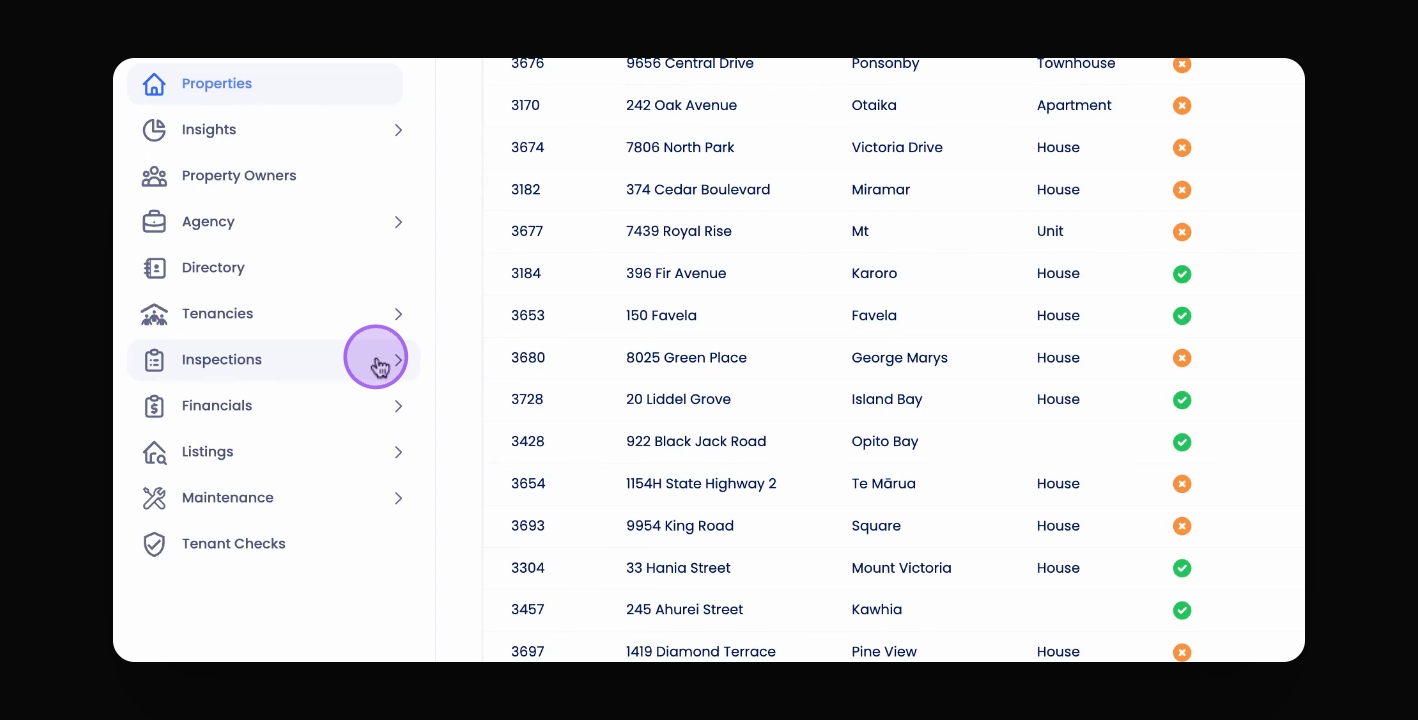
Step 1: Navigate to Templates
Navigate to the Template section under Inspections in the Navbar.
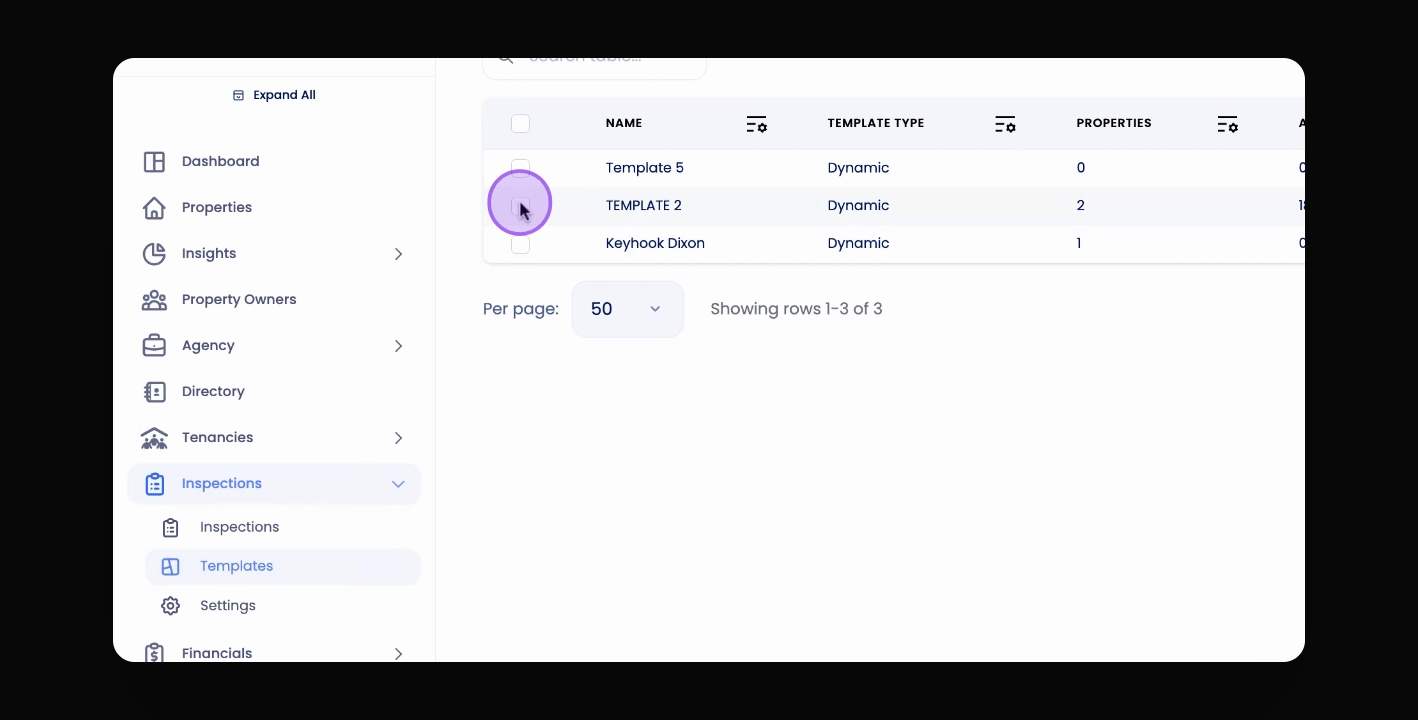
Step 2: Select Template
Select the template you would like to duplicate.
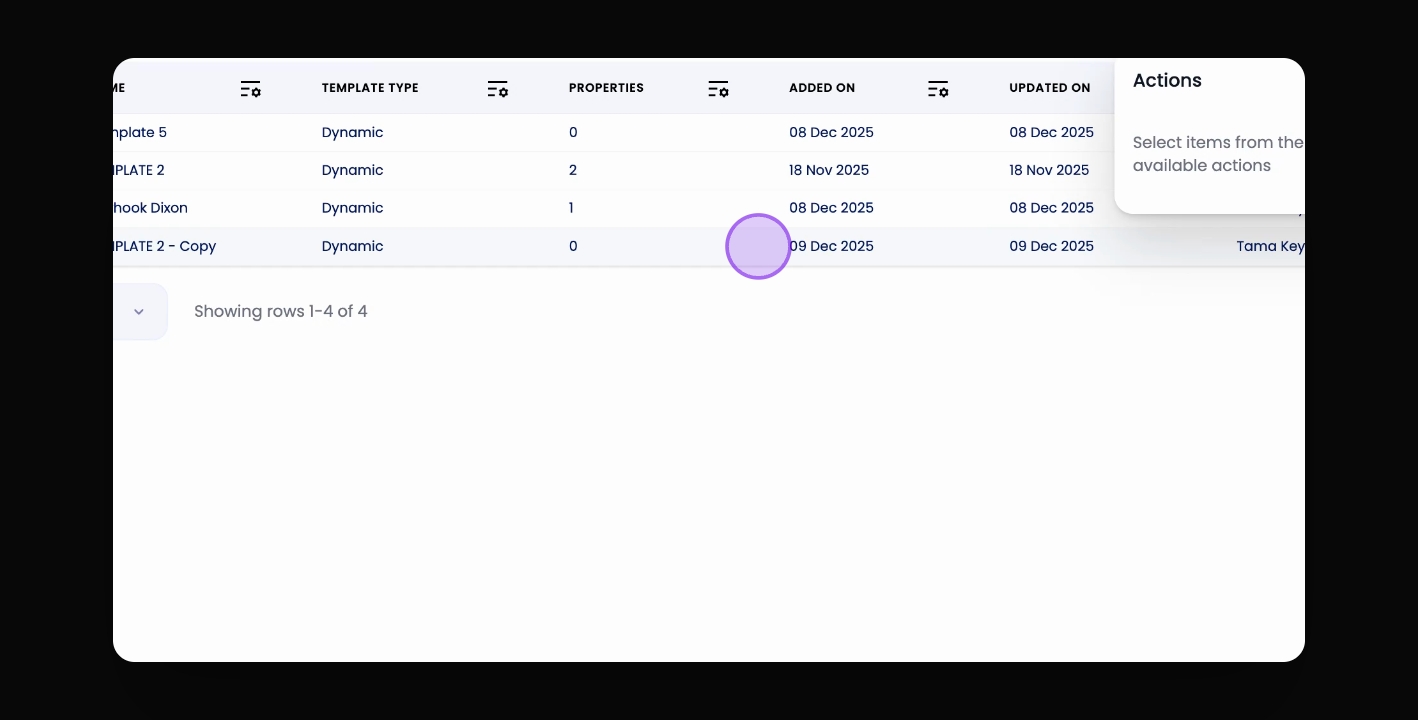
Step 3: Access Actions Menu
Go to the Actions button.
Step 4: Select Duplicate
Select Duplicate.
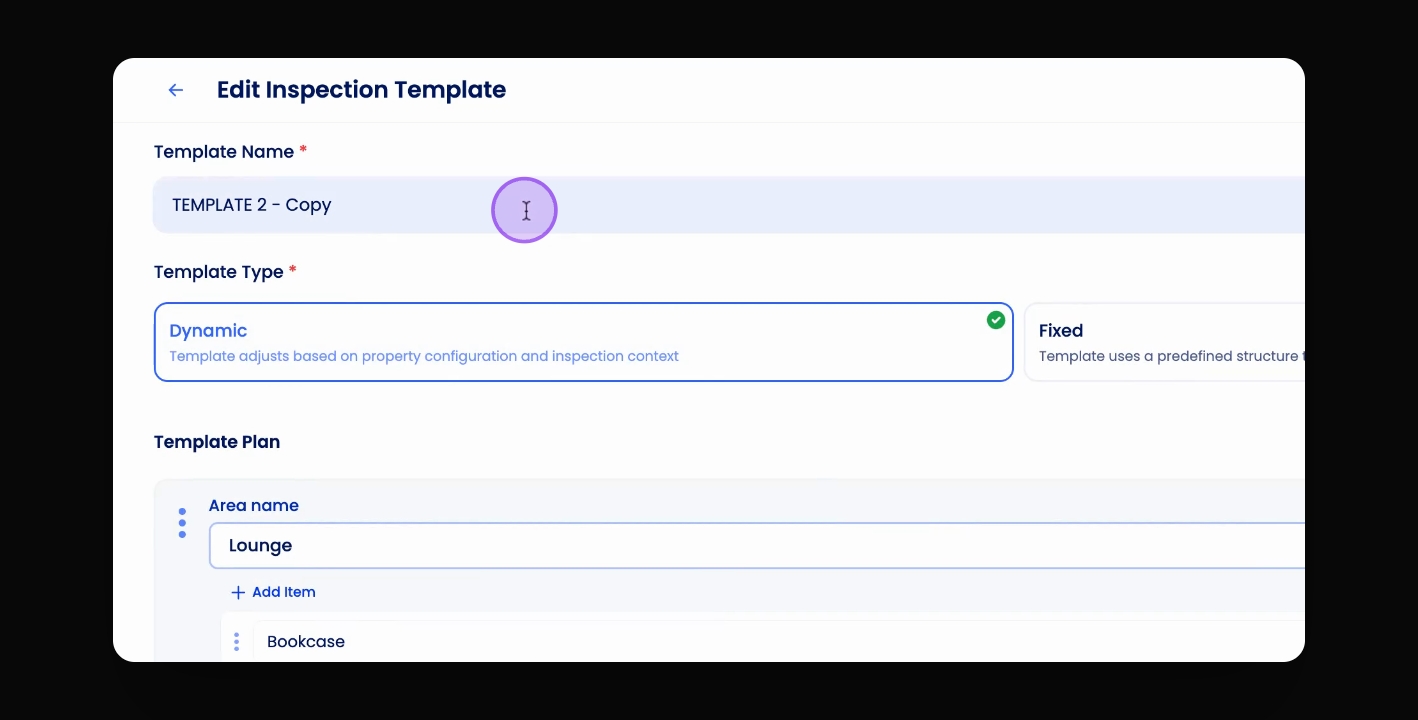
Step 5: Edit Template Name
Edit the name of the template by clicking into Copy Template.
Step 6: Change Template Name
Change the template name.
Step 7: Update Template
Click Update Template.