TL;DR
1
Select a filter
Choose a filter from the bank feed icons.
2
Apply the filter
Click Apply to view filtered transactions.
3
Use multiple filters
Apply more than one filter if needed.
4
Search outgoing payments
Enter a negative amount for outgoing transactions.
5
Clear filters
Click X or Clear to remove filters.
Let's Do It Together!
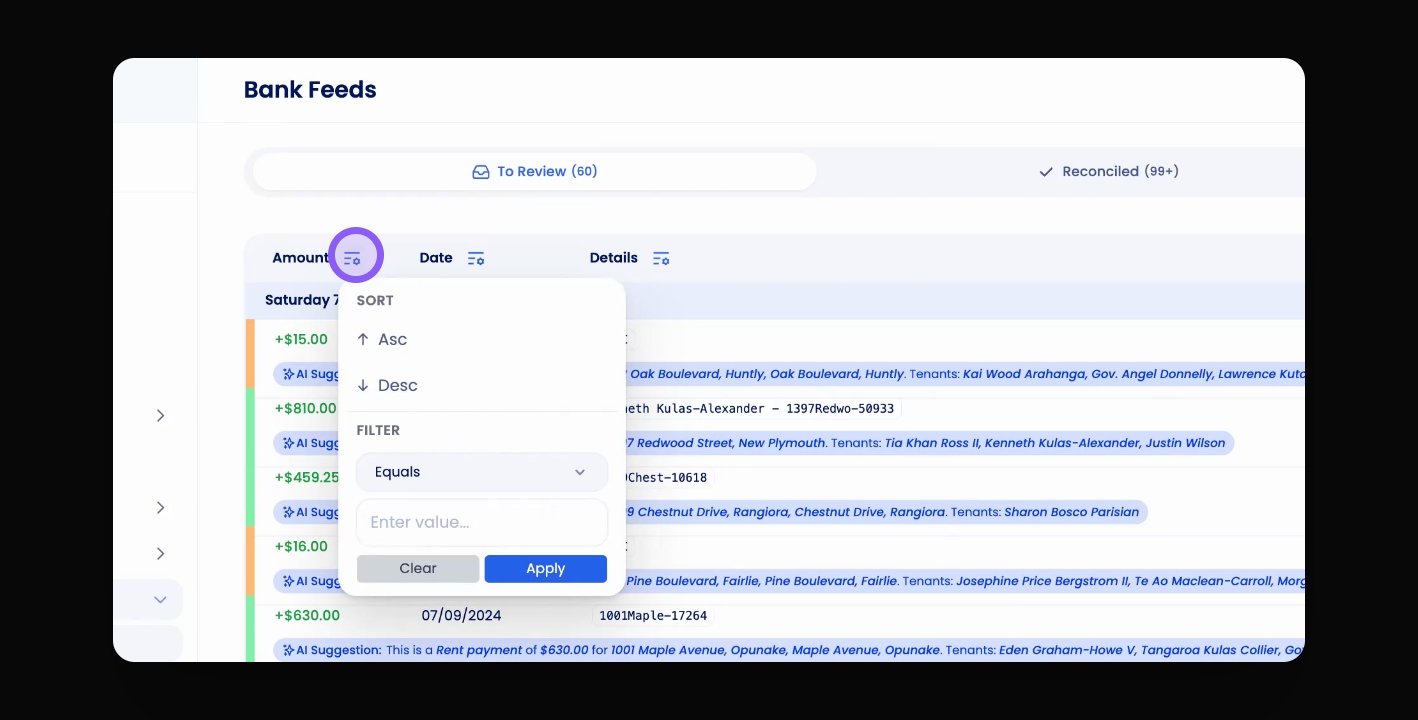
Step 1: Select Filter
Select your desired filter from the icons at the top of the bank feed.
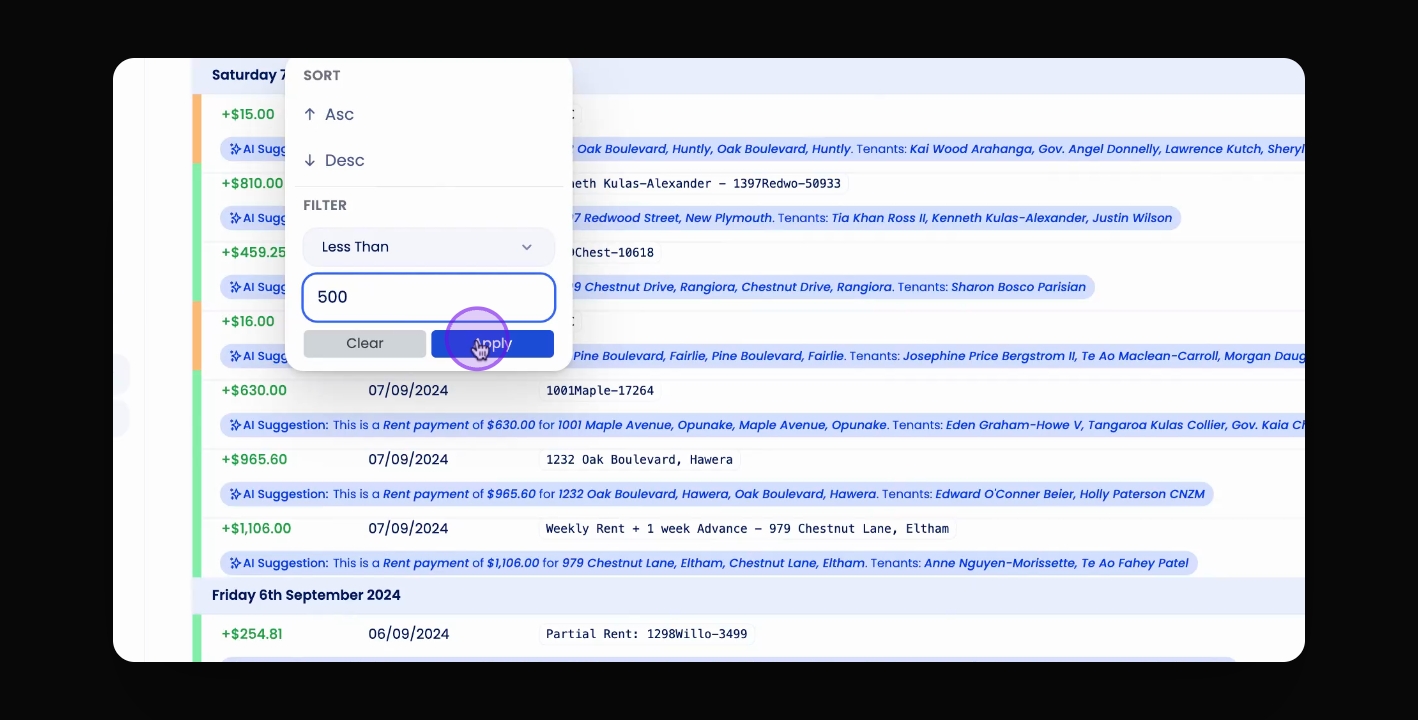
Step 2: Click Apply
Click Apply to filter the transactions based on your selection.
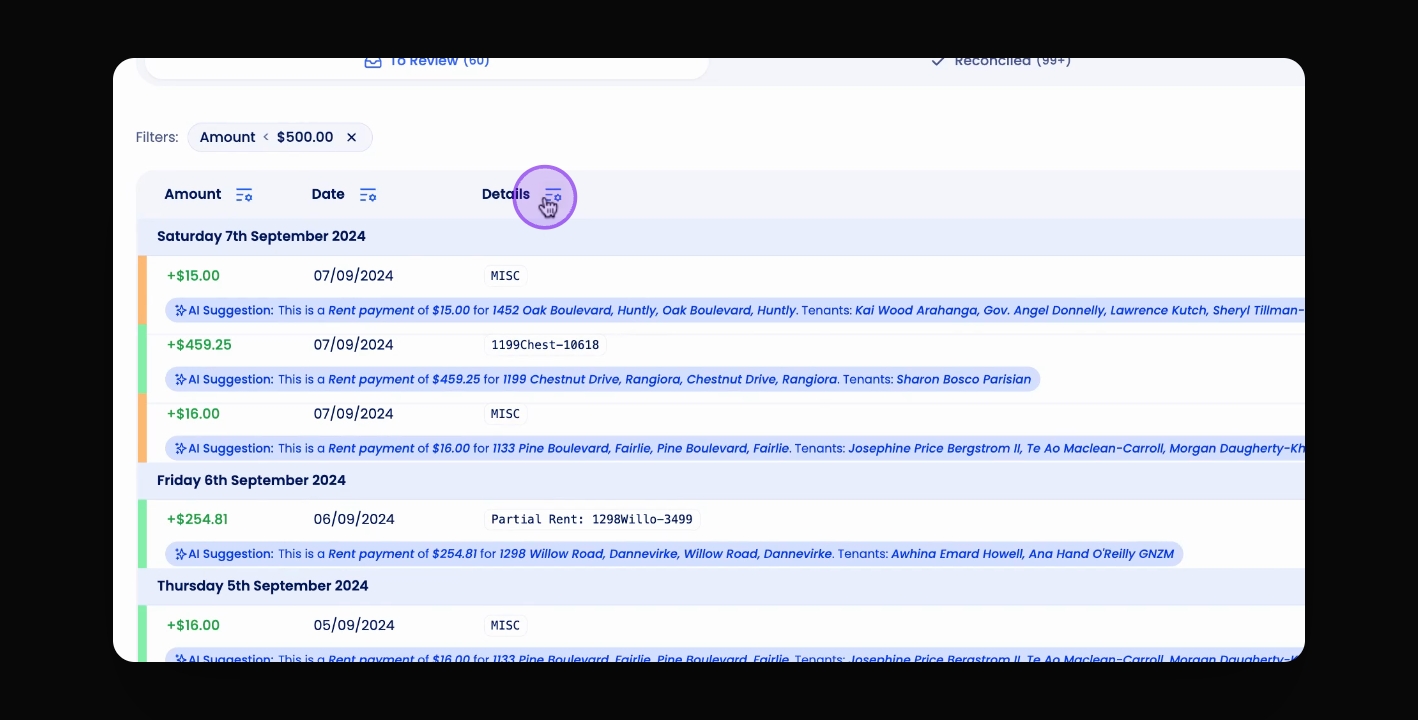
Step 3: Use Multiple Filters
You can also filter or apply multiple filters to the transactions table.
Step 4: Search Outgoing Payments
For outgoing payments, input a negative amount in the amount column.
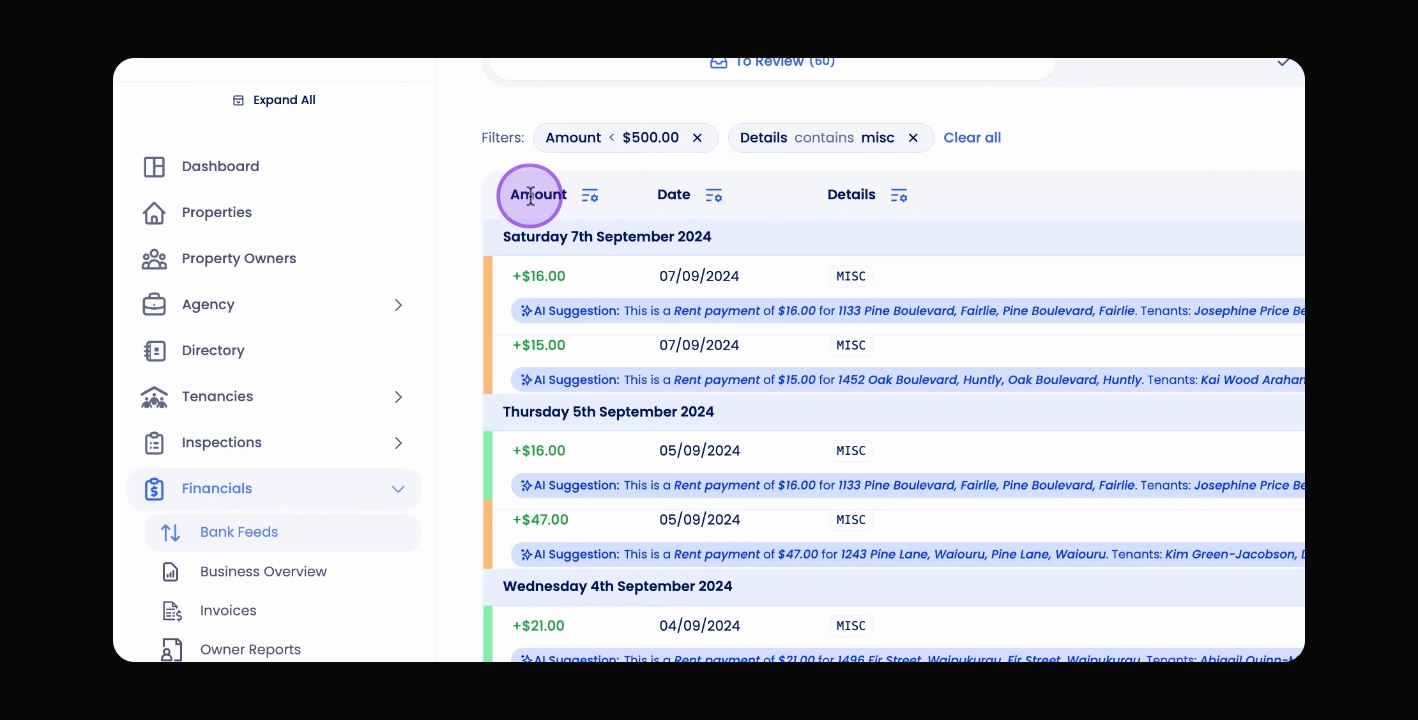
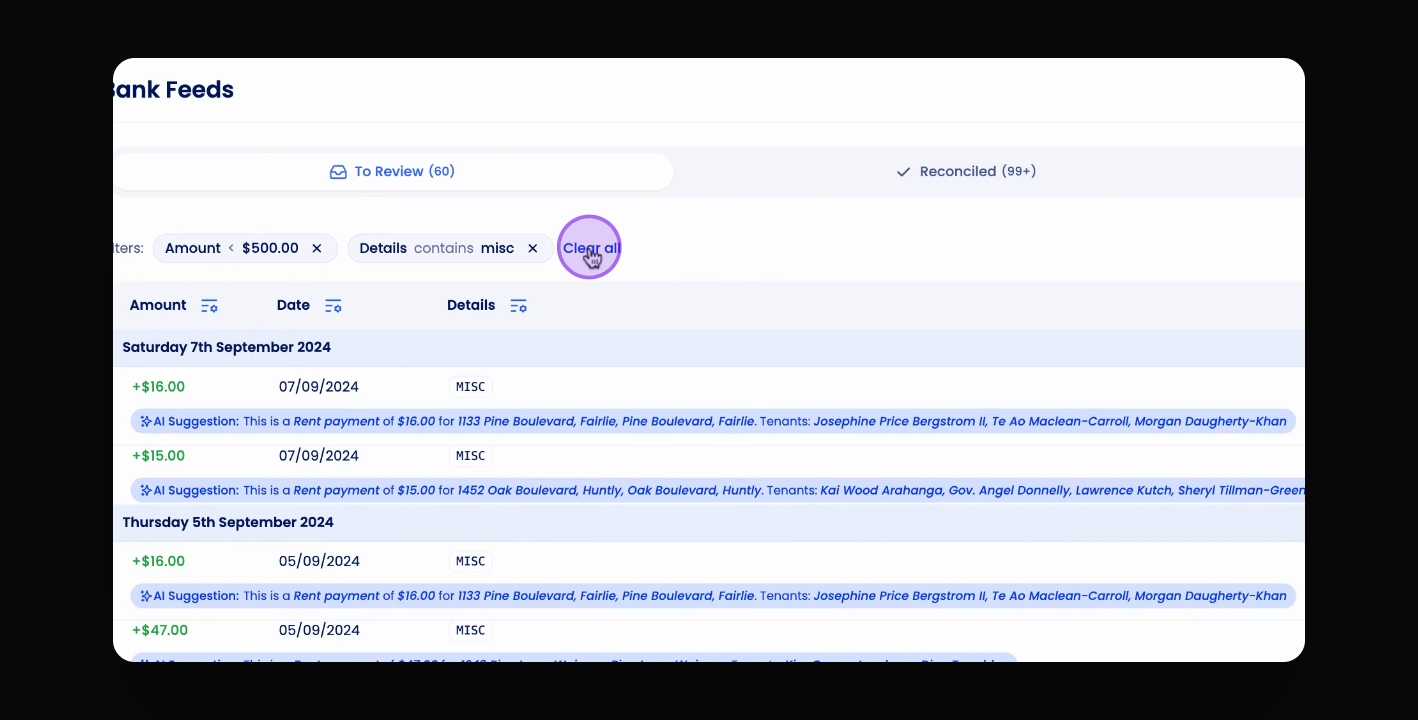
Step 5: Clear Filters
To clear any filters, click the X next to the filter or click Clear.