

TL;DR
1
Navigate to bank feeds
Financials > Bank feeds
2
Select the transaction
Click on the transaction you want from the list.
3
Add reconciliation details
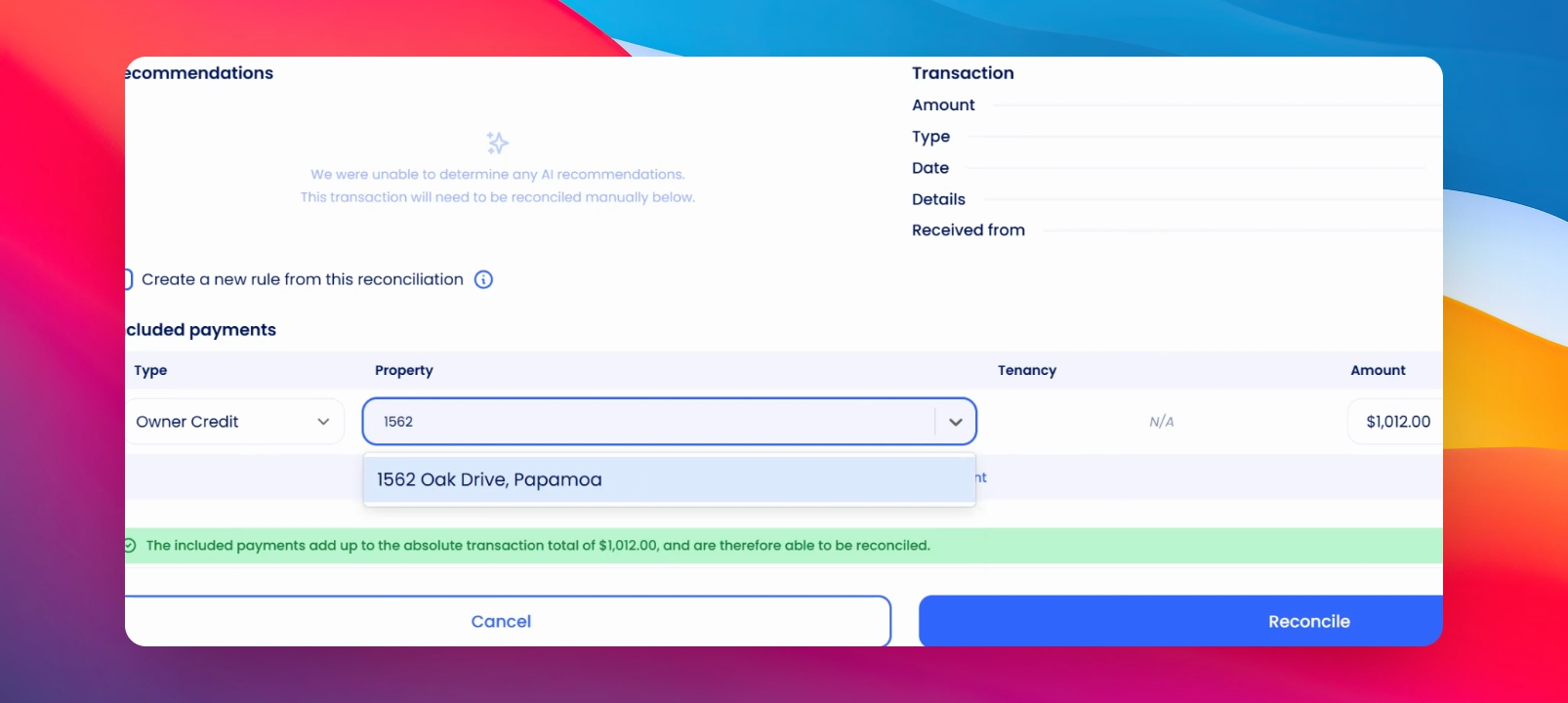
Choose 'Owner Credit' as the payment type and select the property to attach the credit to.
4
Reconcile invoices
Credited funds will be allocated to open invoices.
5
Hold Credit
Put the owner on hold if the credit is for a specific, upcoming invoice.
Let's Do It Together!
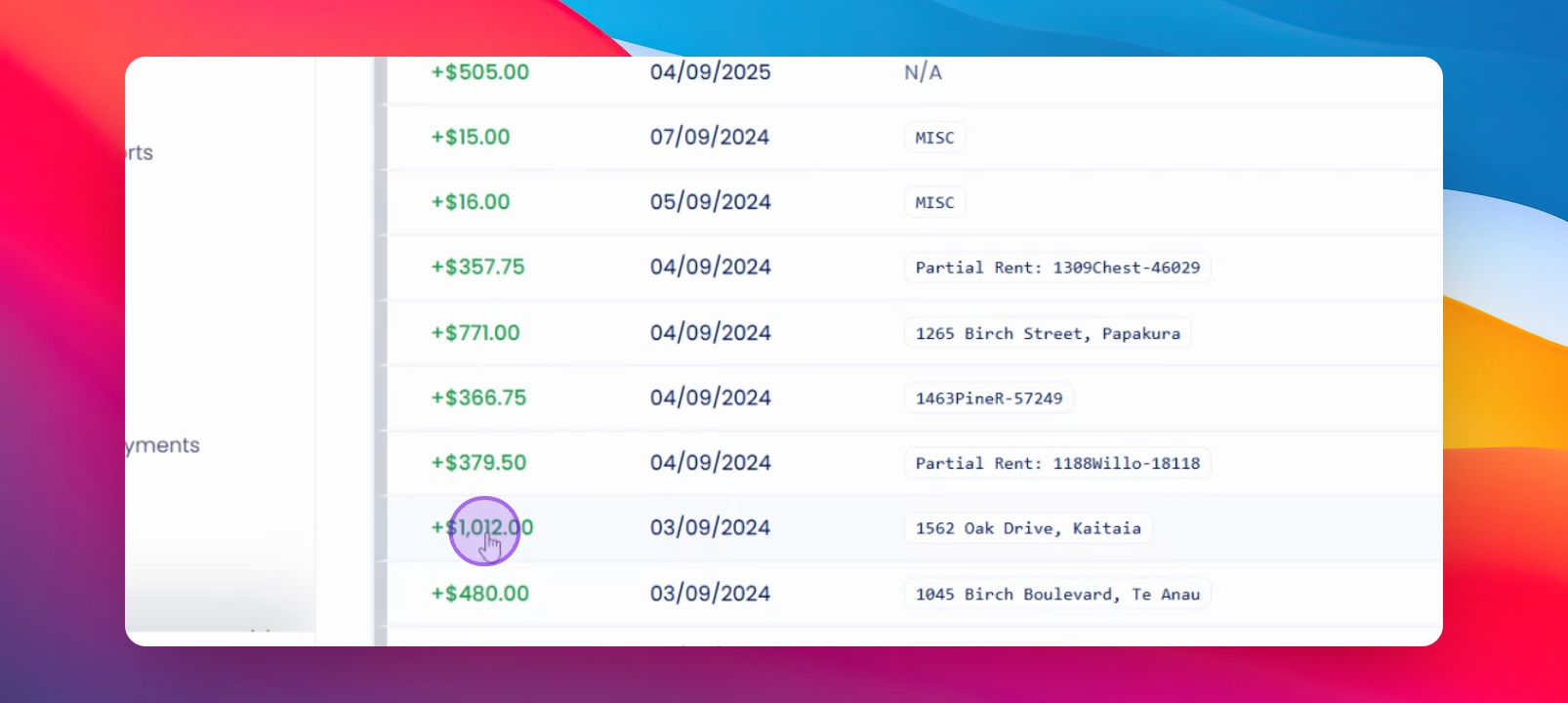
Step 1: Navigate to the transaction to reconcile
Go to your Bank Feed page and select the transaction.
Step 2: Enter reconciliation details
Choose owner credit as the payment type.
Select the property to attach the credit to. Confirm the total is correct.
Step 3: Reconcile Payment
The credit will now clear any invoices associated with the owner.
Step 4: Manage Pending Invoices
If invoices are not yet received, put the owner on hold.
This prevents accidental payments to the owner.
If you need more help or have any questions, just reach out to us at support@keyhook.com — we're always here to help!